7 Adjust sound
Control the volume
1
Press VOL +/- to increase or decrease
the volume.
- To mute, press ,_,
- To restore the volume, press ,¢: again
or press VOL +,
Select surround sound
®®
CZ] GD CD
G3 CDCD
1
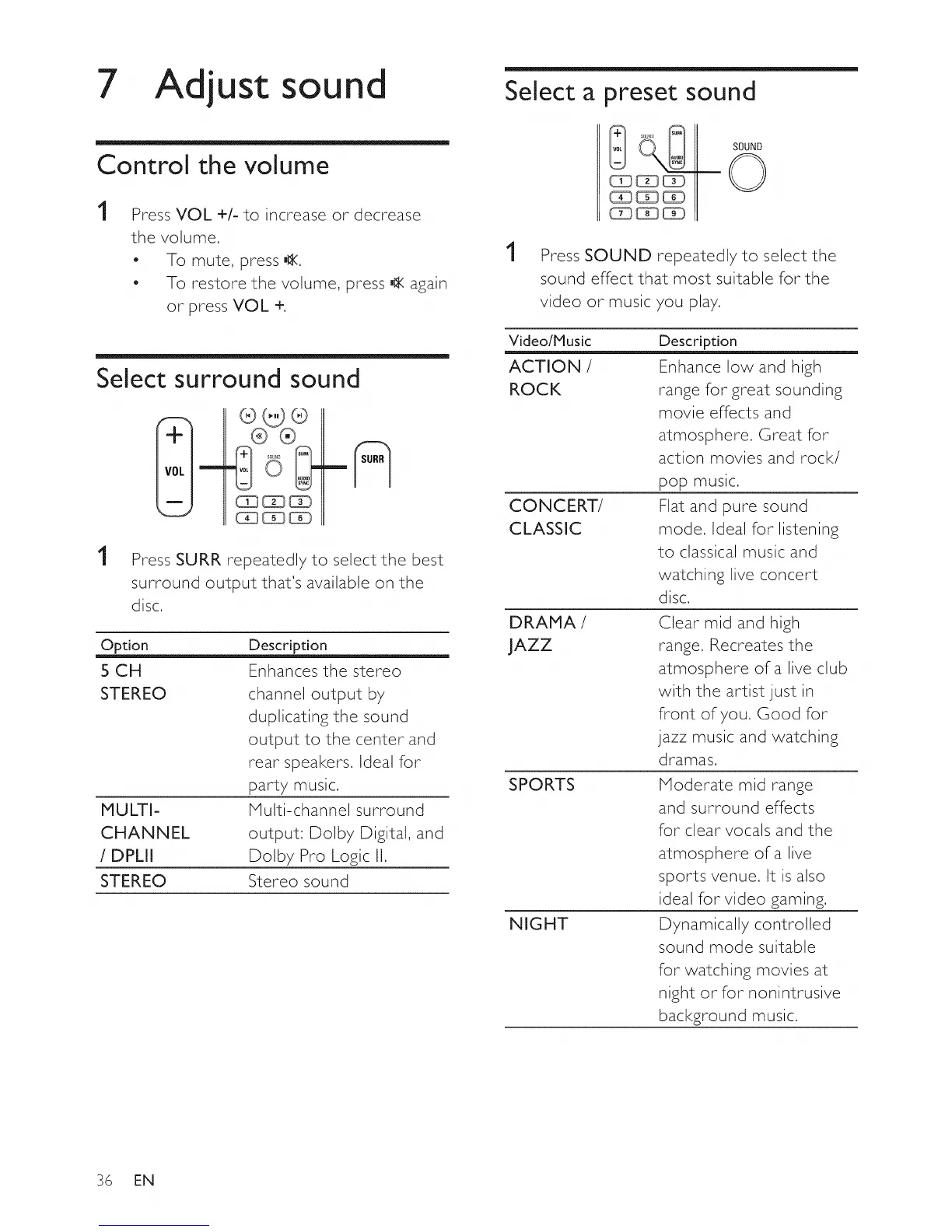
Press SURR repeatedly to select the best
surround output that's available on the
disc,
MULTI-
CHANNEL
/ DPLII
STEREO
Option Description
5 CH Enhances the stereo
STEREO channel output by
duplicating the sound
output to the center and
rear speakers, Ideal for
party music,
Multi-channel surround
output: Dolby Digital, and
Dolby Pro Logic II,
Stereo sound
Select a preset sound
1
Press SOUND repeatedly to select the
sound effect that most suitable for the
video or music you play,
Video/Music
ACTION /
ROCK
CONCERT/
CLASSIC
DRAMA /
JAZZ
SPORTS
NIGHT
Description
Enhance low and high
range for great sounding
movie effects and
atmosphere. Great for
action movies and rock/
pop music.
Flat and pure sound
mode. Ideal for listening
to classical music and
watching live concert
disc,
Clear mid and high
range, Recreates the
atmosphere of a live club
with the artist just in
front of you, Good for
jazz music and watching
dramas,
Moderate mid range
and surround effects
for clear vocals and the
atmosphere of a live
sports venue, It is also
ideal for video gaming.
Dynamically controlled
sound mode suitable
for watching movies at
night or for nonintrusive
background music,
36 EN















 To Next Page