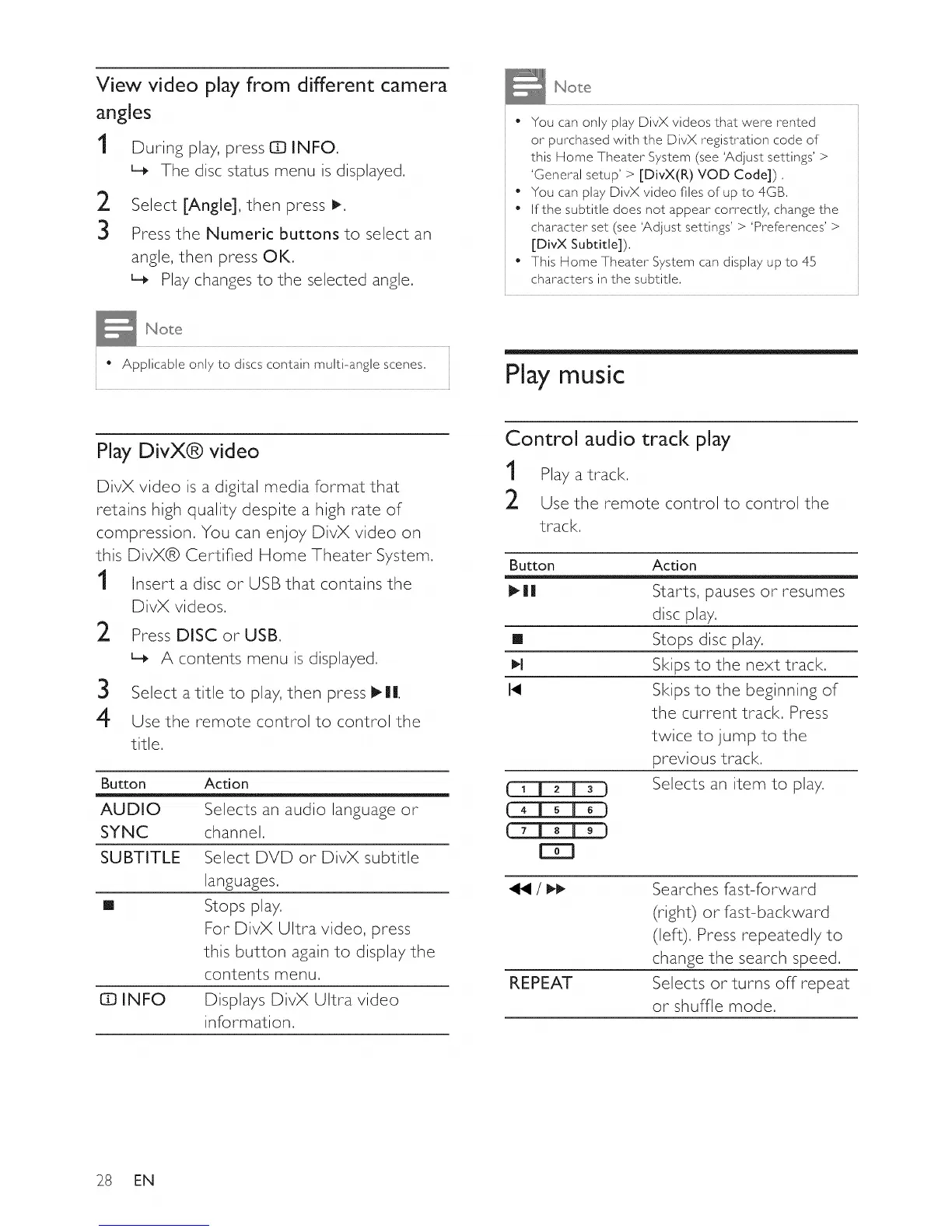
View video play from different camera
angles
1 During play, press ID INFO.
L_ The disc status menu is displayed.
2 Select [Angle], then press !_.
3 Press the Numeric buttons to select an
angle, then press OK.
L_ Play changes to the selected angle,
• You can onl 7 pla7 DivX videos that were rented
or purchased with the DivX registration code of
this Home Theater System (see 'Adjust settings' >
'General setup' > [DivX(R) VOD Code]) ,
" You can play DivX video files of up to 4GB,
• If the subtitle does not appear correctly, change the
character set (see 'Adjust settings' > 'Preferences' >
[DivX Subtitle]),
• This Home Theater System can displa 7 up to 45
characters in the subtitle,
• Applicable onl7 to discs contain multi-angle scenes,
Play music
Play DivX® video
DivX video is a digital media format that
retains high quality despite a high rate of
compression. You can enjoy DivX video on
this DivX® Certified Home Theater System,
1 Insert a disc or USB that contains the
2
DivX videos,
Press DISC or USB,
L_ A contents menu is displayed,
3 Select a title to play, then press I_Ill.
4 Use the remote control to control the
title.
Button Action
AUDIO Selects an audio language or
SYNC channel.
SUBTITLE Select DVD or DivX subtitle
languages.
[] Stops play.
For DivX Ultra video, press
this button again to display the
contents menu.
IZDINFO Displays DivX Ultra video
information.
Control audio track play
1 Play a track.
2 Use the remote control to control the
track.
Butto n Acti o n
I_ll| Starts, pauses or resumes
disc play.
[] Stops disc play.
I_1 Skips to the next track,
I_ Skips to the beginning of
the current track. Press
twice to jump to the
previous track.
Selects an item to play.
[E]
REPEAT
Searches fast-forward
(right) or fast-backward
(left). Press repeatedly to
change the search speed.
Selects or turns off repeat
or shuffle mode.
28 EN















 To Next Page