Change speaker settings
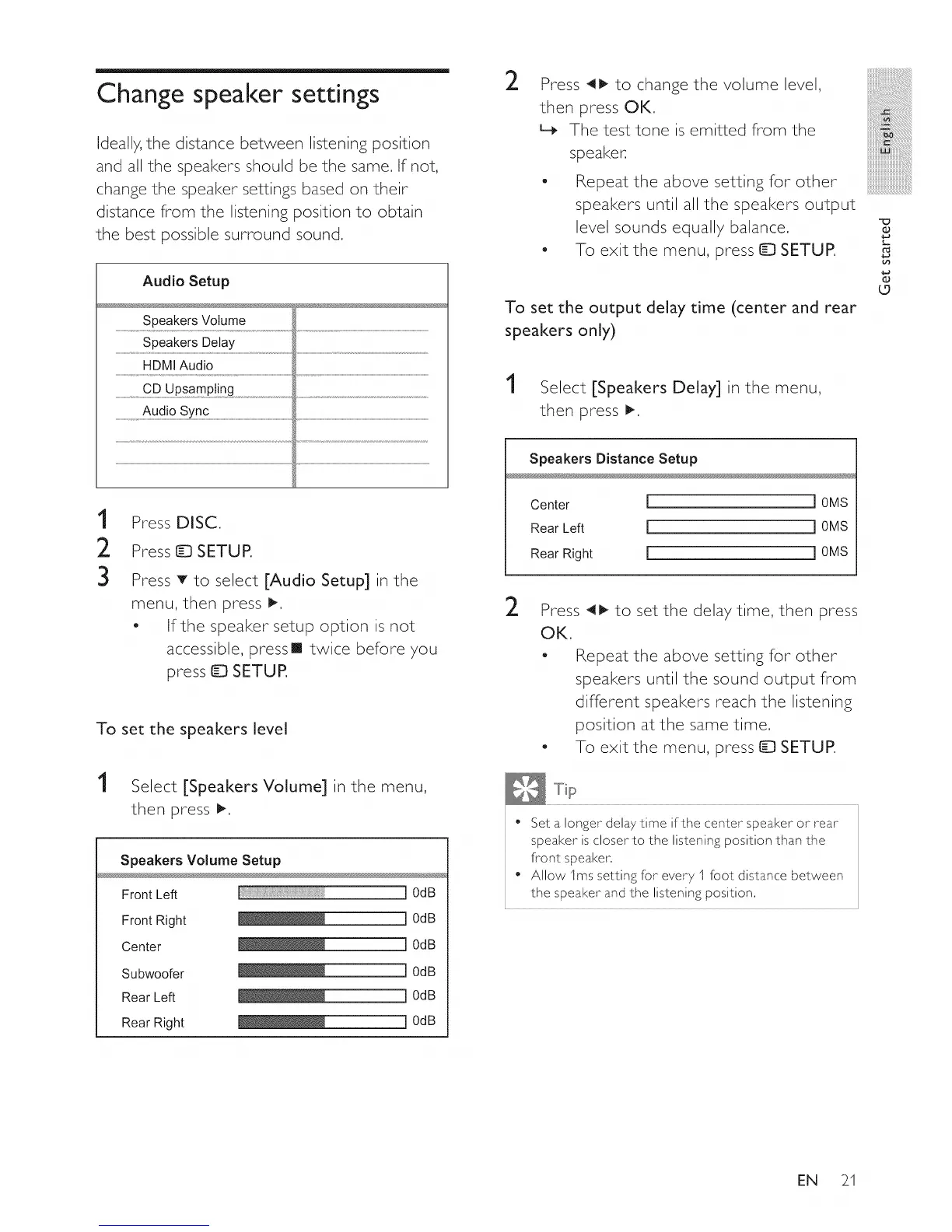
Ideally, the distance between listening position
and all the speakers should be the same. If not,
change the speaker settings based on their
distance from the listening position to obtain
the best possible surround sound.
Audio Setup
Speakers Volume
Speakers Delay
HDMI Audio
......................................CDUPsamp!!n0............................................................................................................................................................................................................................................................................
.....................................Audio sync...................................................................................................................................................................................................................................................................................................................
1
2
3
Press DISC.
Press ID SETUP.
Press T to select [Audio Setup] in the
menu, then press _.
- If the speaker setup option is not
accessible, pressll twice before you
press _ SETUP.
To set the speakers level
1
Select [Speakers Volume] in the menu,
then press t_,
Speakers Volume Setup
Front Left
Front Right
Center
Subwoofer
Rear Left
Rear Right
J 0dB
_l I 0da
_l I 0da
_l I 0da
_l I 0da
_l I 0da
2
Press 41_ to change the volume level,
then press OK.
L_ The test to ne is e m itted fro m the
speake ......
- Re p eat t h e ab oves ettin g for ot her
speakers until all the speakers output
level sounds equally balance.
- To exit the menu, press D SETUP.
To set the output delay time (center and rear
speakers only)
1
Select [Speakers Delay] in the menu,
then press I_,
Speakers Distance Setup
Center [ i0MS
Rear Left [ i 0MS
Rear Right [ i 0MS
2
Press _ to set the delay time, then press
OK.
- Repeat the above setting for other
speakers until the sound output from
different speakers reach the listening
position at the same time,
- To exit the menu, press tD SETUR
• Set a longer delay time if the center speaker or rear
speaker is closer to the listening position than the
front speaker,
• Allow 1ms setting for every I foot distance between
the speaker and the listening position,
O
L.
O
o
EN 21















 To Next Page