Product overview
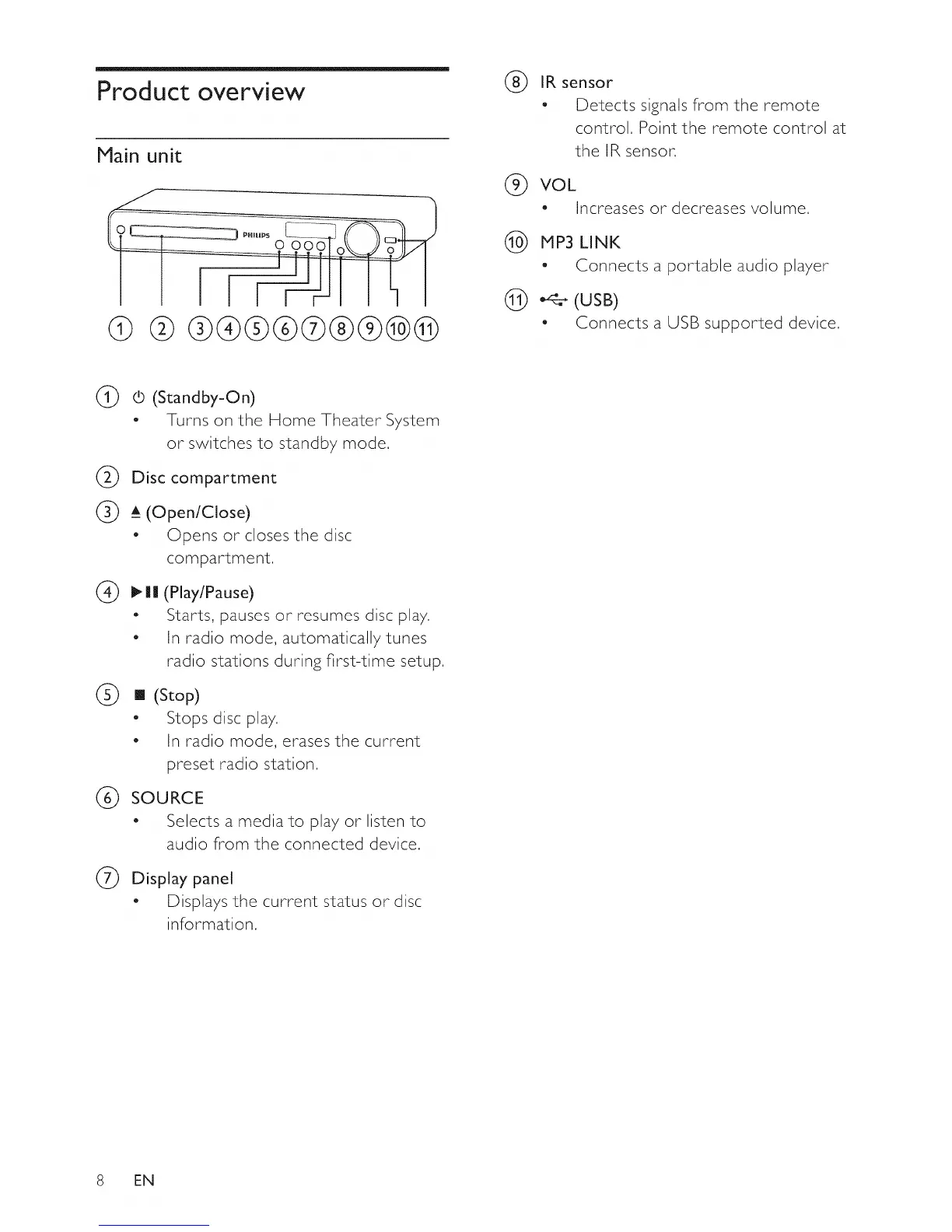
Main unit
@ @ ®@@
®
IR sensor
- Detects signals from the remote
control. Point the remote control at
the IR sensor.
(_) VOL
- Increases or decreases volume,
(_) MP3 LINK
- Connects a portable audio player
@ _ (USB)
- Connects a USB supported device.
@
@
(b (Standby-On)
- Turns on the Home Theater System
or switches to standby mode.
Disc compartment
(_ A_(Open/Close)
- Opens or closes the disc
compartment.
(Play/Pause)
Starts, pauses or resumes disc play.
In radio mode, automatically tunes
radio stations during first-time setup.
(_) [] (Stop)
" Stops disc play,
- In radio mode, erases the current
preset radio station,
SOURCE
- Selects a media to play or listen to
audio from the connected device.
@ Display panel
- Displays the current status or disc
information,
8 EN















 To Next Page