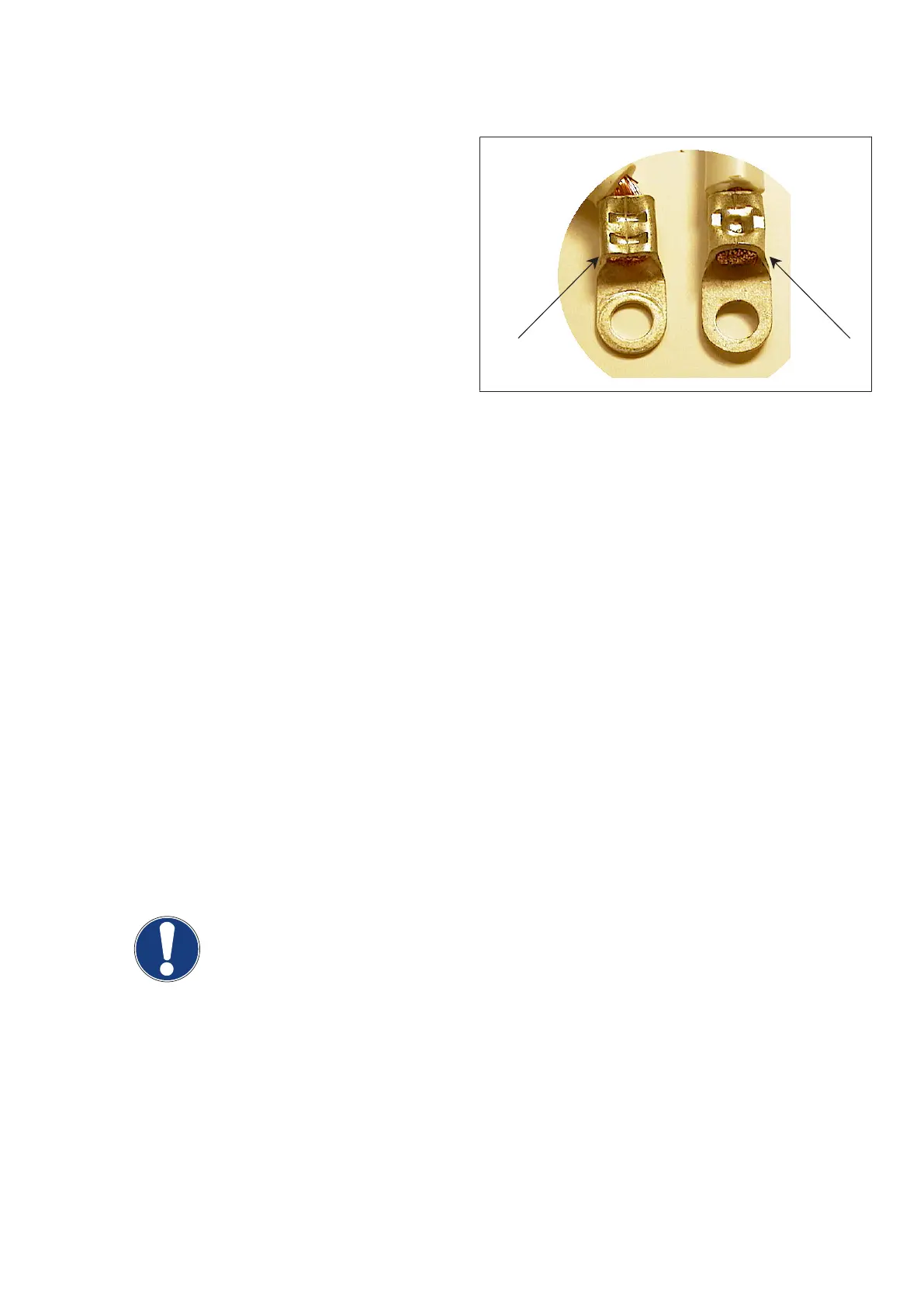
4.2.5 Power cable harness check
▪ Check internal converter power cable connections
at resonance capacitors C3:2 and C13:2.
If the connectors look like (2) no additional action
is necessary.
If one of the connectors looks like (1) and if signs
of overheating are visible replace the converter.
▪ Record the conditions in the check list (last pages).
(Fig. 2)
4.2.6
Resonance capacitor check
▪ Remove primary lines from resonance capacitors C3:1 and C13:1 of frontal (and rear) converter.
▪ Check both capacitors for:
– short-circuit
– open connection
As it is not possible to measure the capacitance with an ohmmeter it is sufficient to see a variable resistance value
for a certain time and finally a high resistance or open connection.
Once a high resistance or open connection is displayed reverse the measuring lines. If it comes again to an
unstable resistance display with a high resistance or open connection display at the end, the capacitor should be
OK.
If a capacitance measuring device is available it should display 8µF ±5% (apart from the meter tolerance).
If a capacitor is defective (short or open) and no other part of the converter is defective which requires a converter
unit exchange, replace the capacitor (2019 321 00016).
▪ Record the conditions in the checklist (last pages).
NOTE
Leave the primary lines disconnected from the capacitors for further tests.
Converter test kit OPTIMUS for OPTIMUS 50/65/80 gen‐
erators release 3.x with converters 4512 104 7231x
Conv test Optimus CSIP Level 1 (08.0)
© 2008 Koninklijke Philips Electronics N.V.
ALL RIGHTS RESERVED
13



 To Next Page