12 Screeneo U5 SCN550/INT
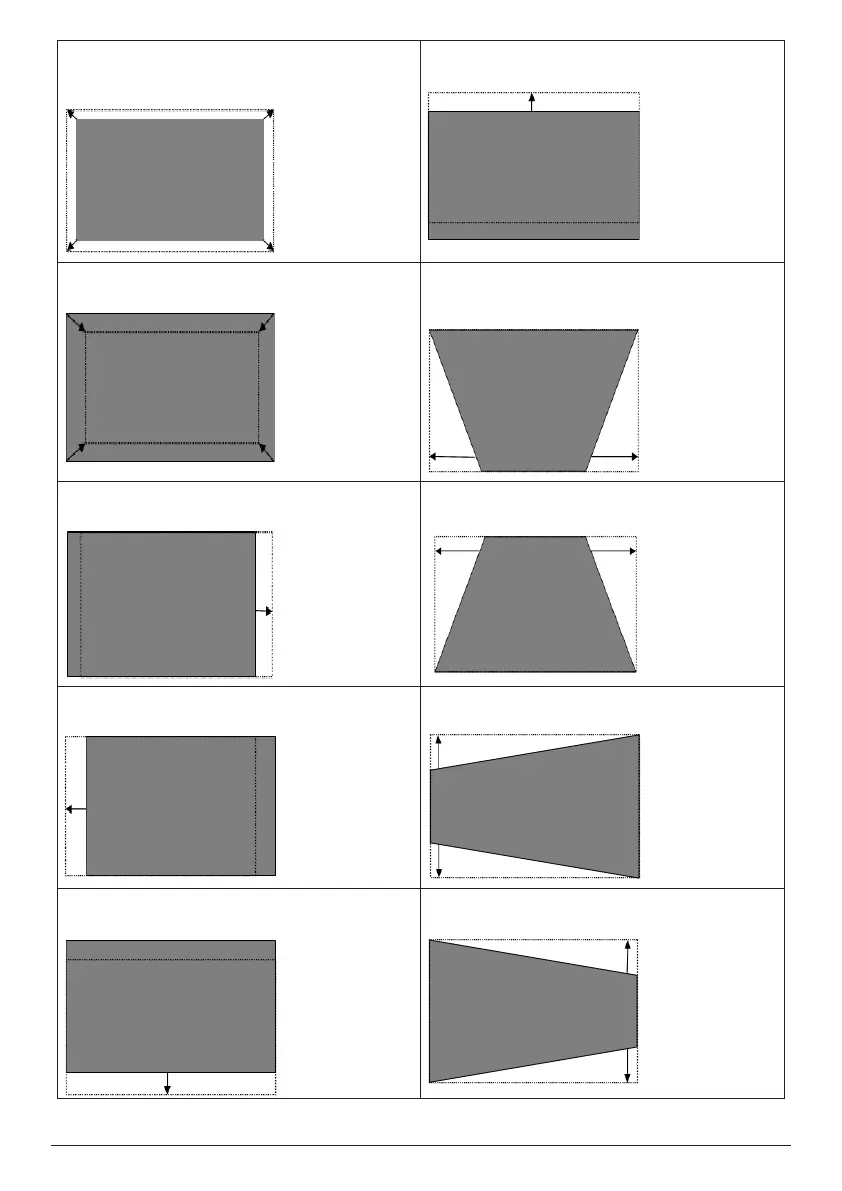
Image smaller than screen
Move the projector further away from the
screen.
Part of the image is below the screen
Move projector upwards or move screen down.
Image bigger than screen
Move the projector closer to the screen.
Down trapezoid
Rotate the height adjusting kickstand counter-
clockwise.
Image falls to the left of screen
Move projector rightwards.
Up trapezoid
Rotate the height adjusting kickstand clockwise.
Image falls to the right of screen
Move projector leftwards.
Left trapezoid
Move projector counter-clockwise.
Part of the image is above the screen
Move projector downwards or move screen up.
Right trapezoid
Move projector clockwise.















 To Next Page