Other features 15
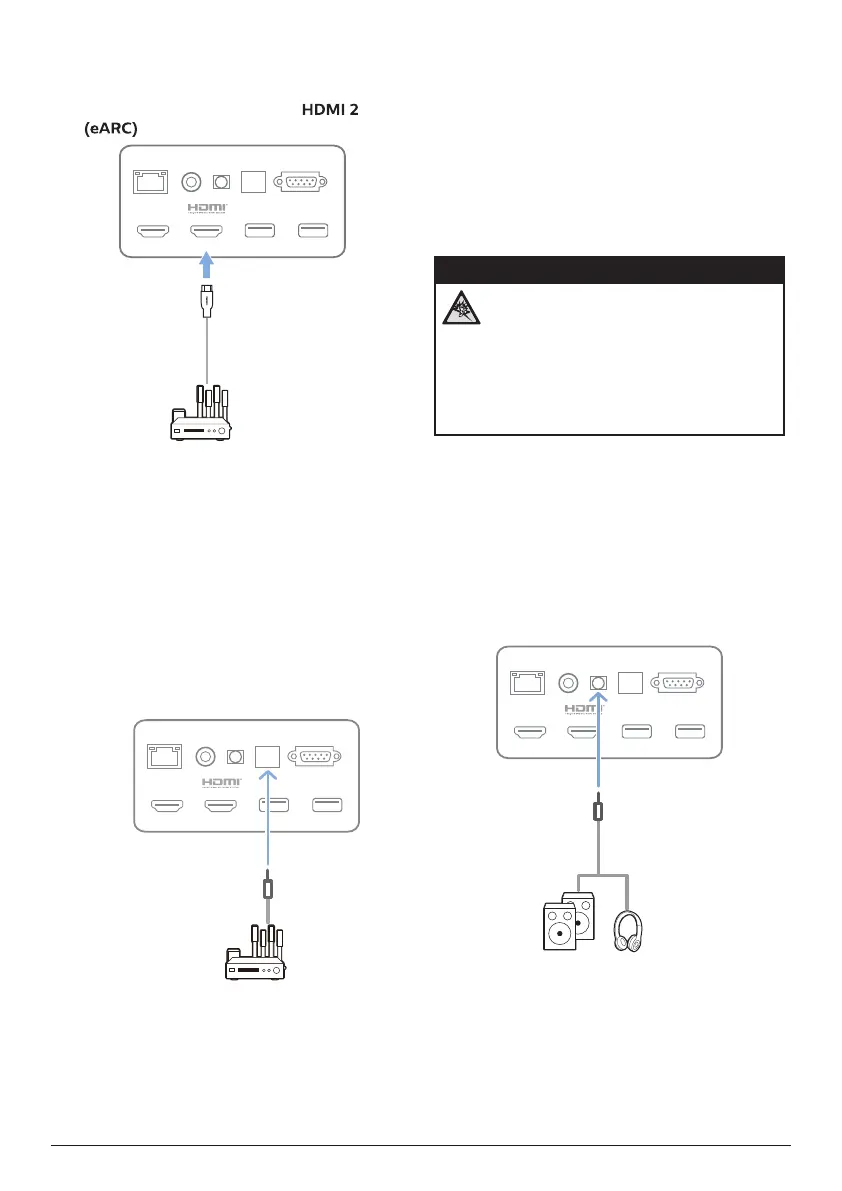
1 Connect the HDMI™ cable to the ARC-
compatible HDMI™ port on your external
speakers or AV receiver.
2 Connect the other end to the
port on the rear of the projector.
USB (5V/1A) USB (5V/1A)
HDMI 1
LAN COAXIAL SPDIF RS-232
HDMI 2 (eARC)
AUX
Connect to devices through
S/PDIF
Connect a digital device (e.g. a home cinema
system or sound bar) to the projector through
S/PDIF connection. With this connection, audio
is streamed to the connected digital device.
1 Using an S/PDIF optical cable, connect the
S/PDIF connector on the projector to the S/
PDIF input on the digital device.
• S/PDIF input on the digital device might
be labeled OPTICAL or OPTICAL IN.
USB (5V/1A) USB (5V/1A)
HDMI 1
LAN COAXIAL SPDIF RS-232
HDMI 2 (eARC)
AUX
6 Other features
Connect to external
speakers or headphones
Connect external speakers or headphones to
the projector. With this connection, audio from
the projector is played through the external
speakers or headphones.
DANGER!
Danger of hearing damage!
Before connecting the headphones,
turn down the volume on the projector.
Do not use the projector over a longer
time at high volume – especially when
using headphones. This could lead to
hearing damage.
1 Using a 3.5 mm audio cable, connect the
AUX port on the projector to the analogue
audio input (3.5 mm jack, or red and
white jacks) on the external speakers. Or
connect the AUX port on the projector to
headphones.
• The speakers of the projector are
deactivated automatically when the
external speakers or headphones are
connected to the projector.
USB (5V/1A) USB (5V/1A)
HDMI 1
LAN COAXIAL SPDIF RS-232
HDMI 2 (eARC)
AUX
2 When connecting to the headphones, use
the volume control on the remote control to
adjust the volume to a comfortable level.















 To Next Page