14 Screeneo U5 SCN550/INT
Media Player
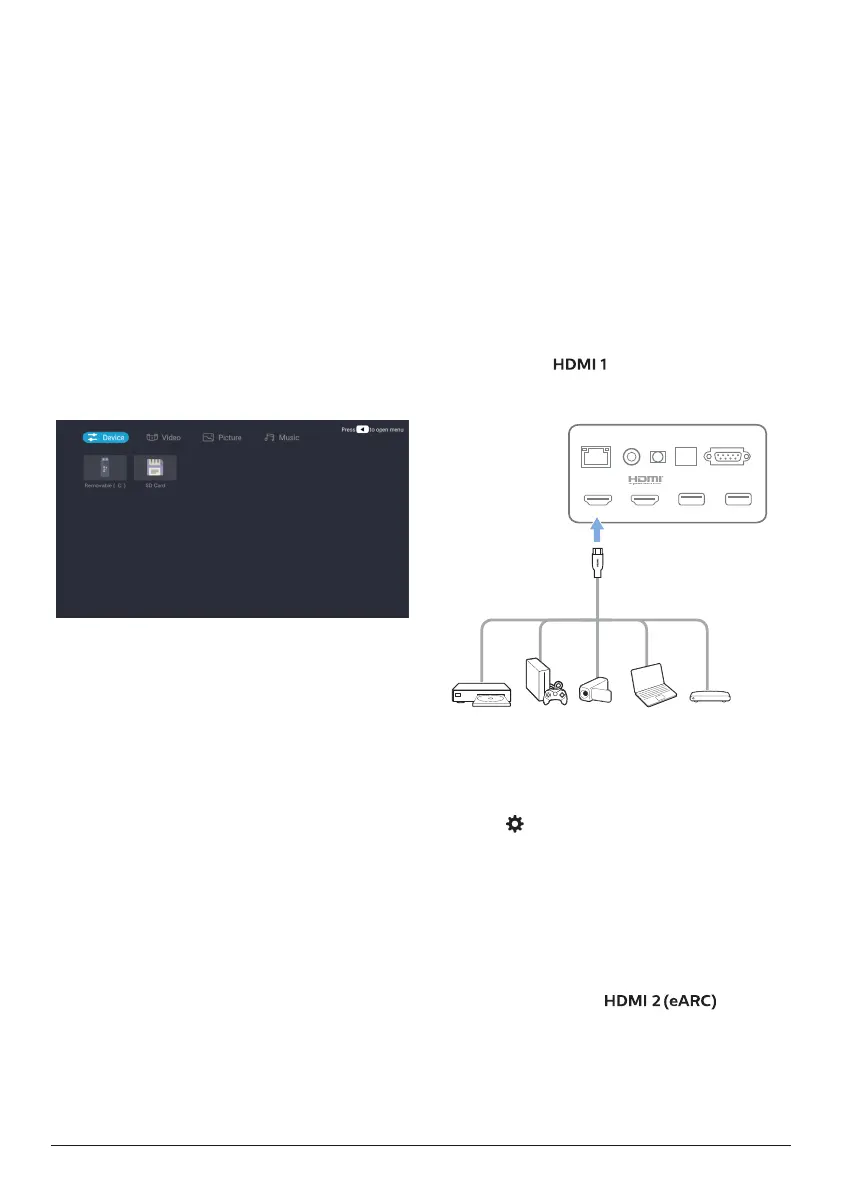
The projector has a built-in media player. Using
this media player, you can play videos, music or
view images stored on a USB storage device.
1 Select the Media Player app icon from the
app list on the home page.
2 The media center supports audio and video
file playback control, picture presentation
and app installation.
3 The media center divides multimedia
content into four types: video, picture,
music and all types. Browse related content
by selecting corresponding categories;
4 The media center supports file browsing
and access from external storage devices.
Only FAT32 hard disks or USB disks are
supported, and a maximum of 2 TB storage
devices are supported.
Supported file formats
The media player supports the following file
formats.
• Video formats: MP4, RMVB, AVI, RM, MKV
• Audio formats: MP3, WMA, OGG, AAC,
FLAC, APE, WAV
• Image formats: BMP, PNG, JPEG
5 Connect to
playback devices
Connect to devices through
HDMI™
Connect a playback device (e.g. a Blu-ray
player, gaming console, camcorder, digital
camera or PC) to the projector through HDMI™
connection. With this connection, images are
shown on the projection screen, and audio is
played on the projector.
1 Using an HDMI™ cable (not supplied),
connect the connector on the
projector to the HDMI™ output on the
playback device.
USB (5V/1A) USB (5V/1A)
HDMI 1
LAN COAXIAL SPDIF RS-232
HDMI 2 (eARC)
AUX
2 The projector automatically switches to
HDMI 1 input when connection is made.
If the projection screen does not show
images, select HDMI 1 input manually.
Press on the remote control to access
Settings, then select Device Preferences -
Inputs - HDMI 1.
Connect to devices using
HDMI™ ARC
If your external speakers or AV receiver are
HDMI™ ARC-compatible, you can connect
them to the projector’s port
using an optional HDMI™ cable.
Make sure the Device Preferences - Sound -
eARC option is enabled and HDMI 2 is selected
as the input source.















 To Next Page