Overview 7
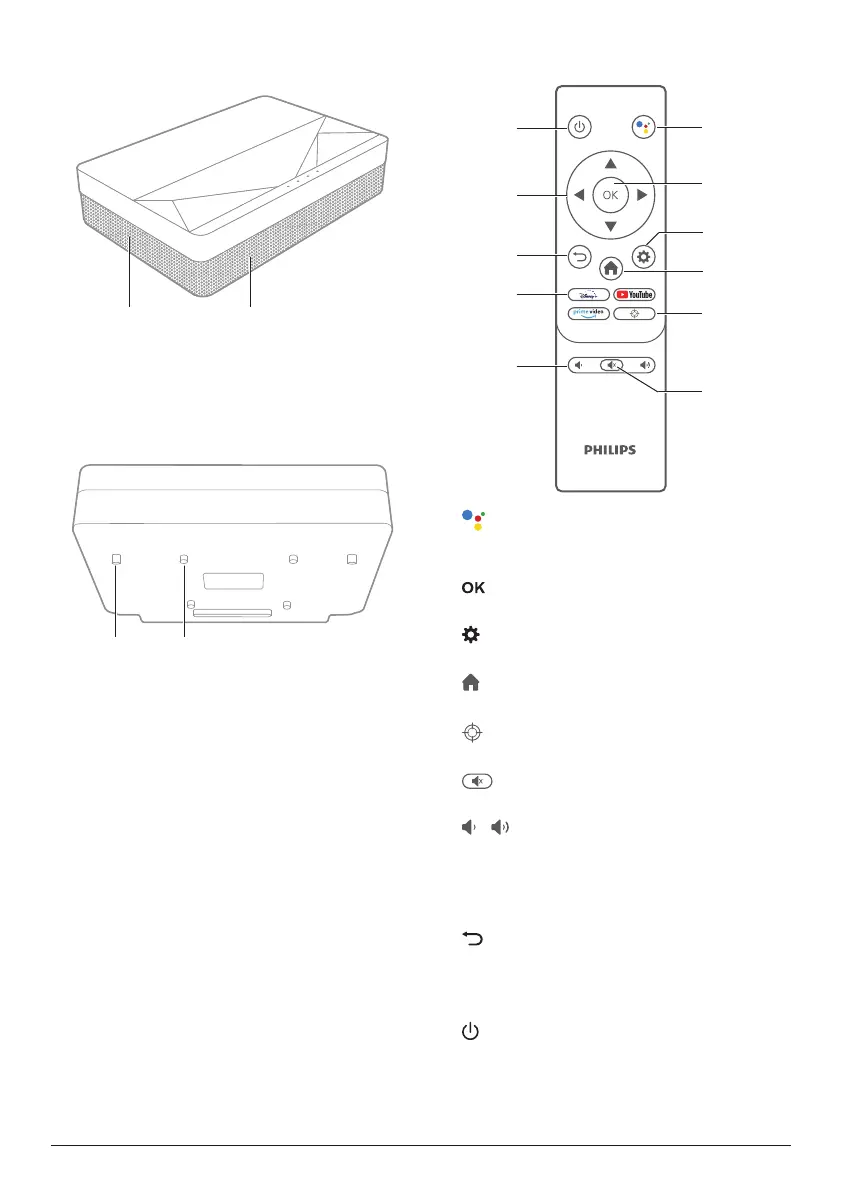
Side view
a b
a
Ventilation mesh
b
Speakers
Bottom view
a b
a
Height adjusting kickstand
b
Lifting screw hole
Remote control
a
Access voice search function (Google
Assistant).
b
Confirm a selection or entry.
c
Access the Settings menu.
d
Return to Android TV home screen.
e
Electric focus adjustment.
f
Mute/unmute projector audio.
g
/
Decrease or increase volume.
h
App buttons
Quick access to streaming services Disney+,
Prime Video and Youtube.
i
Return to a previous menu screen.
j
Navigation buttons
Navigate menu options.
k
Switch the projector on/off or to standby.















 To Next Page