15
2 Tap to access album mode.
To return to wave mode, tap •
.
In wave/album mode:
Tap • OK once: A photo is displayed in
pause mode.
Tap • OK twice: Slideshow is started.
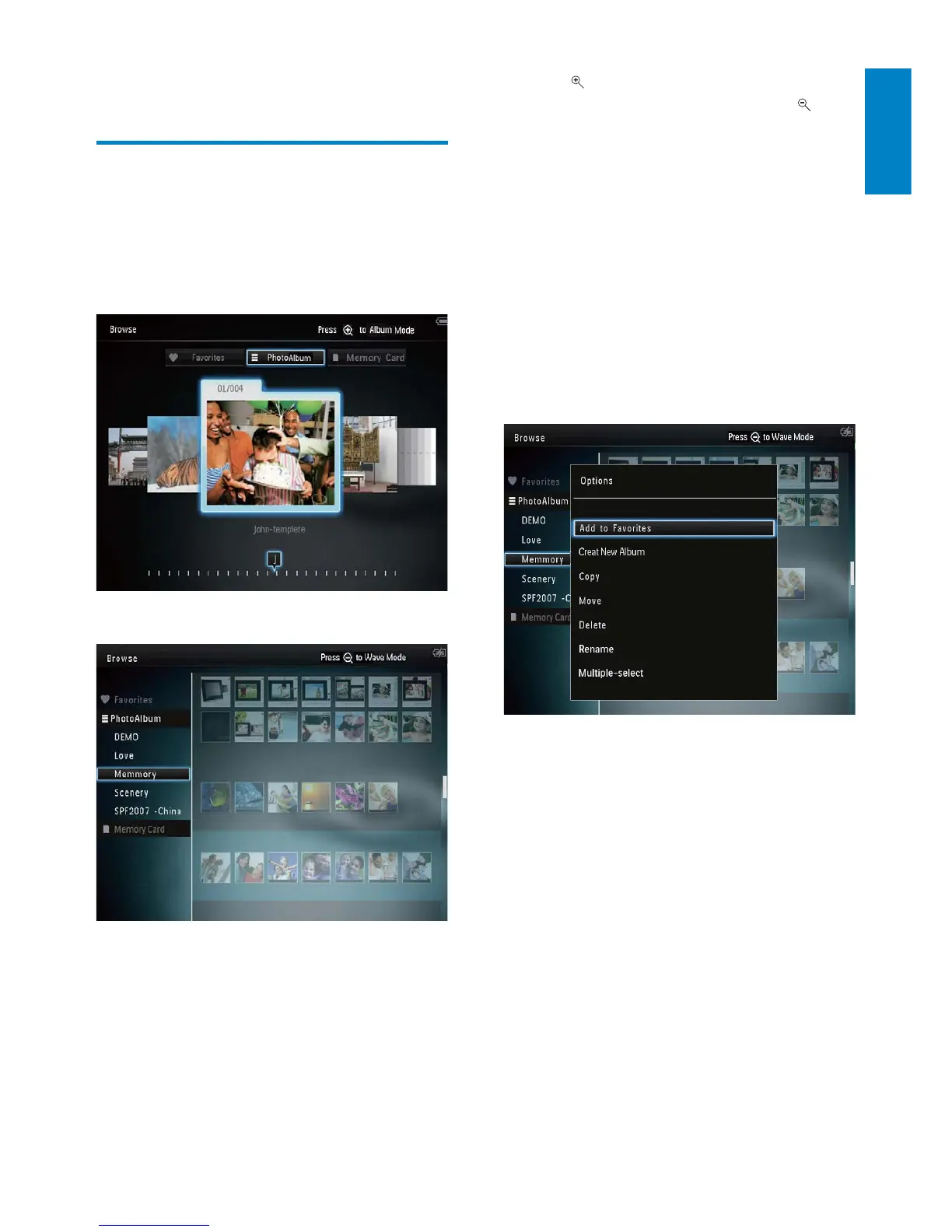
Manage albums and media:
1 Select an album/device, tap MENU.
An option menu is displayed. »
2 Select an option, and then tap OK to
continue.
Album menu:
• [Add to Favorites]: Add media in the
album to the [Favorites] album
• [Create New Album]: Create an album
• [Copy]: Copy media in the album to
another album
• [Move]: Move media in the album to
another album
• [Delete]: Delete media in the album
• [Rename]: Rename the album
• [Multiple-select]: Select multiple photos
to manage
5 Browse
Browse and manage albums
and media
You can browse and manage albums and media
in wave mode or album mode.
• Wave mode:
• Album mode:
Browse albums:
1 In the home screen, select [Browse] and
then tap OK.
Albums are displayed in wave mode. »
English
EN



 To Next Page