10
Transfer your media
Transfer your media with a storage
device
Caution
Do not disconnect the storage device from the •
PhotoAlbum during media transfer.
The PhotoAlbum supports most types of the
following storage devices:
Secure Digital (SD)•
Secure Digital High Capacity (SDHC)•
Multimedia Card (MMC)•
Multimedia Card Plus (MMC Plus)•
xD card (xD)•
Memory Stick (MS)•
Memory Stick Pro (MS Pro) (with •
adaptor)
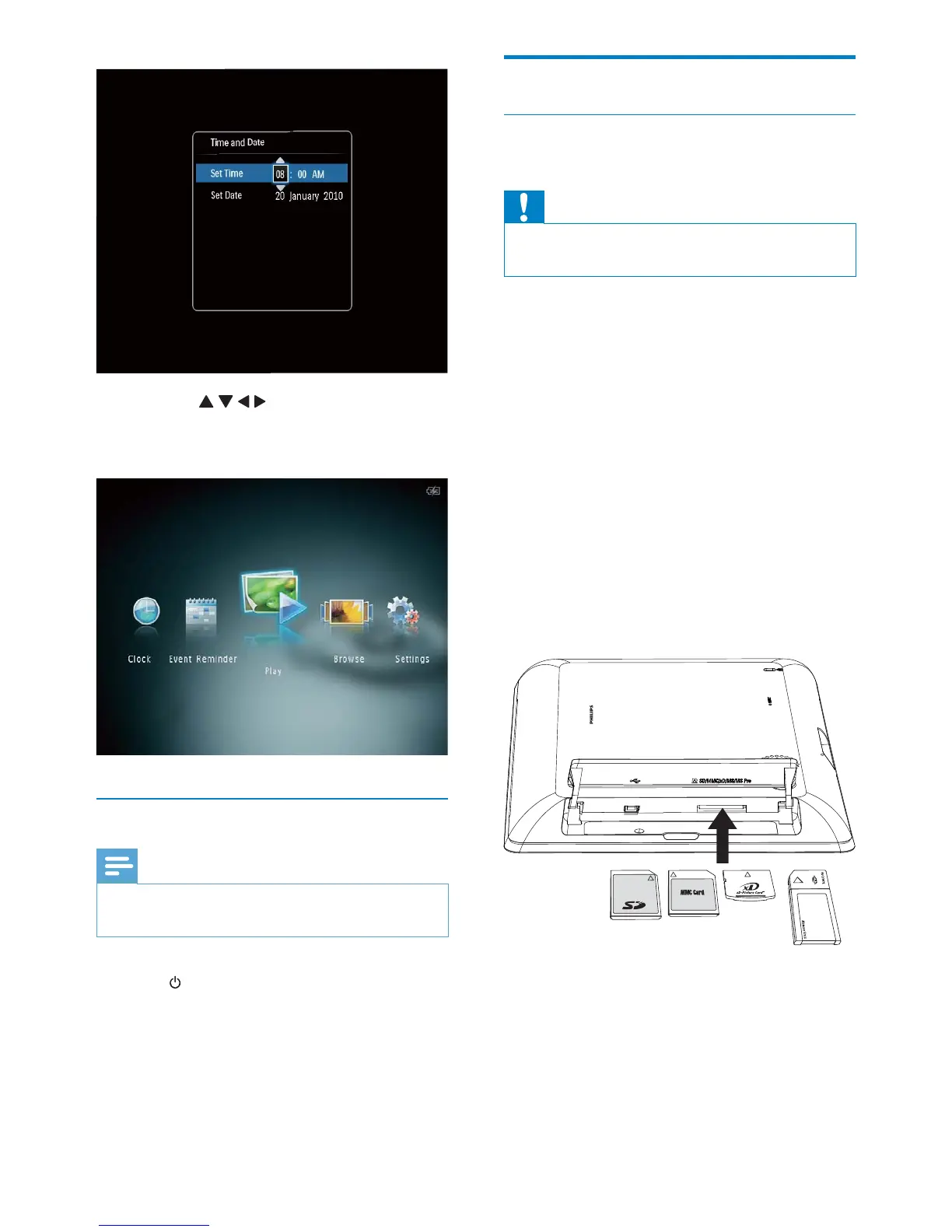
1 Open the cover on the side of the
PhotoAlbum.
2 Insert a storage device into the
PhotoAlbum.
An option menu is displayed. »
Tap • / / / to set time and date,
and then tap OK to confirm.
The home screen is displayed. »
Turn off the PhotoAlbum
Note
You can only turn off the PhotoAlbum after all •
copy and save actions are complete.
To turn off the PhotoAlbum, press and •
hold
for about 2 seconds.
EN



 To Next Page