16
2 Tap twice to access the keypad.
3 To enter the name (about 24 characters),
select an alphabet/number and then tap
OK.
To switch between uppercase and •
lowercase, select aA on the displayed
keypad and then tap OK.
4 When the name is complete, select
and then tap OK.
5 Tap OK to start the saving process.
Copy media
1 Select [Copy], and then tap OK.
2 Select a destination album, and then tap
OK to start copy.
Move media
1 Select [Move], and then tap OK.
2 Select a destination album, and then tap
OK to start move.
Delete media
1 Select [Delete], and then tap OK.
A confirmation message is displayed. »
2 Select [Yes], and then tap OK to start
deletion.
To cancel the operation, hold •
.
Rename an album
1 Select [Rename], and then tap OK.
A keypad is displayed. »
2 Tap twice to access the keypad.
3 To enter the name (about 24 characters),
select an alphabet/number and then tap
OK.
To switch between uppercase and •
lowercase, select aA on the displayed
keypad and then tap OK.
4 When the name is complete, select
and then tap OK.
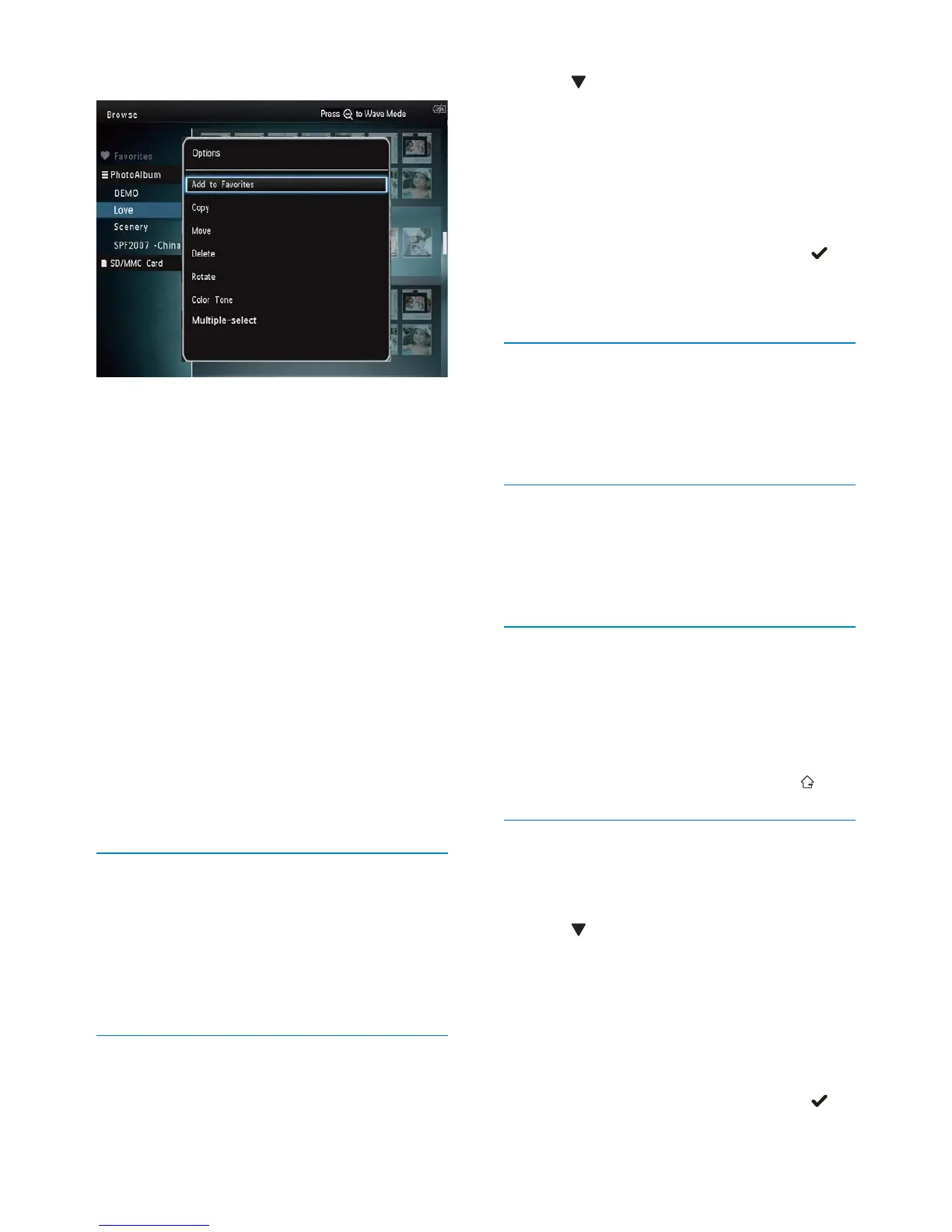
Thumbnail menu:
• [Add to Favorites]: Add media in the
album to the [Favorites] album
• [Copy]: Copy media in the album to
another album
• [Move]: Move media in the album to
another album
• [Delete]: Delete media in the album
• [Rotate] (for photo menu only): Rotate
the photo in the album
• [Color Tone] (for photo menu only):
Select a color for the photo
• [Multiple-select]: Select multiple photos
to manage
When you select the [Favorites] album, a
different menu is displayed.
• [Delete]: Delete media in the album
• [Copy]: Copy media in the album to
another album
Add media to the favorite album
To add media in the album to the [Favorites]
album:
1 Select [Add to Favorites], and then tap
OK.
Create an album
1 Select [Create New Album], and then
tap OK.
EN



 To Next Page