© PSI (Photon Systems Instruments), spol. s r. o.
37
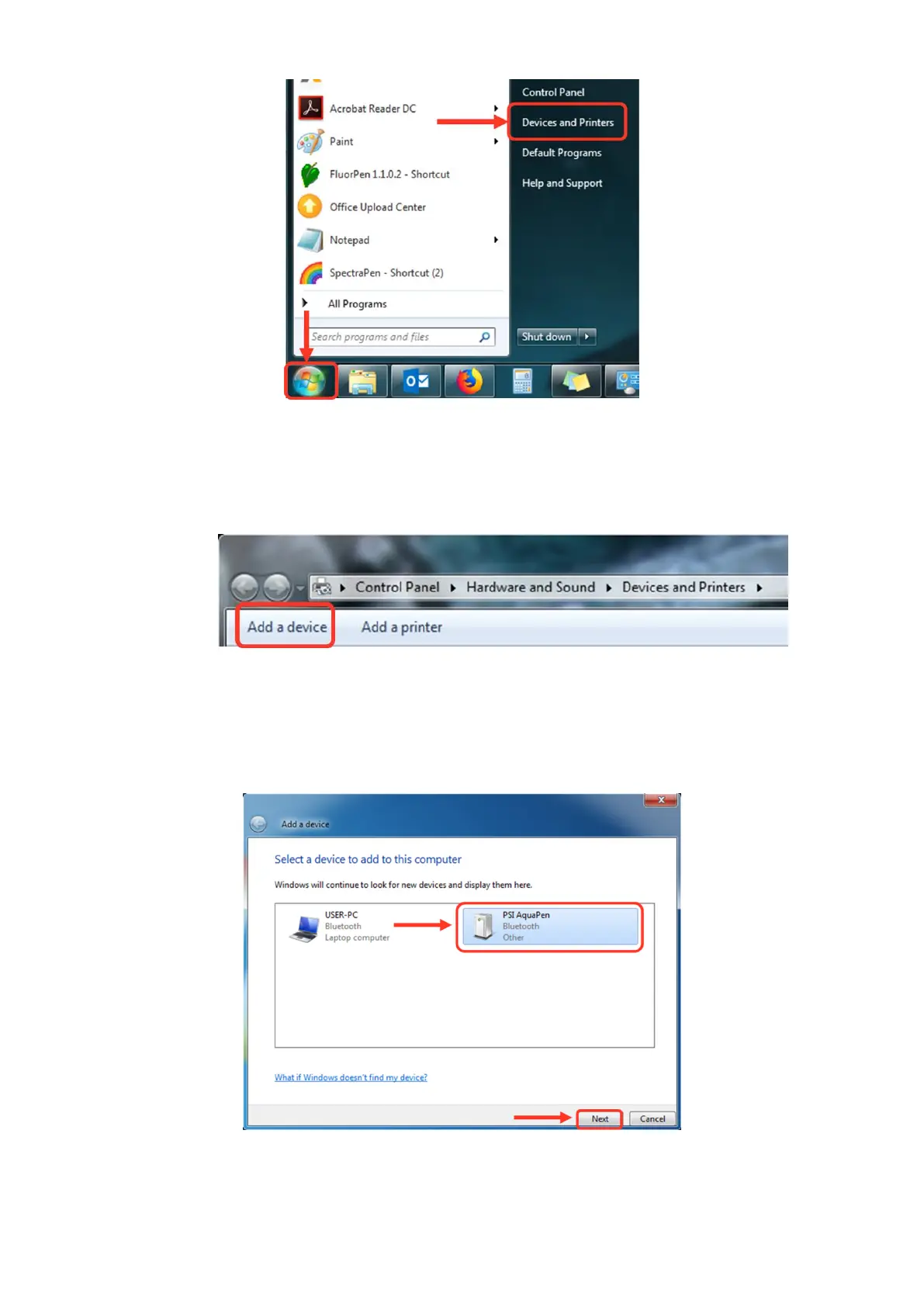
Fig. 13 Start Bluetooth Application.
3. Opening the Add Bluetooth Device Application
• Select: “Add a device” to start searching for the new Bluetooth device. Be sure that the FluorPen is in
discoverable mode (see step 1).
Fig. 14 Add a device.
4. Selecting the FluorPen
• Select: PSI FluorPen icon.
• Select: Next (Fig. 15).
Fig. 15 Select the FluorPen.


 To Next Page