© PSI (Photon Systems Instruments), spol. s r. o.
38
5. Starting the Pairing Process
This step is different for old (FP100) and new version (FP110) of the FluorPen.
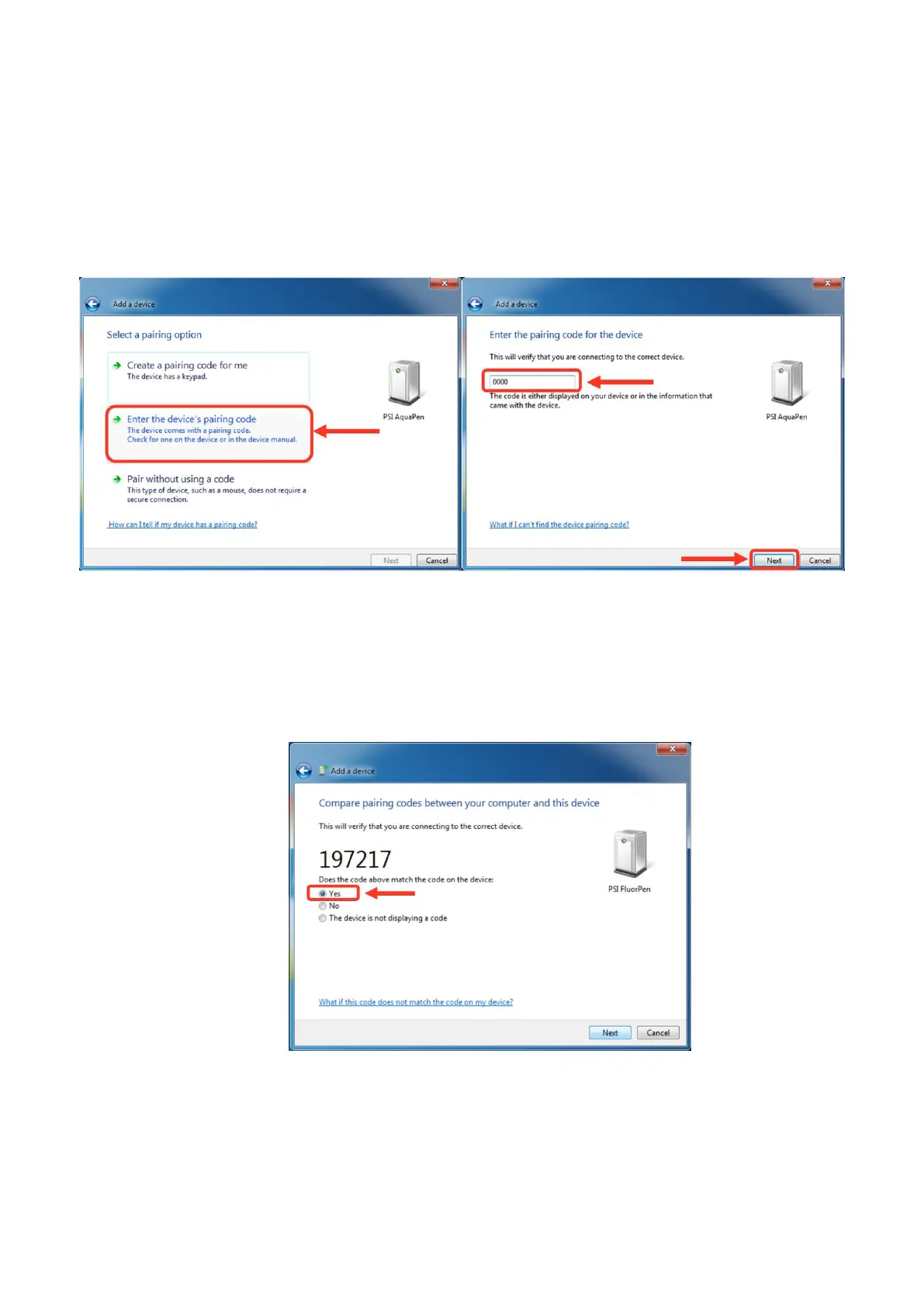
The old version FP100:
The Bluetooth Pairing Code is: 0000
• Select: “Enter the device’s pairing code”.
• Enter: 0000 (four digits).
• Select: Next ( Fig. 16).
Fig. 16 Pairing process.
The new version of FP110:
• Select: Yes (Fig. 17). Please note that the FluorPen device does not display the verification number. The
verification code is not required for the BT connection.
• Select: Next.
Fig. 17 Verifying of the BT pairing.
6. Completing the FluorPen Pairing
• Select: Close (Fig. 18).


 To Next Page