Quickstart Instructions
Create a workspace for QtCreator e.g.
mkdir‐p/opt/prj_workspace/Qt/build
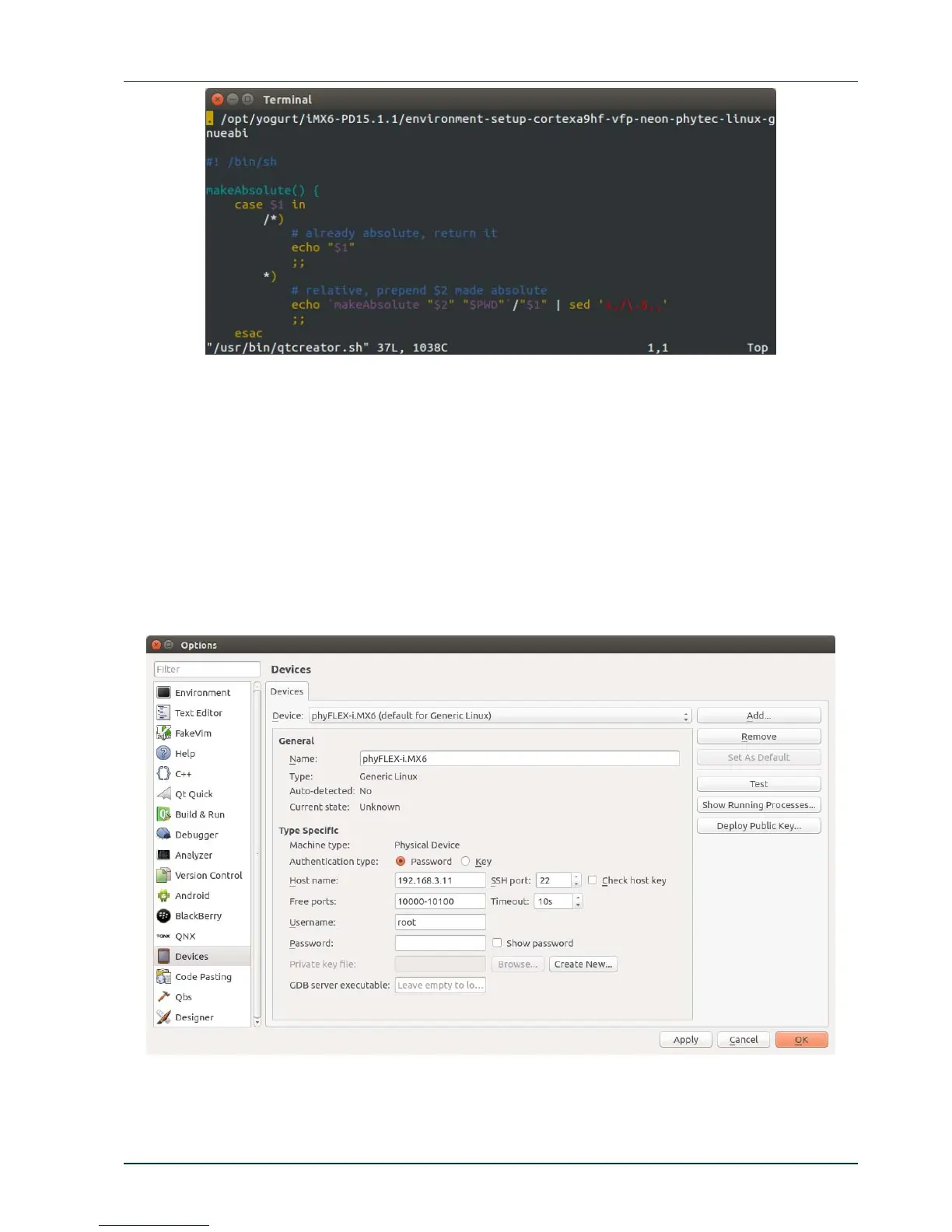
Start Qt Creator with the following command in a terminal:
/usr/bin/qtcreator.sh
Add the phyFLEX-i.MX6 as device with following inputs by opening
Tools --> Options --> Devices --> Add --> Generic Linux Device:
Name: phyFLEX-i.MX6
IP: 192.168.3.11
Username: root
Keep
the password empty
Set the project directory and build directory
Tools --> Options --> Build & Run --> General.
Projects Directory --> Directory:
/opt/prj_workspace/Qt
PHYTEC Messtechnik GmbH 2015 L-781e_7 71



 To Next Page