1: How to Connect LCD Keypad
3
1 How to Connect LCD Keypad
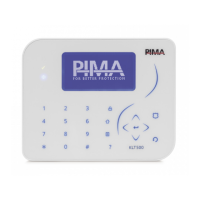
Connect an LCD keypad (KLT/KLR500) to program the alarm system; see how below.
1.1 FORCE
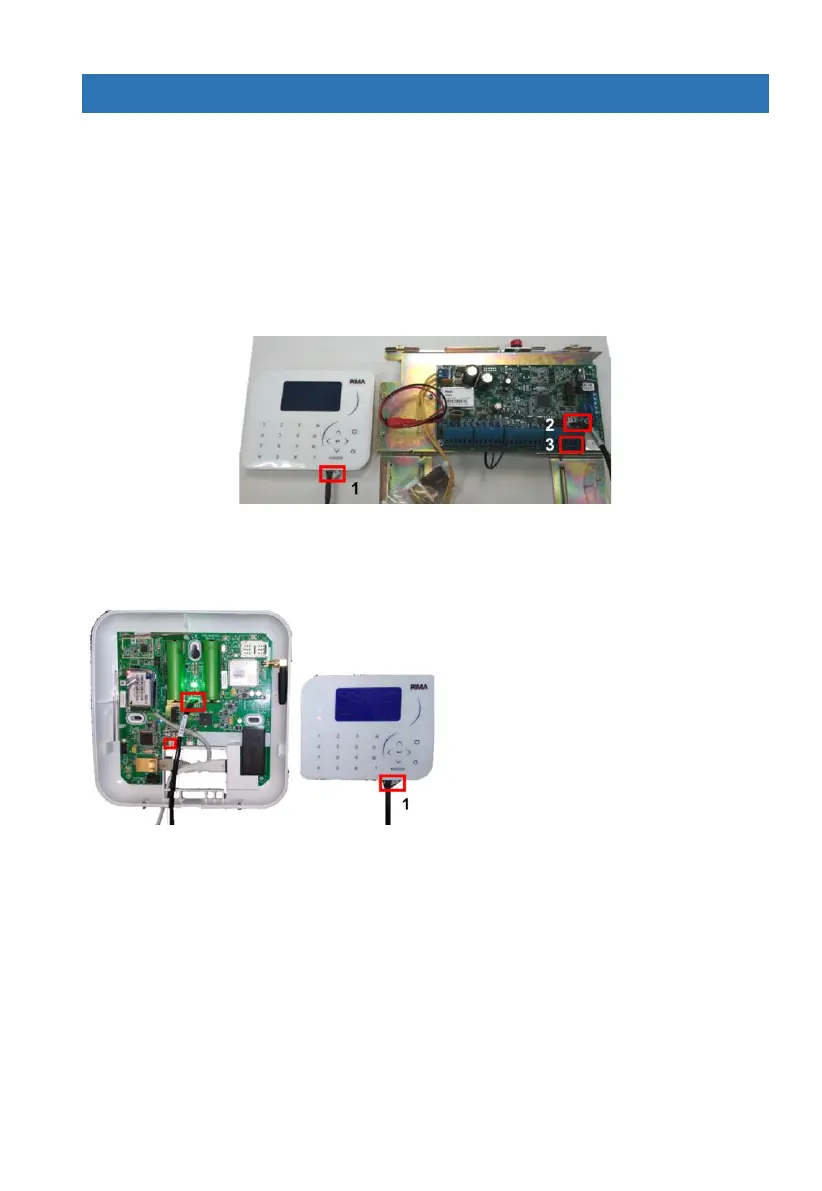
Connect the keypad to the control panel in one of the following two options:
1. Connect a Molex cable (P/N 3411119) between the keypad’s socket at the bottom (no. 1 in
the image below), and the technician keypad’s connector (no. 2 in the image).
2. Connect four wires (not supplied) between the FORCE BUS terminals in the control panel
(no. 3 in the image) and the keypad’s terminal block (open the keypad’s back cover).
1.2 VISION
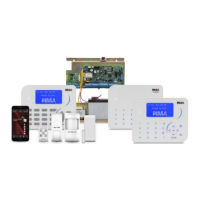
Connect a Molex cable (P/N 3411119) between the keypad’s socket (no. 1 in the image below)
and one of the technician keypad’s connectors (marked with two red rectangles in the image).


 To Next Page