4-7
4 • Printing Options
SV62276 Rev. D
Adding/Removing a Postal Inscription to Meter Stamp
IMPORTANT:
The postal inscription that prints on the meter stamp is a separate
setting from the postal class you have chosen to rate your mail
piece. The two normally should match for your mail piece. However,
changing one on your machine does NOT automatically change the
other. You need to change each in their separate settings (see Chap-
ter 3, Running Mailing for changing the postal class for rating).
At a PC Using PC Meter Connect™ (Enhanced Version)
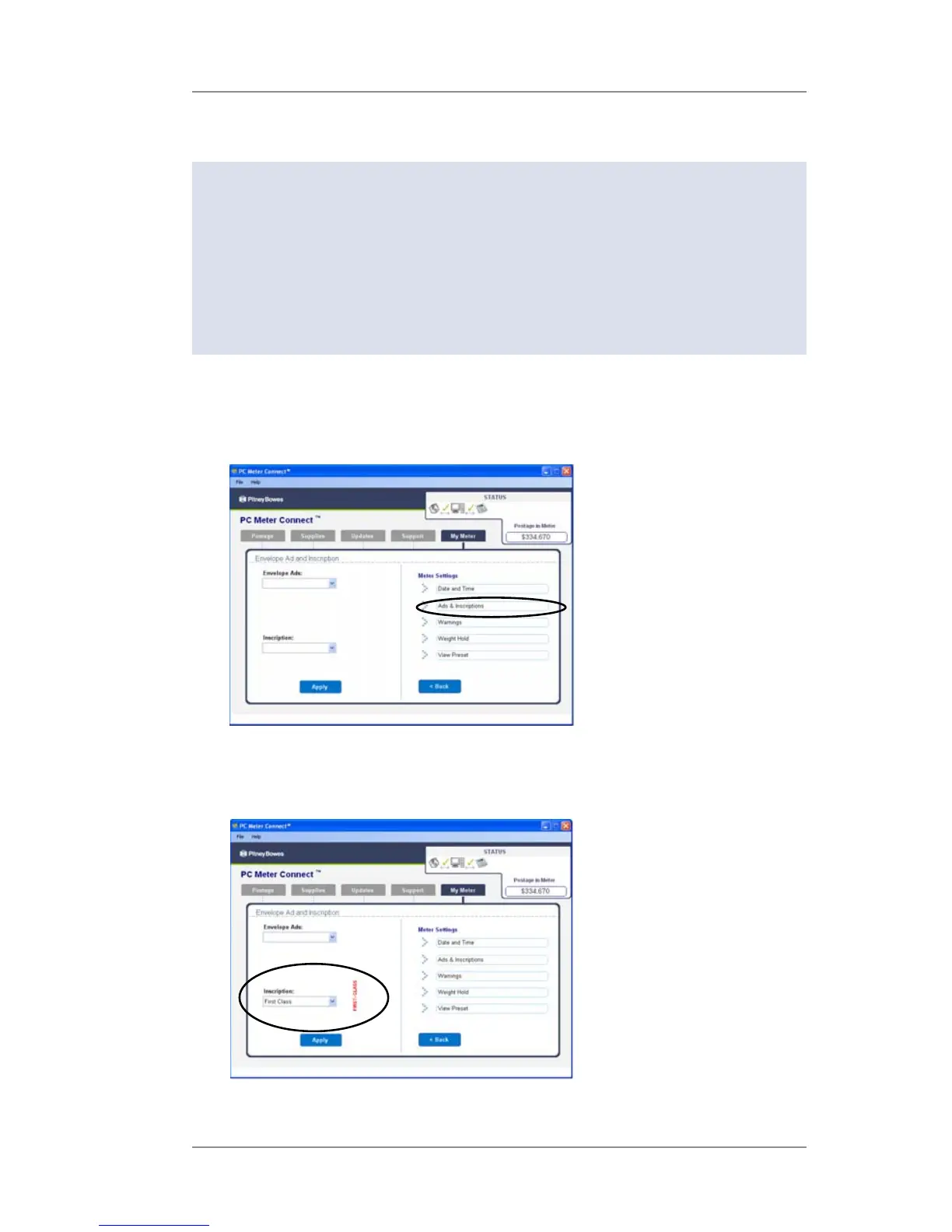
1. At the My Meter tab, select Meter Settings.
2. Select Ads & Inscriptions.
3. In the Inscription field, use the dropdown list to select the desired
inscription, or select the blank option to remove an inscription. If
you've chosen an inscription, the inscription displays on the screen.
4. Click Apply.













 To Next Page