FIG-1
FIG-3
FIG-2
FIG-4
31
ELECTRONICS
USER INTERFACE PARAMETERS
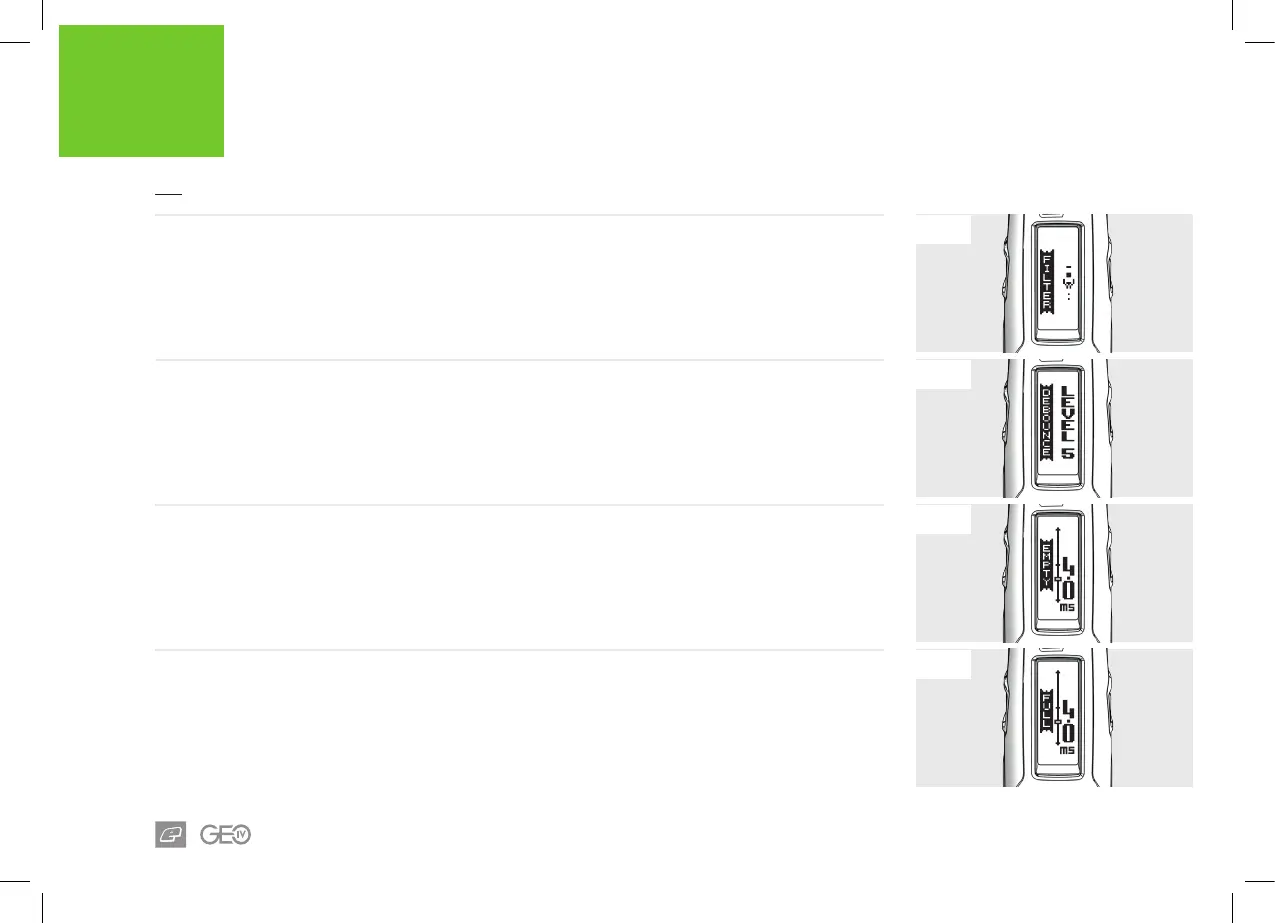
FIG-1 - FILTER MENU
The FILTER menu parameters are used to tune the
marker software lters to prevent the marker from
ring unless all of the necessary conditions are
met. Factory default settings are suitable for most
set-ups however, certain loader and trigger
set-ups may require lter adjustments.
FIG-2 - DEBOUNCE PARAMETER
This sets the amount of trigger bounce that is
allowed and can be set from level 1 to level 9.
Changing this parameter directly changes the
PULL TM, RELEASE TM, PULL PT and
RELEASE PT parameters.
> LEVEL1: Least ltering (most bounce).
> LEVEL9: Most ltering (least bounce).
FIG-3 - EMPTY PARAMETER
This sets the amount of time that the breech has
to be empty before the marker registers that it is
actually empty.
This can be set between 1.0 and 20.0 milliseconds
in 0.1 increments.
FIG-4 - FULL PARAMETER
This sets the amount of time that the breech has
to be full (paintball in place) before the marker
registers that it is actually full.
This parameter can be set between 1.0 and 20.0
milliseconds in 0.1 increments.














 To Next Page