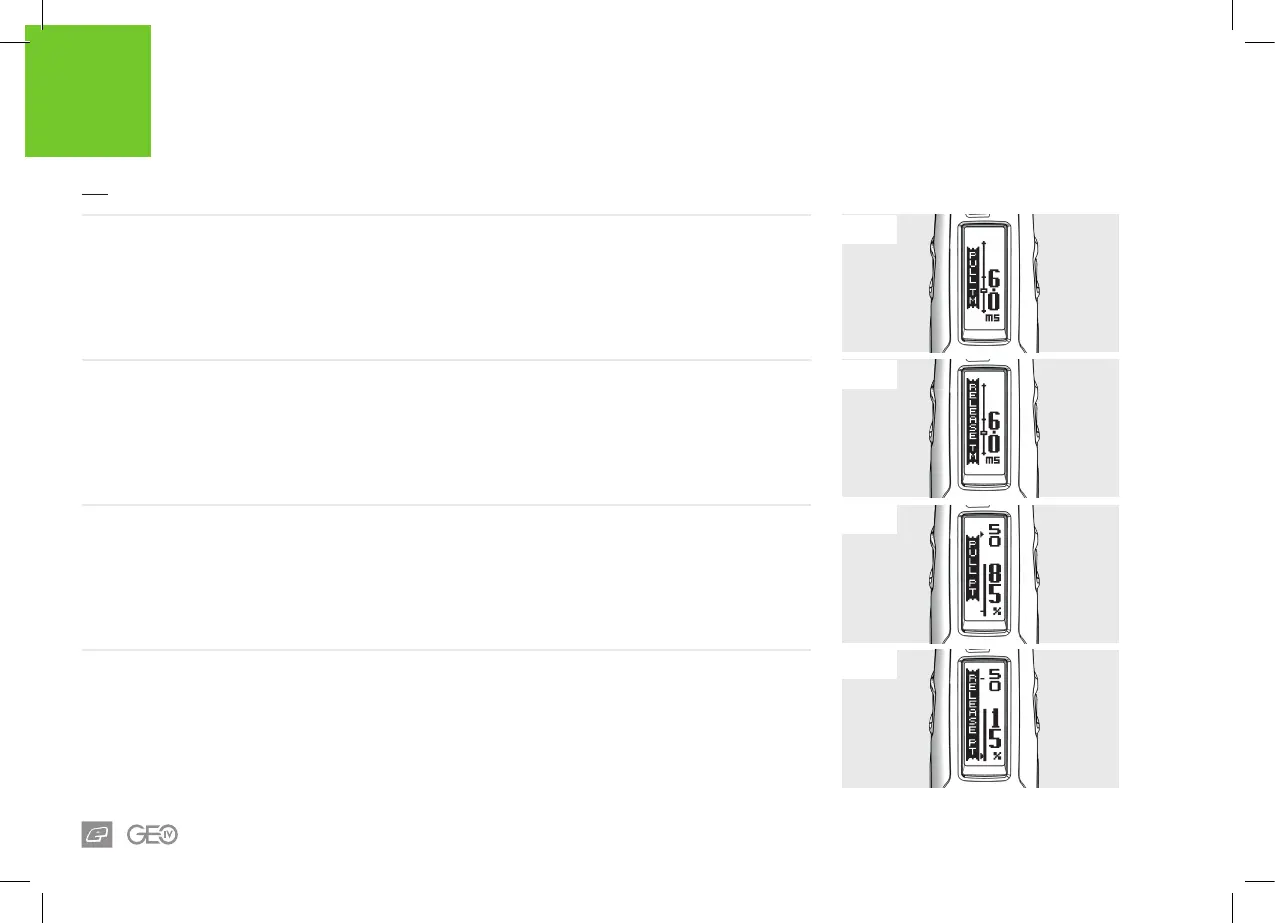
FIG-1
FIG-2
FIG-3
FIG-4
32
ELECTRONICS
USER INTERFACE PARAMETERS
FIG-3 - PULL PT PARAMETER
This is only available if OPTO is enabled from the HARDWARE menu. It denes the point at which the
trigger is considered pulled.
This parameter can be set between 51% and 99% in 1% increments.
FIG-4 - RELEASE PT PARAMETER
This is only available if OPTO is enabled from the HARDWARE menu. It denes the point at which the
trigger is considered released.
This parameter can be set between 1% and 49% in 1% increments.
FIG-1 - PULL TM PARAMETER
Sets the minimum amount of time that the trigger
must be pulled for in order to be recognised as a
valid trigger pull.
This parameter can be set between 3.0 and 20.0
milliseconds in 0.1 increments.
FIG-2 - RELEASE TM PARAMETER
Sets the minimum amount of time that the trigger
must be released for in order to be recognised as
a valid trigger release.
This parameter can be set between 3.0 and 25.0
milliseconds in 0.1 increments.














 To Next Page