FIG-1
FIG-2
FIG-3
22
GEO:CS1
1 Some pre-sets may only be available in certain
countries and on some models of the CS1.
2 All pre-sets are correct at the time of printing.
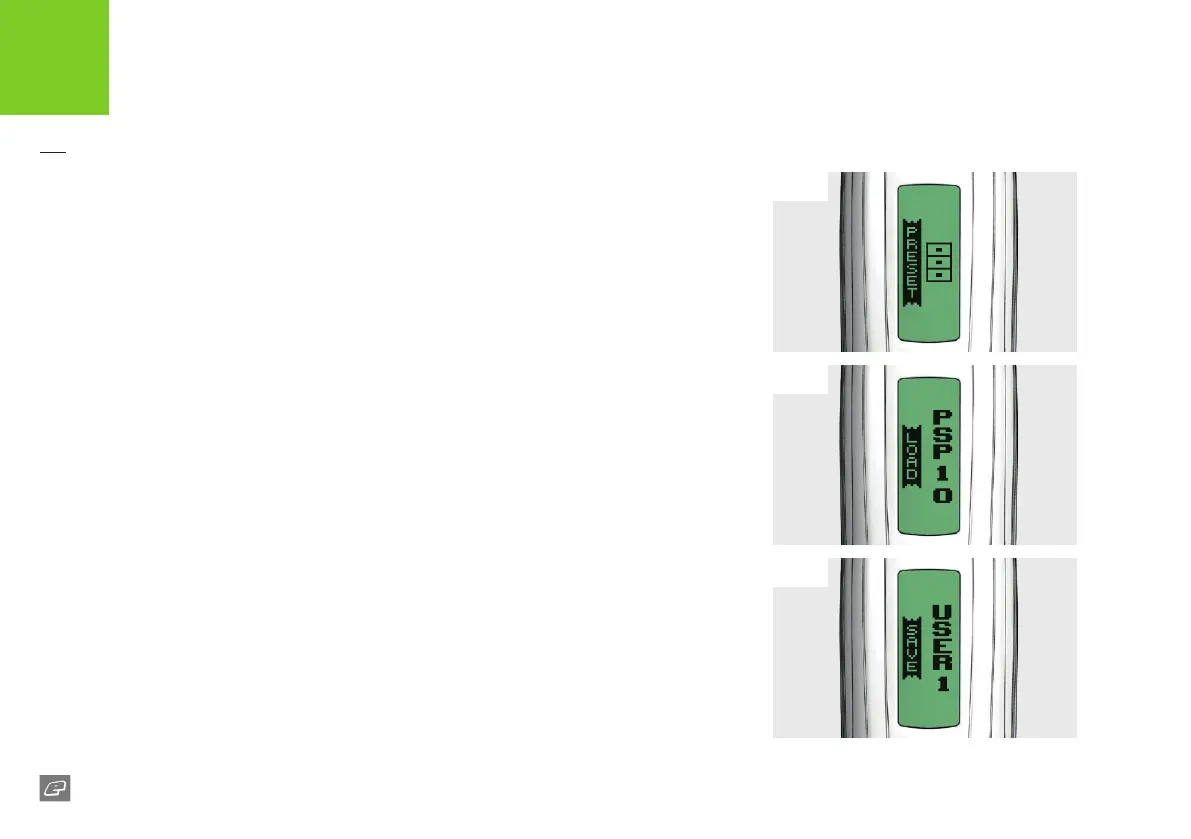
FIG-1 - PRESET MENU
The CS1 preset ring modes automatically adjust the marker settings to comply with the
rules of the major paintball leagues. There are also two pre-sets for the user to save their
own custom settings.
FIG-2 - LOAD PARAMETERS
This parameter is used to load the required pre-set conguration:
1,2
> USER1: Load a set of custom ring mode parameters saved by the user.
> USER2: Load a set of custom ring mode parameters saved by the user.
> FACTORY: Reset every parameter to the factory set default.
> PSP10: Load a set of parameters that are PSP compliant.
> PSP12: Load a set of parameters that are PSP compliant.
> NXL10: Load a set of parameters that are NXL compliant.
> MS10: Load a set of parameters that are Millennium Series compliant.
> CANCEL: Editing is cancelled and the parameter remains unchanged.
FIG-3 - SAVE PARAMETERS
This parameter has the following options:
> USER1: Save the current parameters as the pre-set USER1.
> USER2: Save the current parameters as the pre-set USER2.
> CANCEL: Editing is cancelled and the parameter remains unchanged.
ELECTRONICS
USER INTERFACE PARAMETERS













 To Next Page