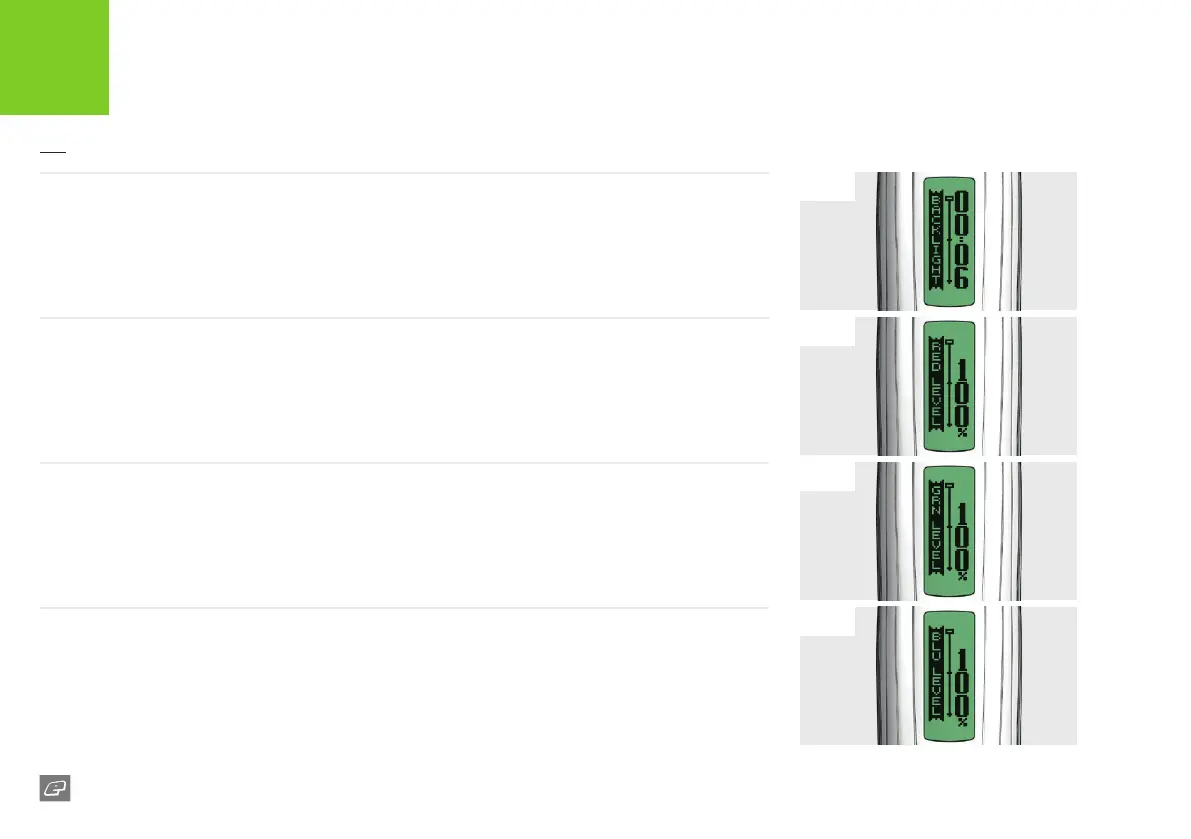
FIG-1
FIG-3
FIG-2
FIG-4
30
GEO:CS1
FIG-1 - BACKLIGHT PARAMETER
This sets the time that the LCD backlight is illuminated for after a push-button is pressed.
This parameter can be set between 00.00 and 00.20 seconds. At 00.00 no backlight will be present.
FIG-2 - RED LEVEL PARAMETER
This sets the percentage of red in the LCD backlight colour.
This parameter can be set between 0% and 100% increments.
FIG-3 - GRN LEVEL PARAMETER
This sets the percentage of green in the LCD backlight colour.
This parameter can be set between 0% and 100% increments.
FIG-4 - BLU LEVEL PARAMETER
This sets the percentage of blue in the LCD backlight colour.
This parameter can be set between 0% and 100% increments.
ELECTRONICS
USER INTERFACE PARAMETERS













 To Next Page