Command Guide
-89-
cir Setup CIR
<Cir : 0-10000000> Committed Information Rate [kbps]
disable Disable policer
ebs Setup EBS for MEF policer
<Ebs : 0-100000> Excess Burst Size [bytes]
eir Setup EIR for MEF policer
<Eir : 0-10000000> Excess Information Rate [kbps]
enable Enable policer
mode Setup policer mode
aware Color-aware mode
blind Color-blind mode
coupled Coupling mode
rate-type Setup rate type
data Data rate policing
line Line rate policing
type Setup policer type
mef MEF ingress bandwidth profile
single Single bucket policer
Default:
N/A
Usage Guide:
To configure a profile for EVC Policer (Ingress Bandwidth Profile) .
Example:
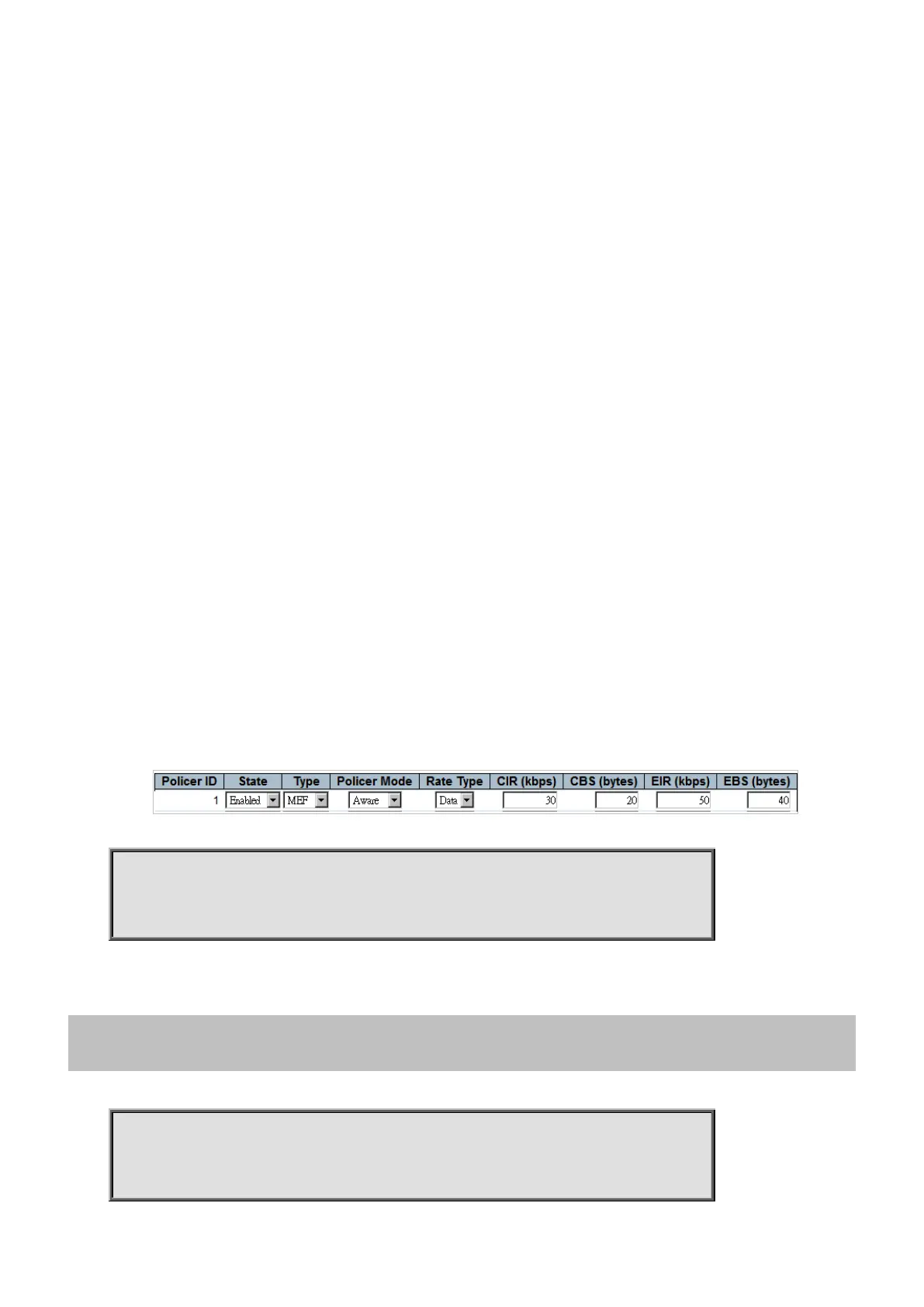
To configure EVC Policer (Ingress Bandwidth Profile) as tabled below.
Switch# configure terminal
Switch (config)# evc policer 1 enable cbs 20 cir 30 ebs 40 eir 50 mode aware rate-type
4.2.55 evc policer update
Command:
evc policer update <PolicerId : 1-2048> [enable | disable] cbs <Cbs : 0-100000> cir
<Cir : 0-10000000> ebs <Ebs : 0-100000> eir <Eir : 0-10000000> mode [aware | blind |
coupled] rate-type [data | line] type [mef | single]
<PolicerId : 1-2048> Policer ID



 To Next Page
 Loading...












