User’s Manual of WNRT-300
-22-
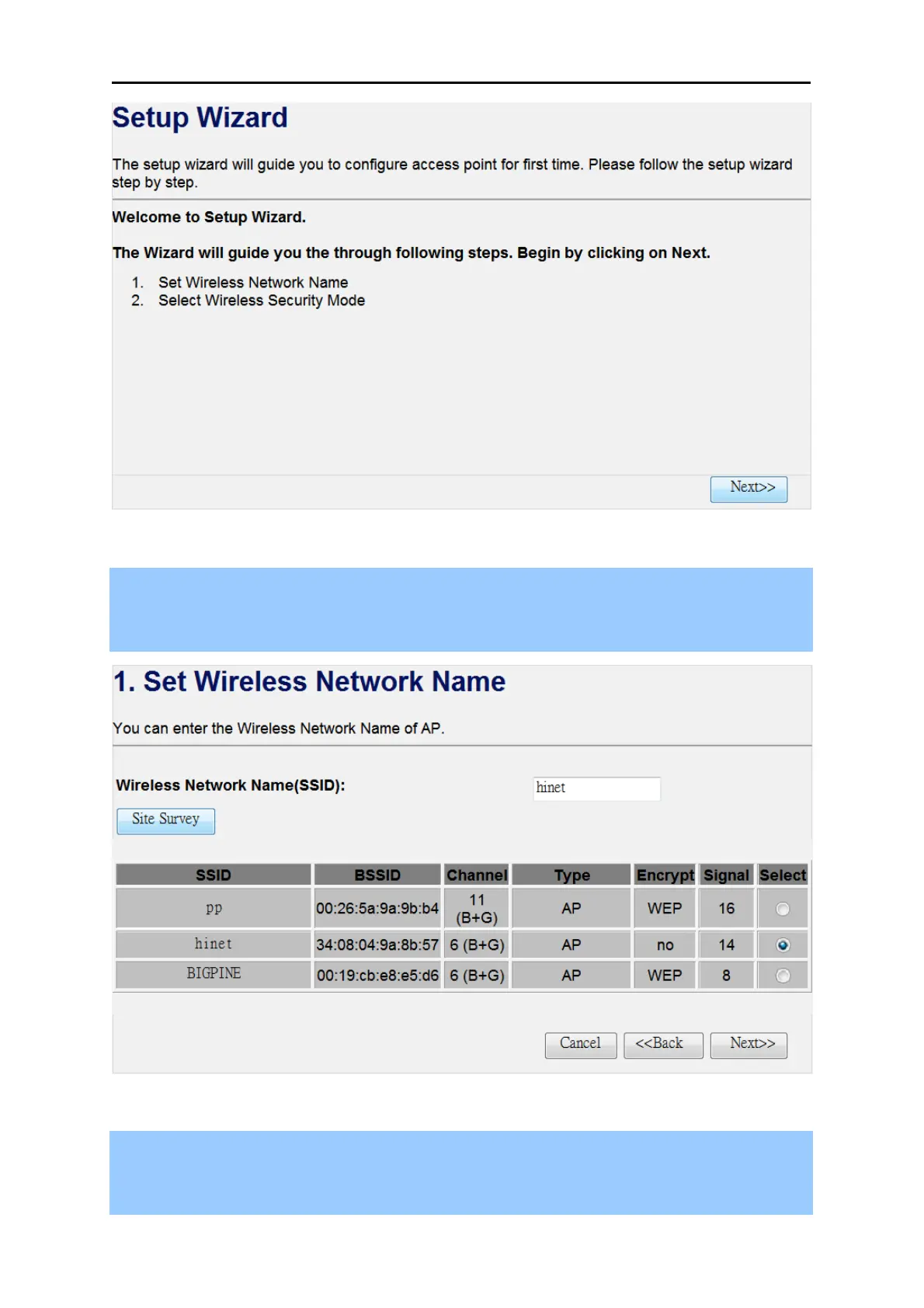
Figure 4-7
Step 2. Please enter the SSID of the AP you want to connect with, or you can click the “Site Survey”
button to search the available local AP. The details of the available AP will appear. Then
choose the AP you want to connect to, and click the “Next>>” button to continue.
Figure 4-8
Step 3. Please select the correct encryption method of the AP you chose before, and enter the
password of it. Then click the “Finished” button to save the settings and reboot to take
effect.



 To Next Page