2
24
Mini-101U
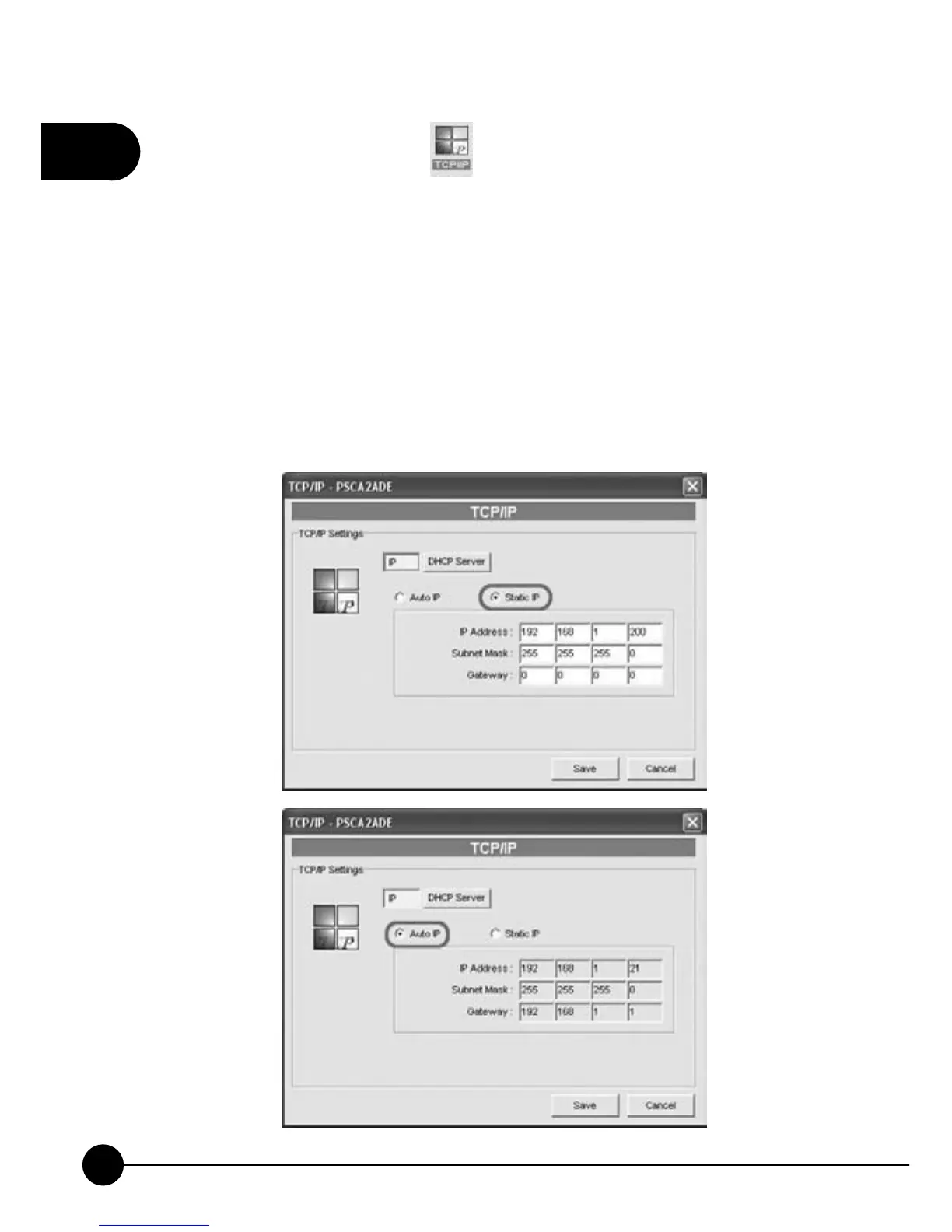
16.If you want to configure protocol, please follow the following
description. According to your network settings to set up TCP/IP
Settings for the print server. You may chooseņStatic IPŇorņAuto
IP.ŇIt is recommended that you should assign a static IP for Mini-
101U. If the LAN does not have any DHC P server, you can choose
ņDHCP Server.ŇIf you do not know the related settings of DHCP
Server, you can just chooseņDHCP Server ęAuto.ŇBut before
configuring DHCP server, you have to choose assign a static IP address
for Mini-101U, then you can continue configure DHCP Server. Click
ņSaveŇto apply the settings.



 To Next Page