2
36
Mini-101U
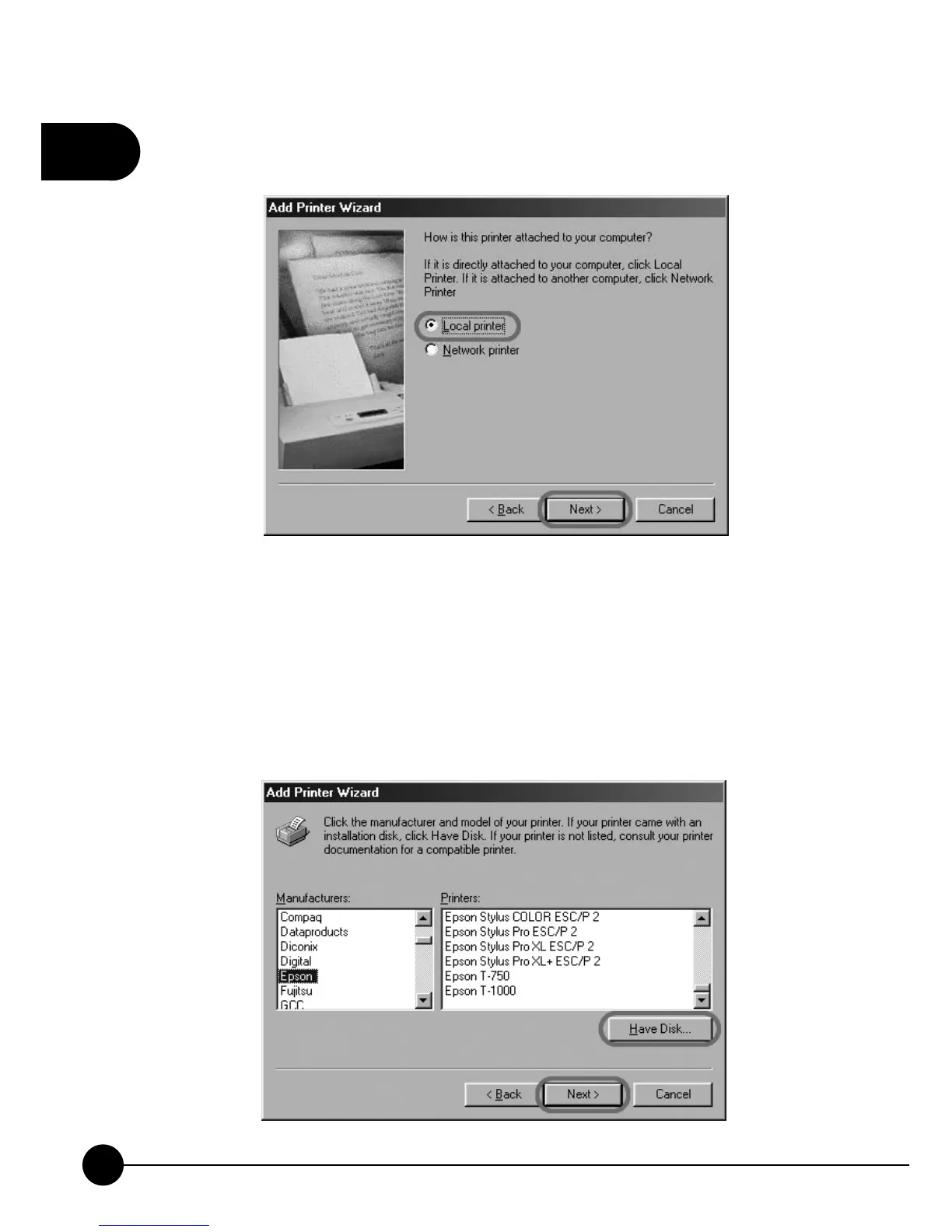
3.ChooseņLocal printerŇand clickņNextŇto add a new printer.
4.Please choose the model of your printer according to the printer you are
connecting to. And clickņNextŇto continue adding a printer. If there
does not have the driver for your printer or your printer has the latest
driver, you can clickņHave DiskĀŇto find the file of the printer's
driver.



 To Next Page