2
52
Mini-101U
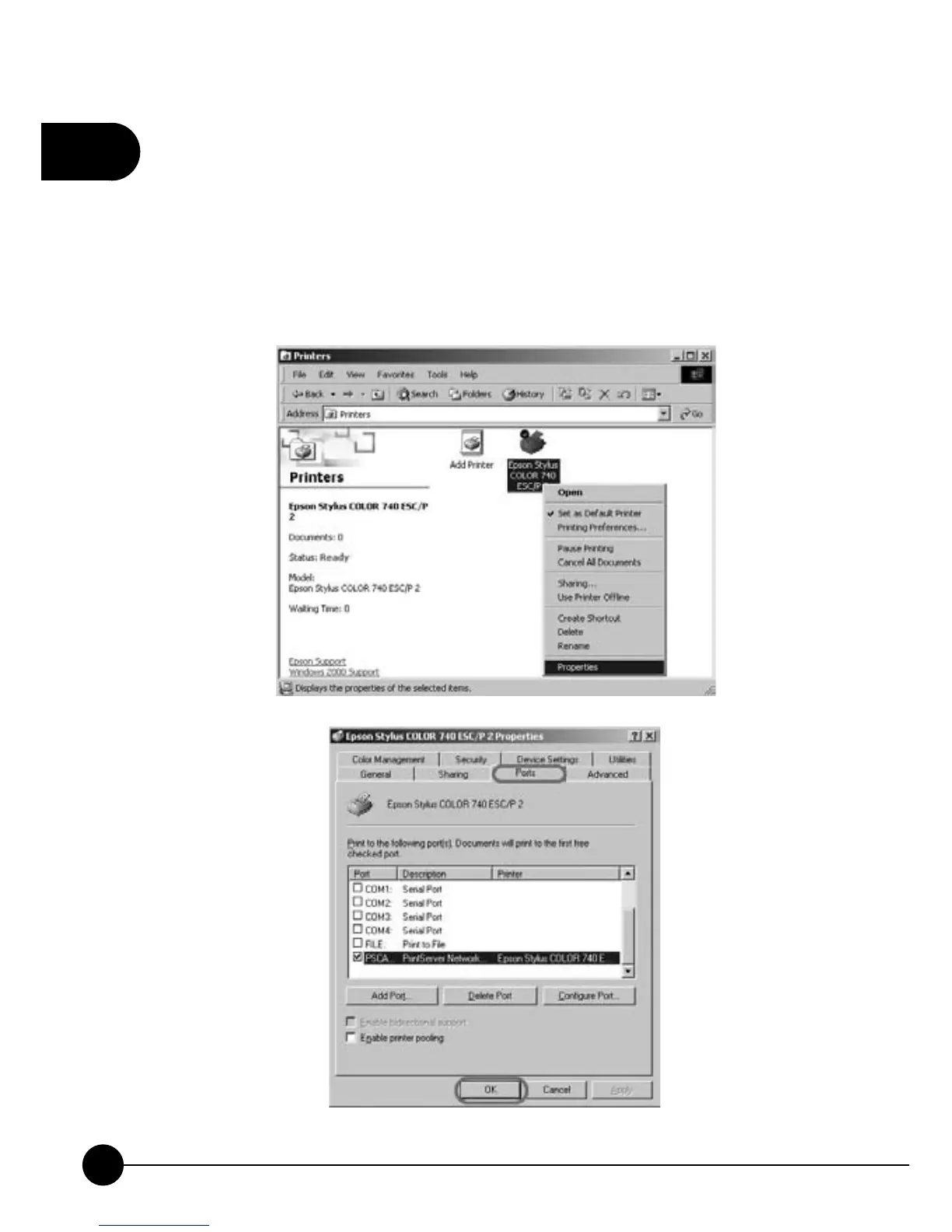
12.To make sure that you already installed the printer completely, please go
back to the desktop and clickņStartƖSettingsƖPrintersŇon the task
bar. There will show you the icon of the printer which you just installed.
Right click on the printer icon and then clickņProperties.ŇChoose
theņPortsŇtab to check if the printer port was installed correctly (It
should show the name of PSxxxxxx-P1). ClickņOKŇto exit.



 To Next Page