Planmeca Proline XC Panoramic X-ray 17
GRAPHIC USER INTERFACE
User's manual
7.1.2 Selecting jaw size
This function allows you to adjust the form of the focal
trough to accommodate patients with different jaw
shapes and sizes.
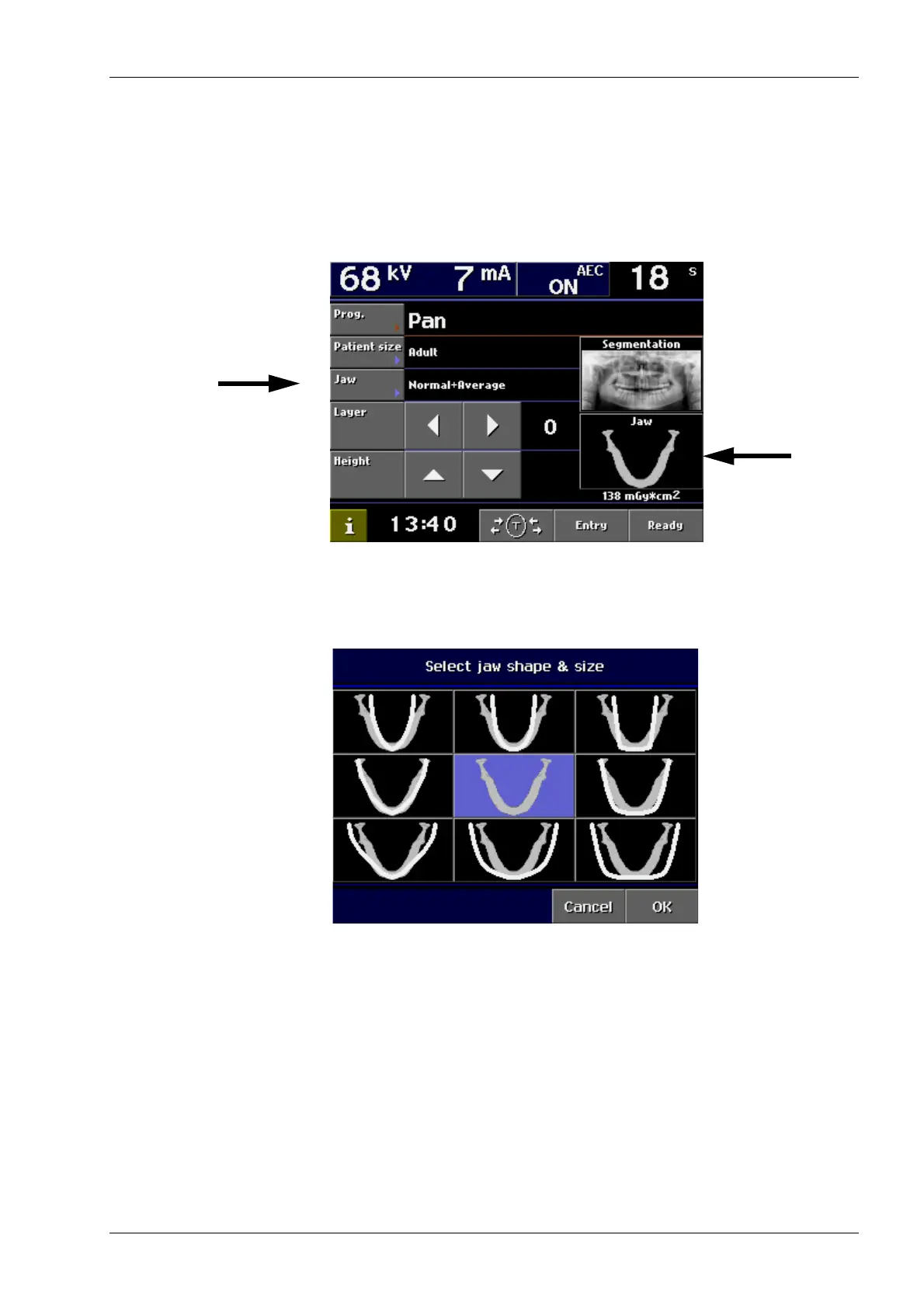
Touch the Jaw field on the main display, or
alternatively, tap the jaw icon on the right side of the
display.
The following display appears. The marking on the jaw
icon demonstrates the image layer position.
Select the correct jaw shape and size for the patient to
be X-rayed by tapping the corresponding icon.
Confirm the selection and return to the main display by
touching OK.
Jaw size:
Narrow
Average
Wide
Jaw shape: V-shaped Normal Square














 To Next Page