LOADING THE CASSETTE
28 Planmeca Proline XC Panoramic X-ray
User's manual
8 LOADING THE CASSETTE
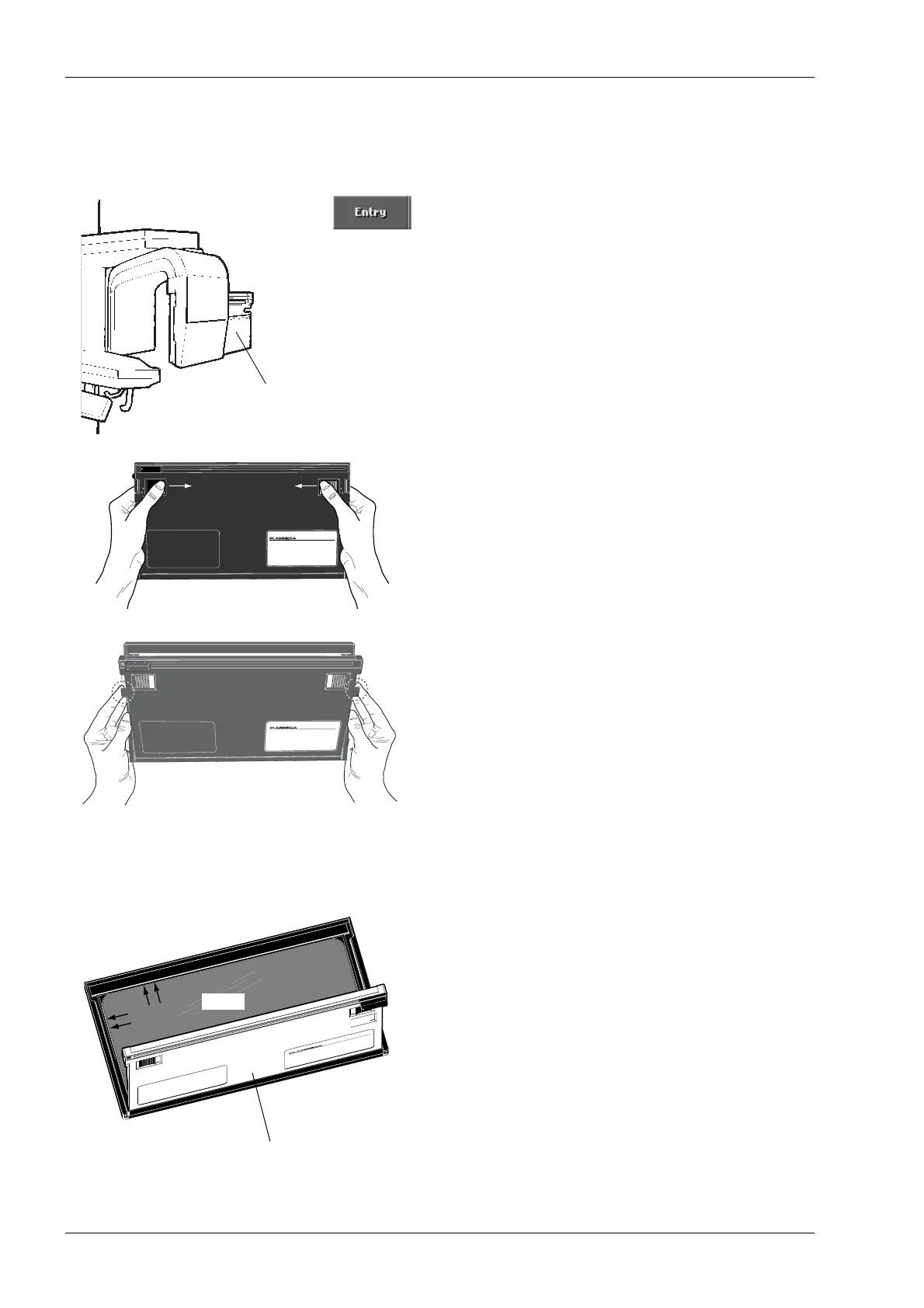
Touch the Entry field to move the cassette carriage to
the loading position if it is not already in that position.
In the darkroom, push the latches inwards to open the
cassette door (see figure beside) and place a film in
the cassette. Handle the film in accordance with the
manufacturer’s instructions and be careful not to
damage the intensifying screens.
When you are using the Autoprint cassette position the
film so that it touches the inner left-hand and upper
edges of the cassette. With the regular cassette
position the film so that it touches the bottom edge.
The film must be on the intensifying screen.
Cassette carriage
in loading position
CAUTION !
THIS DEVICE CONTAINS FIBRE OPTICS. HANDLE WITH CARE
AUTOPRINT
15 x 30 cm
C
A
U
T
I
O
N
!
T
H
I
S
D
E
V
I
C
E
C
O
N
T
A
I
N
S
F
I
B
R
E
O
P
T
I
C
S
.
H
A
N
D
L
E
W
I
T
H
C
A
R
E
A
U
T
O
P
R
IN
T
1
5
x
3
0
c
m
Film
Autoprint cassette
Film
C
A
U
T
I
O
N
!
T
H
I
S
D
E
V
IC
E
C
O
N
T
A
IN
S
F
IB
R
E
O
P
T
I
C
S
.
H
A
N
D
L
E
W
I
T
H
C
A
R
E
A
U
TO
P
R
IN
T
15 x 30 cm
Film














 To Next Page