Planmeca Proline XC Panoramic X-ray 31
PANORAMIC EXPOSURE
User's manual
9 PANORAMIC EXPOSURE
All exposure values given in this section are based on
Kodak Ektavision film and Kodak Ektavision screen. If
you are using a different film and screen combination
you may have to adjust these values.
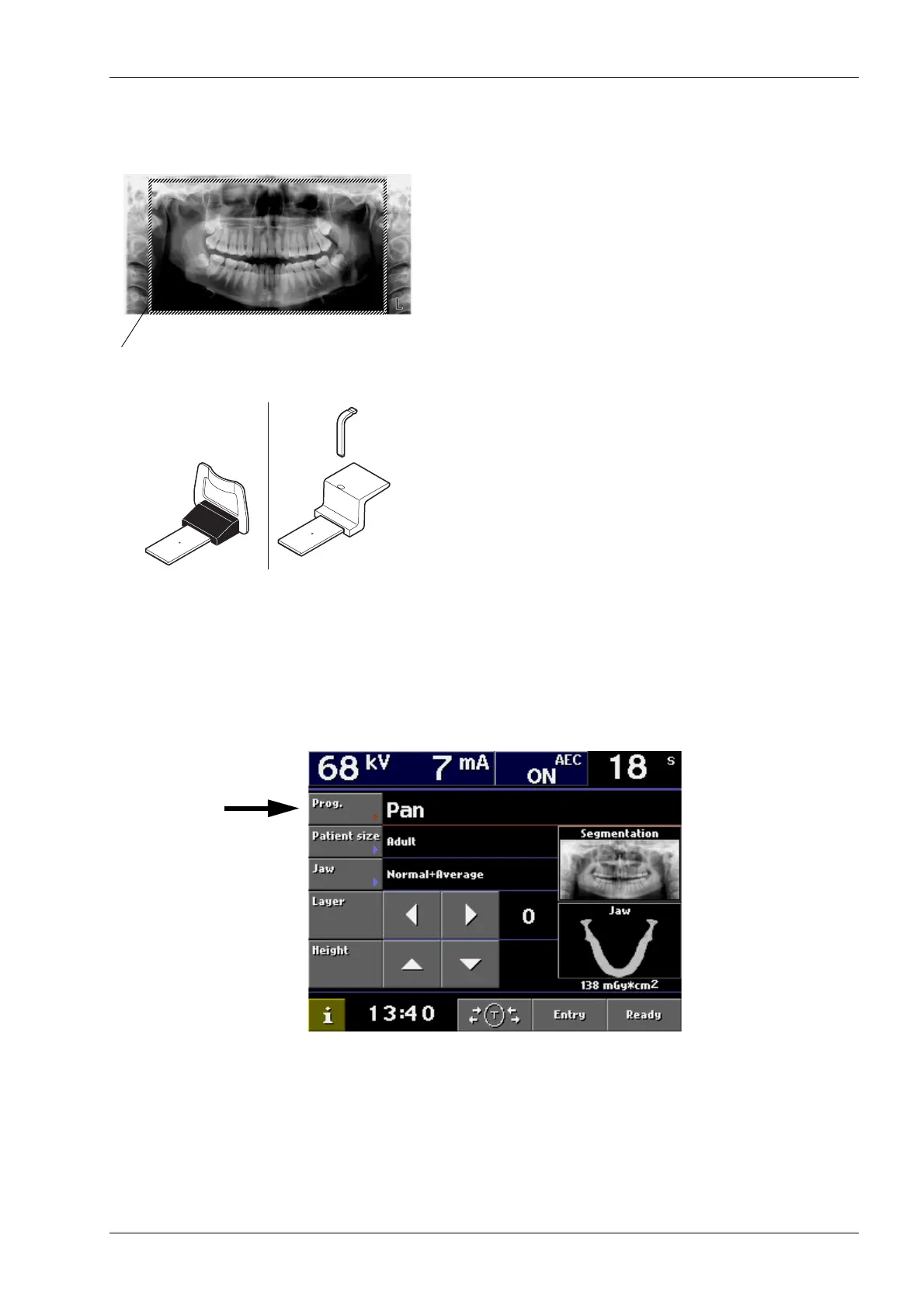
This procedure will produce a full size panoramic
exposure of both jaws. If the child mode is selected the
width of the exposed area will be slightly reduced.
NOTE
Use the chin rest for this procedure. Insert a new bite
piece into the hole in the top of the rest.
NOTE For edentulous patients or for patients who are
unable to use the bite piece the chin support
can be used. You may also have to place a roll
of gauze or cotton between the patient’s jaws
to raise the upper ridge to the correct position.
Select the panoramic program, see section “7.1
Selecting panoramic exposure program” on page 9.
If the patient is a child or a very small adult select the
child mode by touching the Patient size field.
Normal panoramic exposure
Area exposed in CHILD mode
Chin rest
Bite piece
Chin support














 To Next Page