GRAPHIC USER INTERFACE
16 Planmeca Proline XC Panoramic X-ray
User's manual
7.1.1 Selecting segmentation
This function allows you to take exposures of different
jaw segments. It will reduce the radiation dosage as
only diagnostically interesting areas need to be
X-rayed.
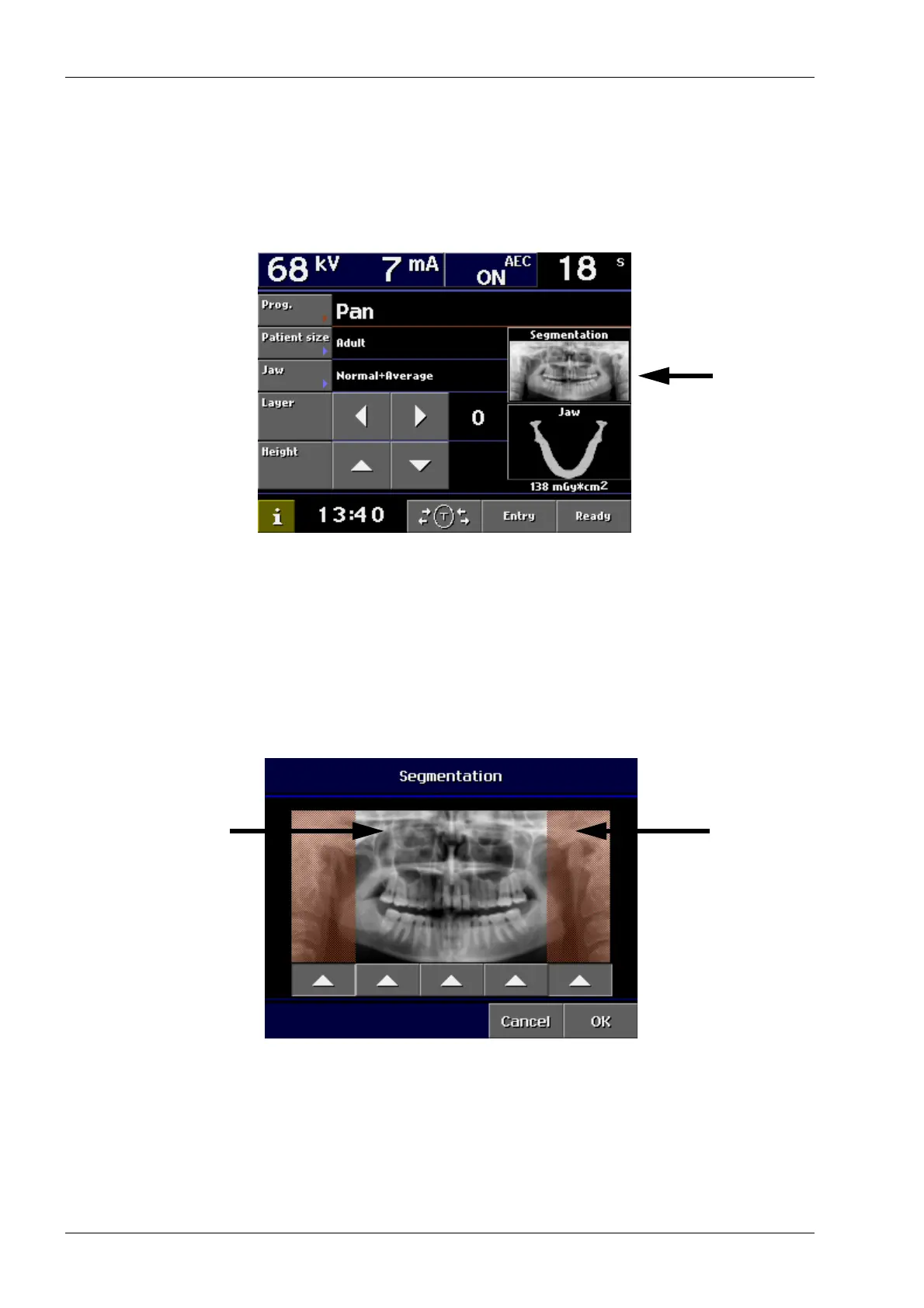
Touch the Segmentation field on the main display.
The Segmentation display appears. The display shows
an icon which is divided into five vertical sectors. The
segment arrows on the display refer to the five vertical
sectors.
Touch the corresponding arrow field(s) to deselect the
sector(s) that should not be exposed. The sectors
which will not be exposed will turn dark. The sectors
which will be exposed remain white.
Touching the arrow of the deselected sector again will
change the colour of the sector back to white.
Confirm the selection and return to the main display by
touching OK.
Deselected sector -
no exposure
Selected sector -
to be exposed














 To Next Page