Planmeca Proline XC Panoramic X-ray 37
TEMPOROMANDIBULAR JOINT EXPOSURE
User's manual
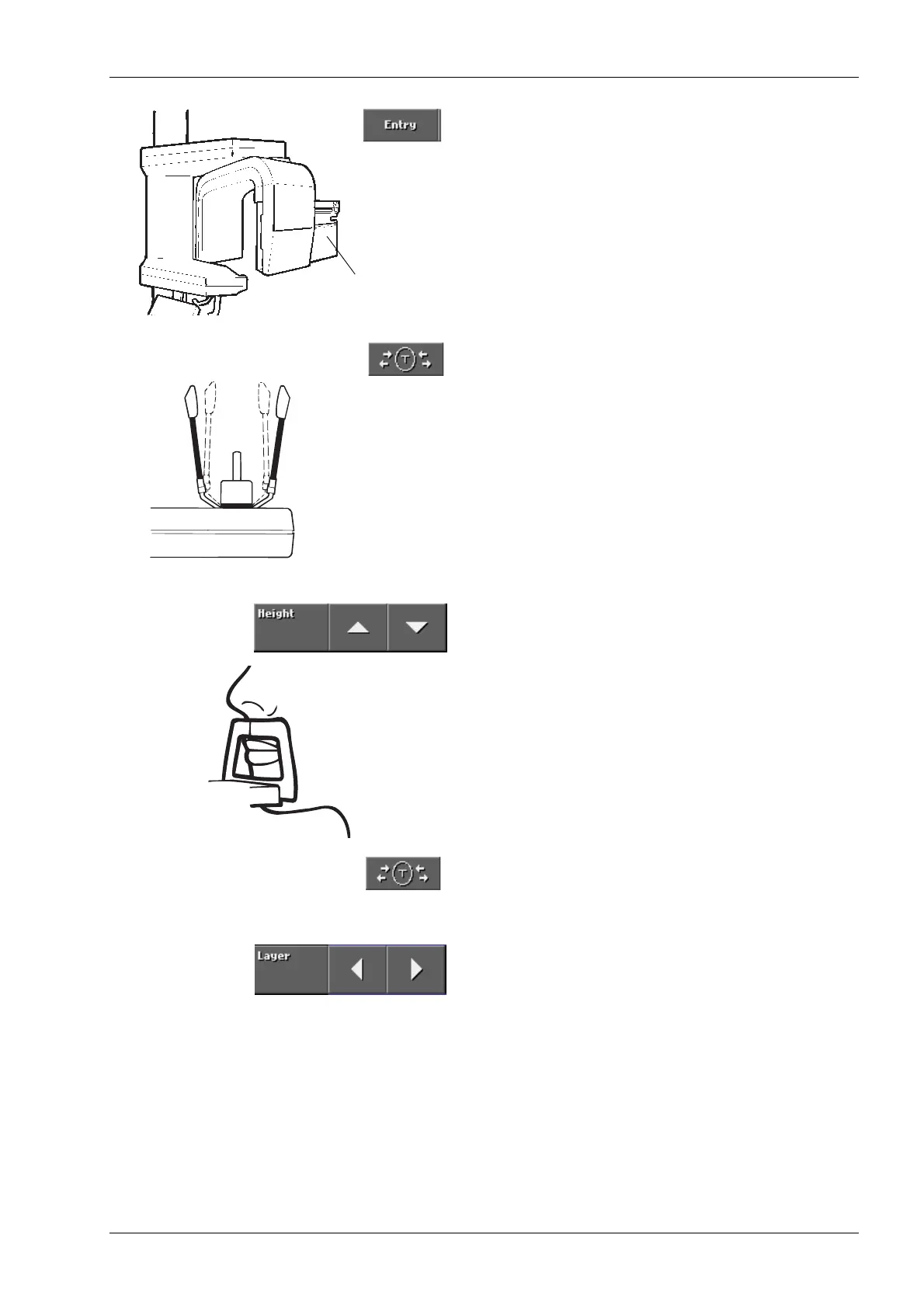
Touch the Entry field to move the rotating assembly to
the ready position and the cassette carriage to the
loading position if they are not already in that position.
Touch the temple support field to open the temple
supports if they are not already open.
Guide the patient towards the unit so that they are
facing the chin support. Explain to the patient that you
will take a double exposure and that the unit will rotate
twice.
Touch either of the height adjusting arrows to adjust
the height of the vertical carriage until the opening in
the chin support is approximately level with the
patient’s mouth.
Ask the patient to step forward, grasp the patient
handles and press their lips against the chin support.
The patient's nose must rest on top of the support and
their mouth must be closed, their teeth together.
Touch the temple support field to close the temple
supports.
Touch either of the Layer arrows to switch the three
patient positioning lights on so that the patient can be
positioned.
Stand behind the patient and check that the patient’s
shoulders are level and the neck muscles relaxed.
Make sure the patient’s back is straight.
Cassette carriage
in loading position
Closed
Open Open














 To Next Page