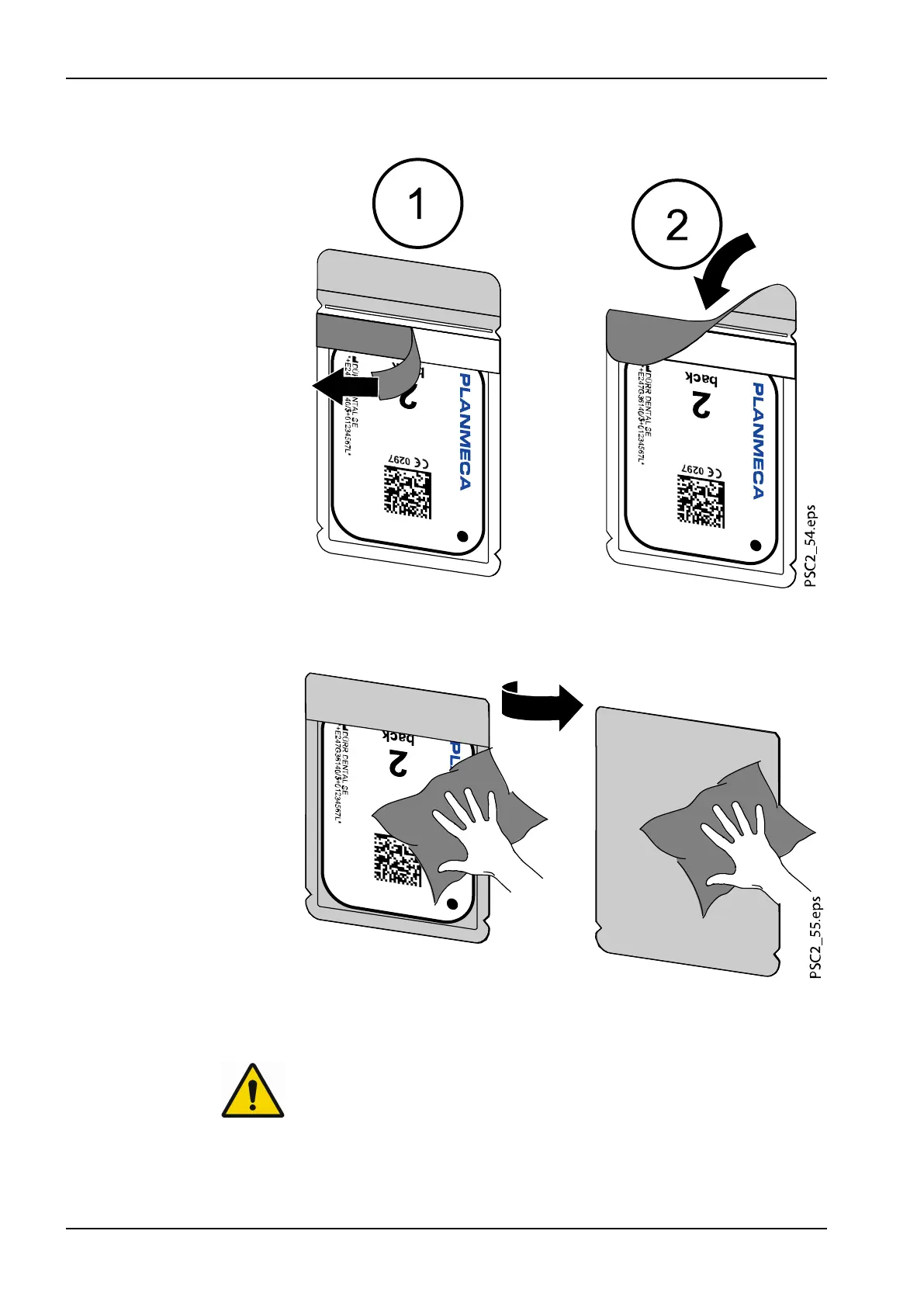
3. Pull off the adhesive strip (1), fold down the flap and close the light
protection cover tightly by pressing together firmly (2).
4. The light protection cover must be disinfected using a suitable
disinfectant wipe immediately before positioning it inside the patient's
mouth (see section "Light protection cover" on page 50).
5. Allow the light protection cover to fully dry.
Taking X-ray image
CAUTION
Damage to the image plate caused by a sharp-edged holding system
Only use holding systems that will not damage the light protection cover or
the image plates in any way.
Do not use holding systems with sharp edges.
4 Usage
40 Planmeca ProScanner 2.0 User's manual












 To Next Page