30 P/N 2018 - 10 B Rev A 6 – Release
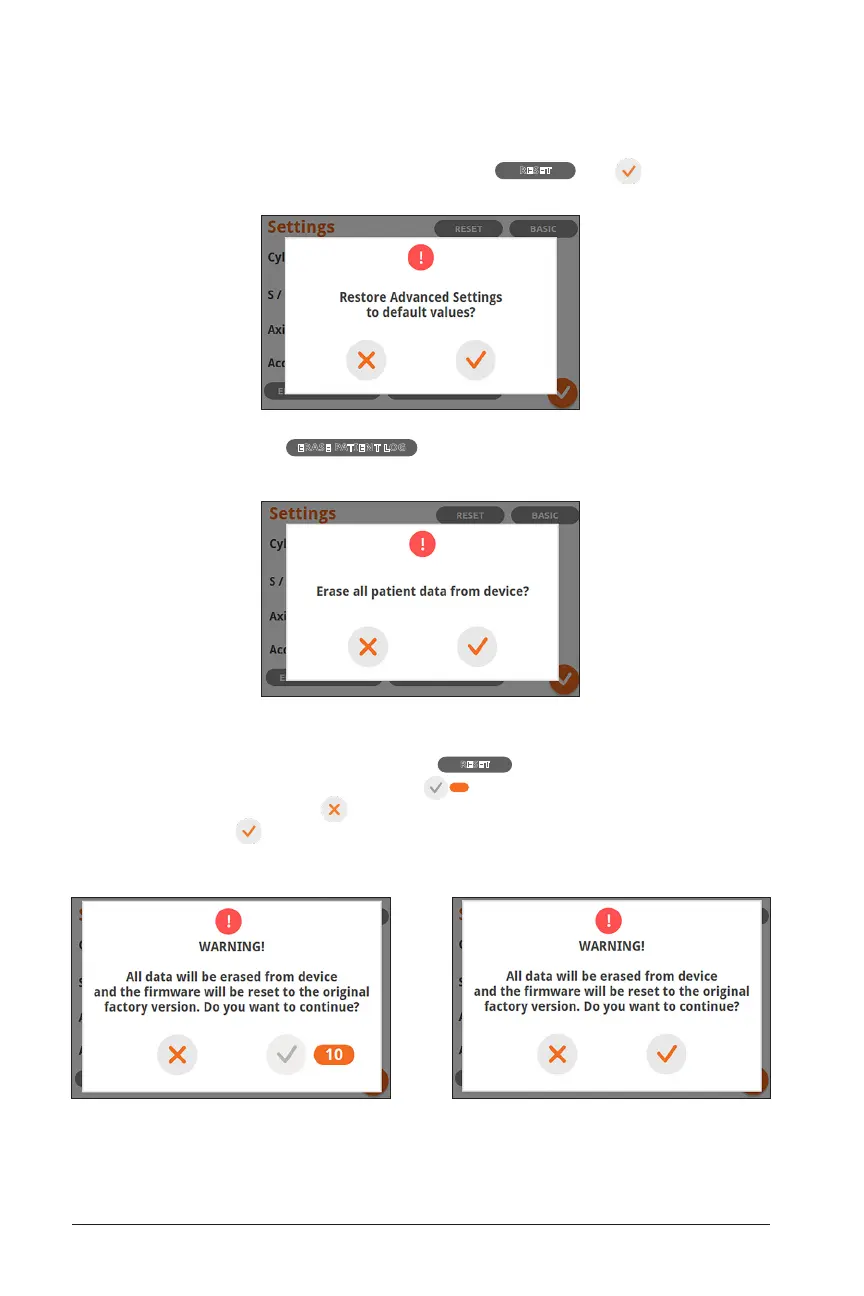
To Reset advanced settings to default values, select
RESET
and on the subse-
quent screen:
Furthermore, by selecting
ERASE PATIENT LOG
, you will be able to erase all patient data
from the device:
To reset all settings to default values, reset device to factory firmware version and
erase all patient data from the device, select
RESET
and you will be presented with
a warning screen. A 10 second countdown
10
will start. During this 10 second
countdown, you can still press to cancel the factory reset. Once the countdown is
over, the ‘ok’ button is enabled and you can reset the device.


 To Next Page