41
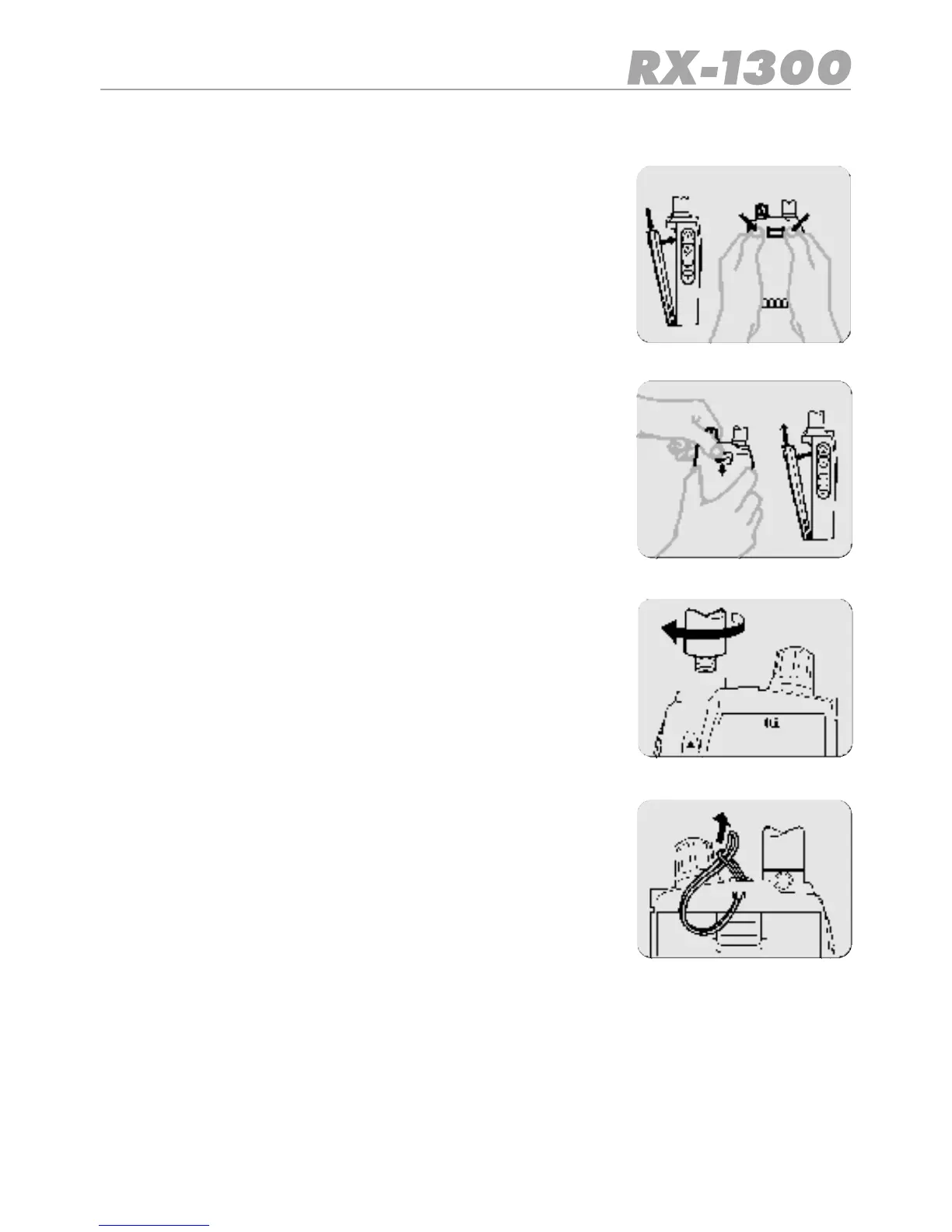
Fitting and removing the battery pack
Fitting
1. Ensure the receiver is switched off.
2. Align the bottom of the battery pack with the securing slots
in the base of the receiver.
3. Press the top of the battery pack into the back of the receiver
until it ‘clicks’.
Removing
1. Ensure the receiver is switched off.
2. Holding the receiver in one hand, press down on the battery
release catch.
3. List the top of the battery pack away from the receiver.
Installing the antenna
1. Place the antenna on to the antenna socket on top of the
radio.
2. Rotate the antenna clockwise to screw into place.
3. Do not over tighten.
Installing the lanyard
1. Slide the small end loop of the lanyard through the slot in the
rear of the receiver’s top panel.
2. Feed the large end of the lanyard through the loop and ti-
ghten.


 To Next Page