60
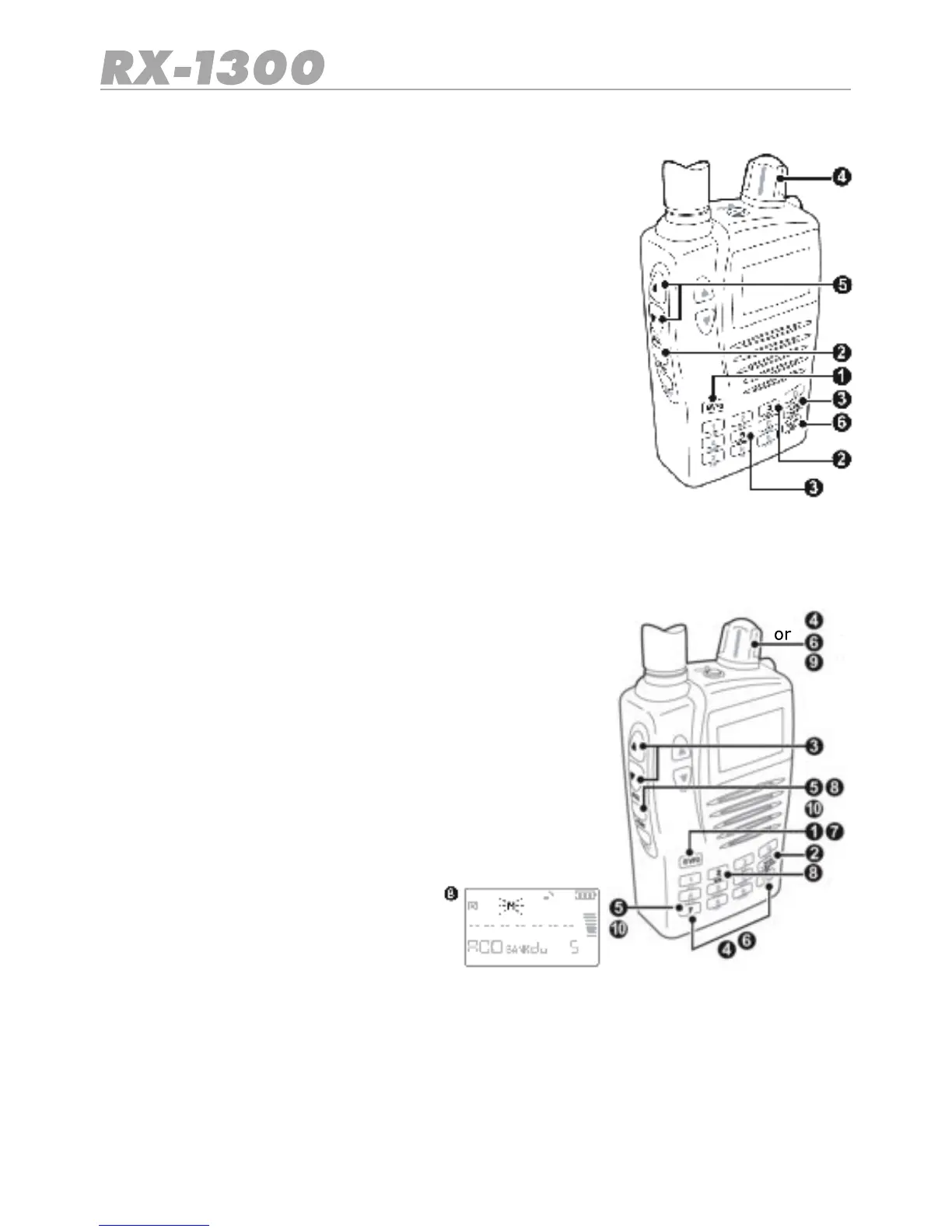
To recall a frequency limit pair from the Limited Search Memories
1. Press the E/VFO key to select VFO Mode.
2. Press Func MR. The receiver will enter the Memory Read
mode.
3. Press the BANK key repeatedly to step through the memory
banks until Pris displayed or press MODE key to directly ac-
cess Pr blank
4. Select the required channel using the control knob.
5. Set the squelch level to a point where the receiver is just
quiet.
6. Briey press SCAN/SRC. The radio will begin scanning
between the selected frequency limits.
Dual Watch Memories
The Dual Watch memories are used to store a pair of frequencies that will be monitored
when the Dual Watch feature is enabled. Up to 50 frequencies (25 pairs) can be stored.
To store a pair of Dual Watch frequency Memories
1. Press the E/VFO key to select VFO Mode.
2. Press the Band key to select the required band.
3. Adjust the Squelch so the receiver is muted.
4. Enter one of the frequencies that you wish to monitor.
5. Press Func DW. The ‘D’ Dual Watch icon will be di-
splayed.
6. Enter a second frequency using the control knob or the
number keys.
7. Press the E/VFO key to accept. The Dual Watch function
will begin.
8. Now press Func MW. The receiver enters the Memory
Write mode and selects the Du (Dual Watch) memory
bank.
9. Use the control knob to select an
empty channel to store the frequen-
cy pair.
10. Press Func MW again to store the two
frequencies. They will be stored Axx
and bxx where xx is the empty channel you selected.


 To Next Page