50
Mode Selection
By default, the receiver automatically selects the modula-
tion Mode most commonly used for each band (see the Fre-
quency Band chart for the default modes for each band)
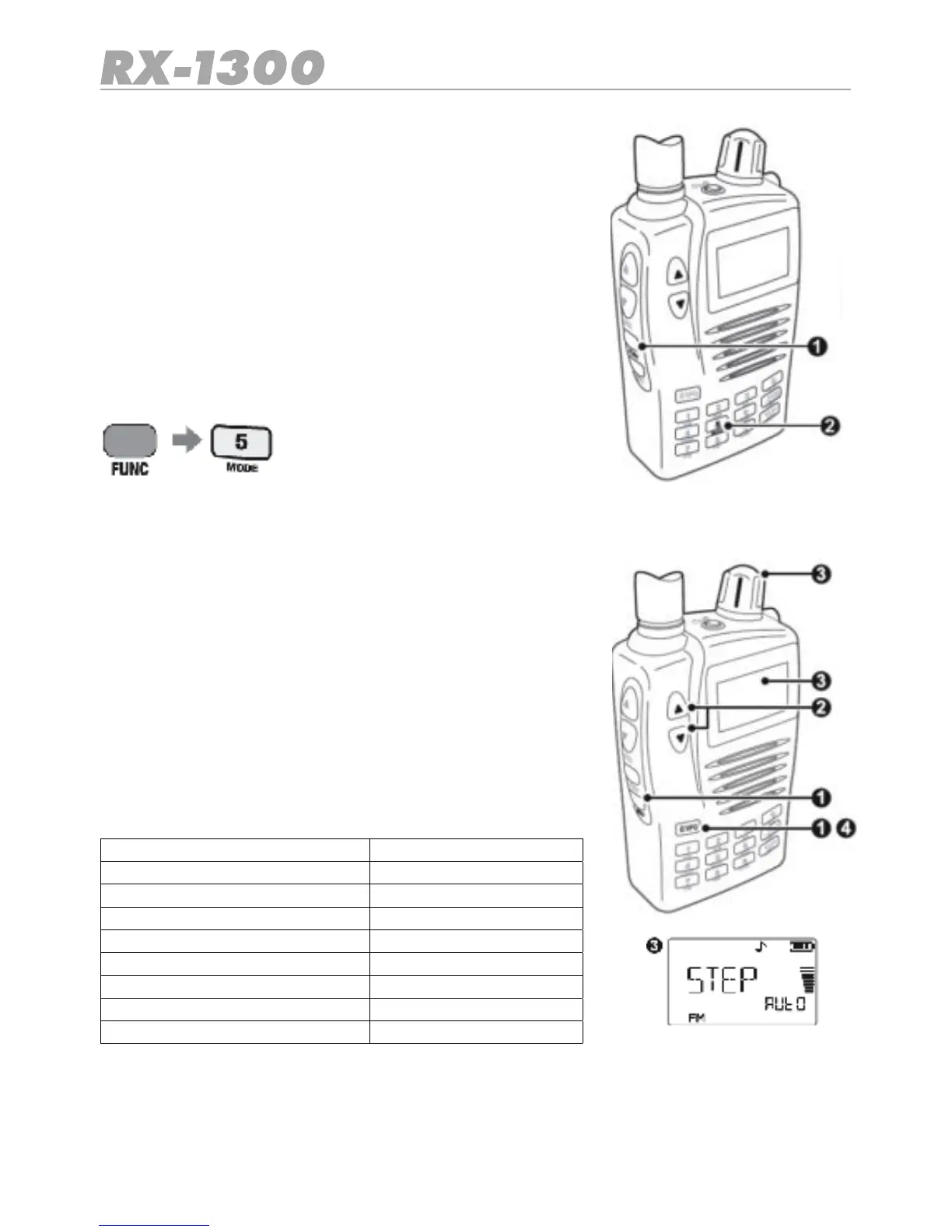
To manually select a different Mode, press Func followed by
the MODE key. Each press will step through the Mode set-
tings in the following order:
AM -FM -WFM (Wideband FM) -Auto
To automatically have the receiver select the mode for the band you are on, select the
Auto Mode.
Frequency step selection
By default, the receiver automatically selects the frequency
steps most commonly used for each band (see the frequen-
cy band chart for the default stpes for each band)
To select a different step:
1. In VFO mode press MENU.
2. Press the volume ▲ or ▼ keys until STEP is displayed.
3. Turn the control knob until the desired frequency step is
displayed.
4. Press E/VFOtoconrmtheselection.
The follow frequency steps are available label:
5 kHx 30 kHx
6.25 kHx 50 kHx
8.33 kHx*(108-135.99125MHz) 100 kHx
9 kHx**(0.504-1.620MHz) 500 kHx
10 kHx Auto
12.5 kHx
15 kHx
20 kHx
25 kHx
If Auto is selected the reciver will automatically select the appropriate default. Frequency
Step for each band.


 To Next Page