65
Function Meaning Description
CH CLR Channel Clear Erases the selected channel.
bA CLR Bank Clear Erases all the channels in the selected Bank.
ALL CLR All Clear Erases all memories in the receiver.
CH Move Channel Move Moves a frequency from one channel to another.
CH Copy Channel Copy Copies a frequency from one channel to another.
bA Copy Bank Copy
Copies an entire bank of frequencies to another Bank.
Memory Read Mode
Copying frequencies between memory banks
Bank Copy
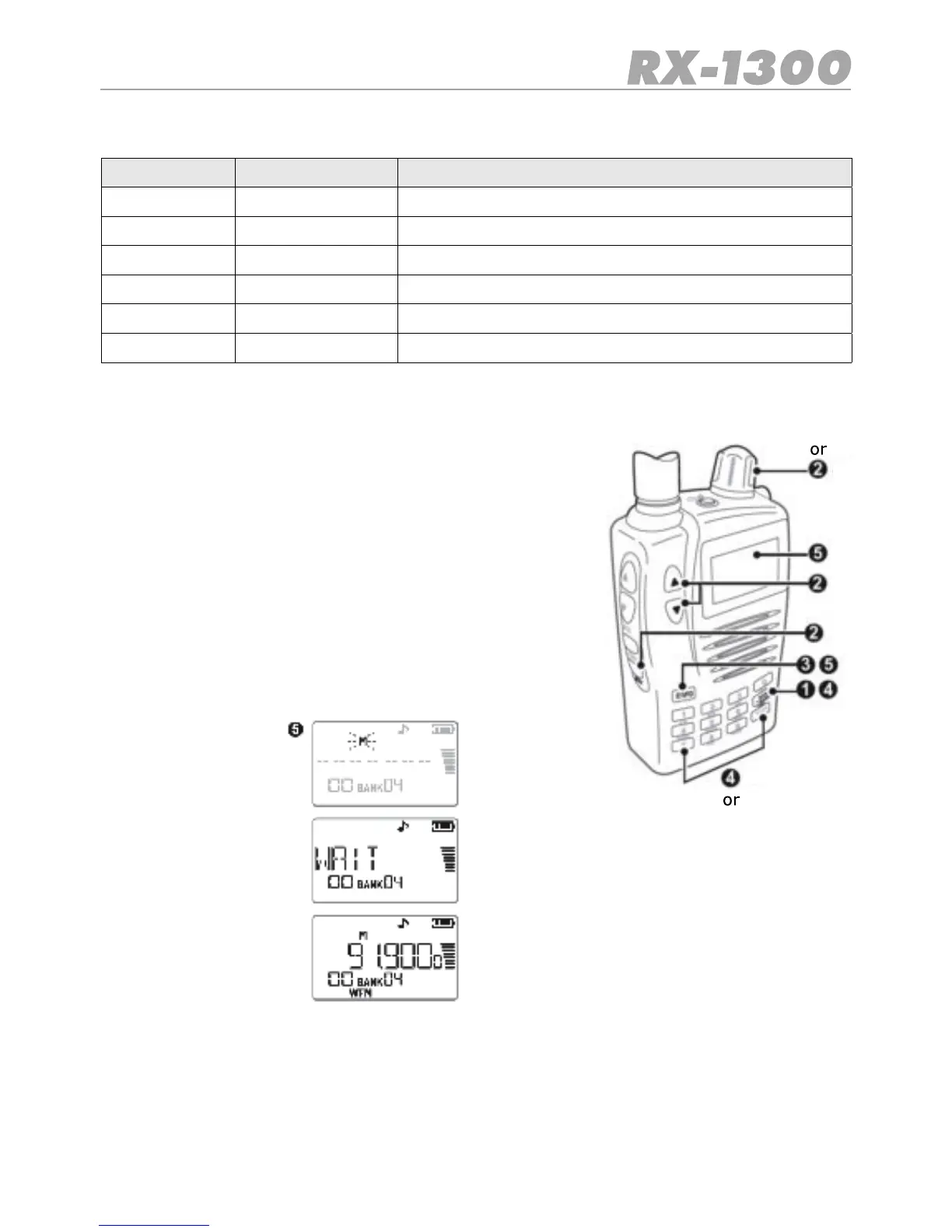
To copy one bank of frequencies to another:
1. Select the bank that you would like to copy from.
2. Press Menu, then use the Control Knob or the volume ▲ ▼
keys to select ‘bA Copy’
3. Press E/VFO to accept.
4. Now select the Bank you wish to copy it to using the num-
ber keys or the BANK/BAND key.
5. Press E/VFO again to copy the original Bank to the new
Bank. The original Bank will remainunchanged.


 To Next Page