57
Storing frequencies into the memories
Manual memories
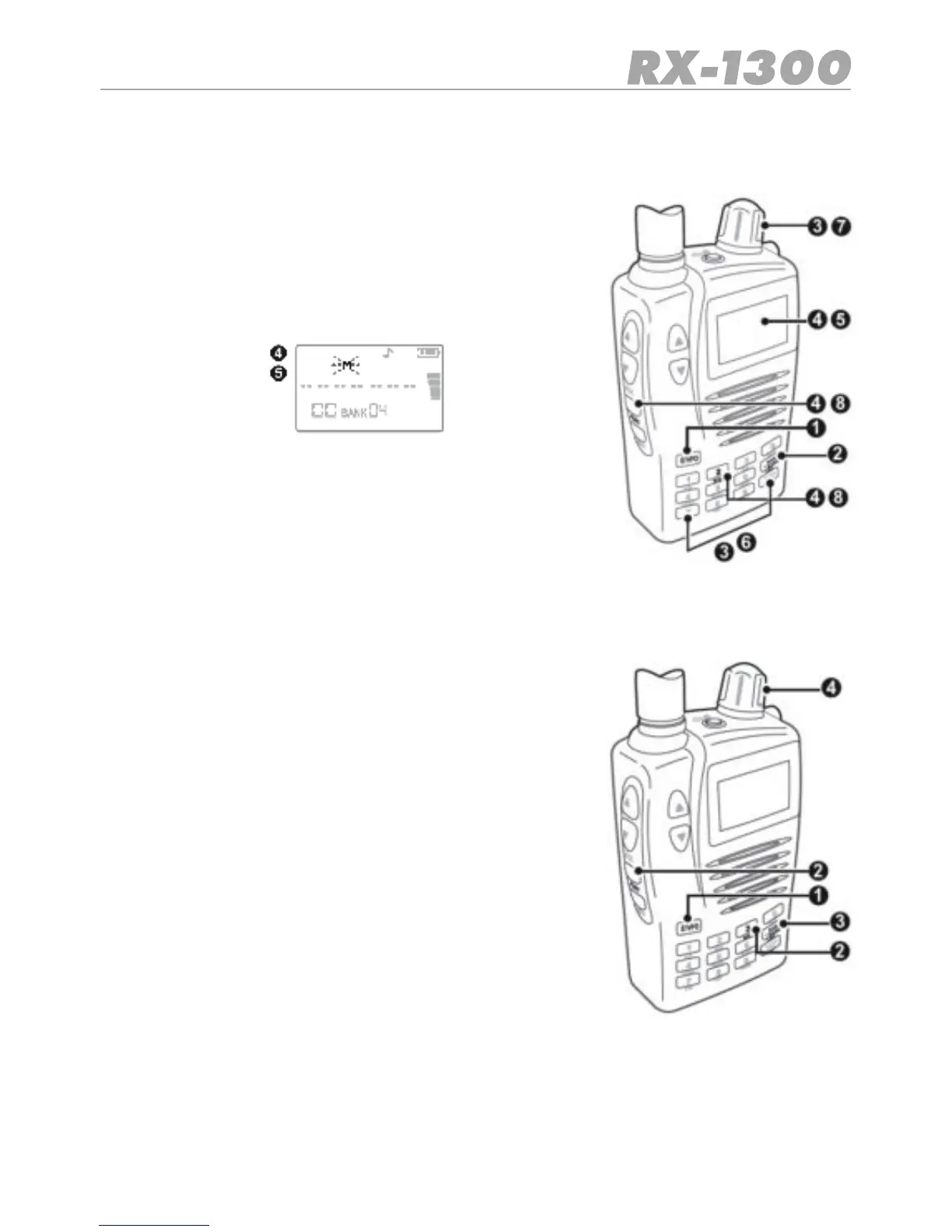
To manually store a frequency into one of the manual me-
mories:
1. Press the E/VFO key to select VFO Mode.
2. Press the BAND key to select the required Band.
3. Select the frequency that you want to store using the
number keys or the control knob.
4. Press Func MW to enter the Memory Write mode.
5. Thereceiverwillndanddisplayanemptymemorybank
and memory location automatically.
6. If required, use the number keys to select a new memory
bank e.g. for memory bank 16 press 1 and 6
7. To change the memory location, rotate the control knob.
8. Press Func MW again to store the frequency.
To recall a frequency from the manual memories:
1. Press the E/VFO key to select VFO Mode.
2. Press Func MR. The receiver will enter the Memory Read
mode.
3. To step through the memory banks press the BANK key
or enter the memory bank directly using the numbered
keys. Memory banks are numbered 00 to 39
4. Select the required channel using the control knob.


 To Next Page