63
Priority Scan
Priority Scan allows you to insert a Priority channel or frequency into the channel Scan.
When the Scan is activated, the receiver will visit the Priority channel ‘Priority Time’ in the
Menu setup.
To perform a Priority Scan using a frequency as the priority channel:
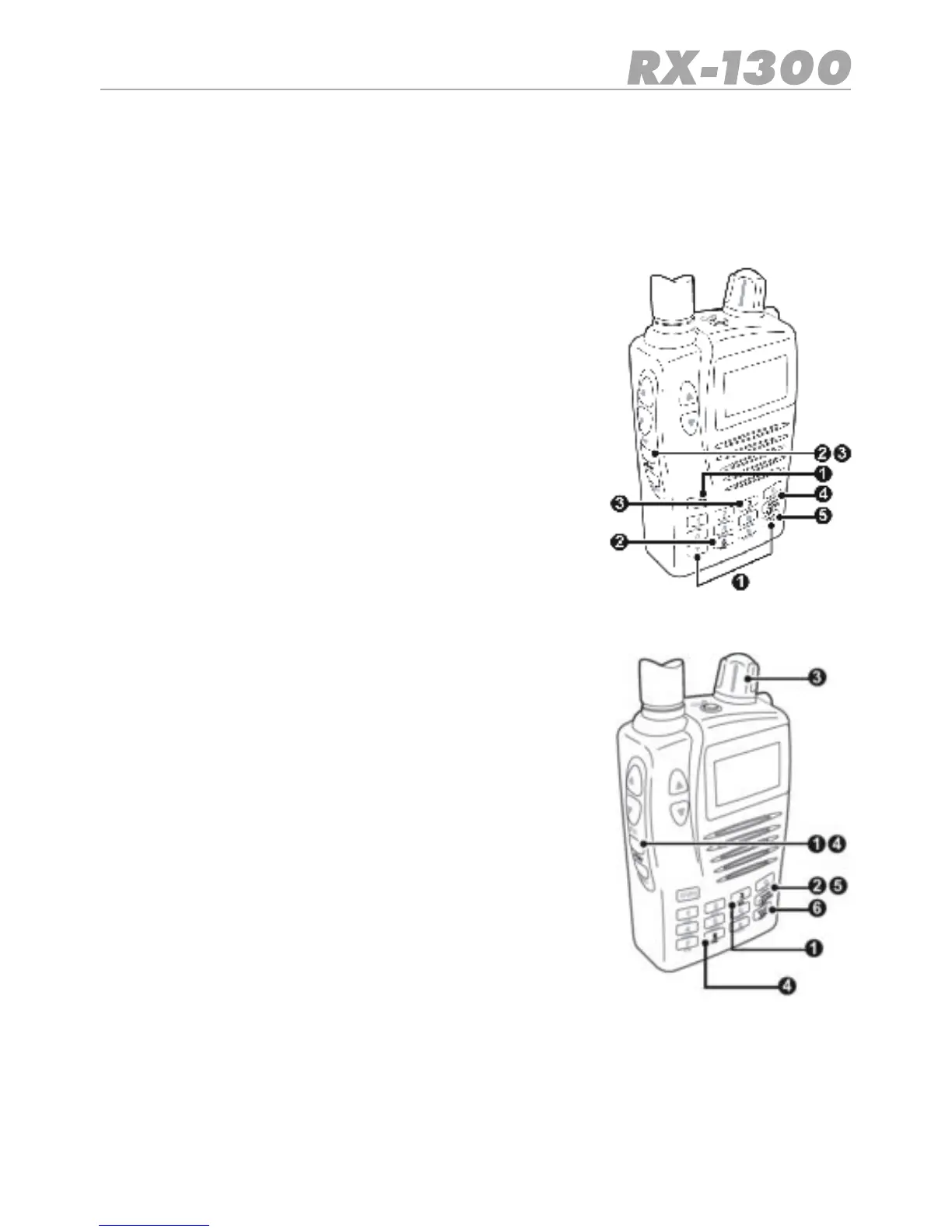
1. Enter the required Priority channel frequency using the
Keypad then press E/VFO.
2. Press Func PRI. The selected frequency is now the Prio-
rity Channel.
3. Press Func MR to select the Memory Read mode.
4. Press Bank/Band to select the preferred memory bank
you wish to scan.
5. Press Scan/Src. the receiver will begin scanning the
selected Band and will switch to the Priority channel at
anintervalsetbythe“PriorityTime”settinginthesetup
menu.
To perform a Priority Scan using a stored channel as the Priority channel:
1. Press Func MR to select the Memory Read mode.
2. Press Bank/Band to select the required memory bank.
3. Rotate the Control Knob to select the required channel.
4. Press Func PRI. The selected channel is now the Priority
Channel.
5. Press Band/Bank to select the preferred channel bank
you wish to scan.
6. Press Scan/Src. The receiver will begin scanning the se-
lected Bank and will switch to the Priority channel at an in-
terval set by the ‘Priority Time’ setting in the setup menu.
Notes:
•If a signal is received, the receiver will remain on the active
channel for the duration of the ‘Busy Timer’ setting in the
Menu setup. If the ‘Busy timer’ is set to Busy the receiver
will stay on the active channel for as long as the signal is
present.
•TochangethechannelBankwhilesearching,brieypress
Band/Bank key.
•To change the search direction while searching, rotate the control knob clockwise or
counter clockwise.


 To Next Page