55
5. Press the E/VFO key to select VFO mode.
6. Press Band/Bank to select the required frequency band you wish to search.
7. Press Scan/Src. The receiver will begin searching the selected Band and will switch to the
Priority channel at an interval set by the ‘Priority Time’ setting in the setup menu.
Notes:
•If a signal is received, the receiver will remain on the active frequency for the duration of
the ‘Busy Timer’ setting in the Menu setup. If the ‘Busy timer’ is set to Busy the receiver
will stay on the active channel for as long as the signal is present.
•Tochangethefrequencybandwhilesearching,brieypressBand/Bank key.
•To change the search direction while searching, rotate the control knob clockwise or
counter clockwise.
Dual Watch
The Dual Watch function lets you constantly monitor two frequencies for activity.
To set the Dual Watch function:
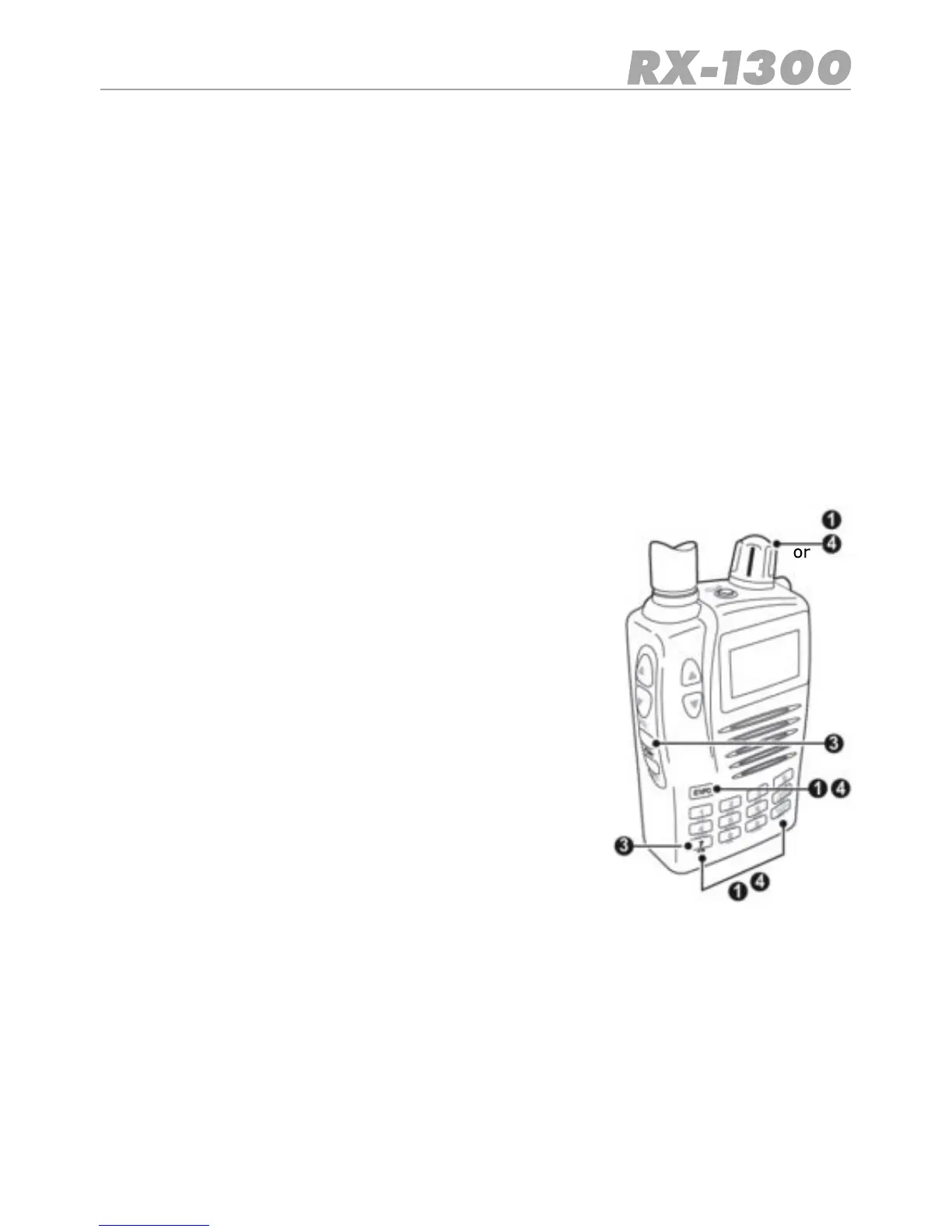
1. Enter one of the required frequencies using the Control
knob or Key pad then press E/VFO.
2. Adjust the squelch so that the receiver is muted.
3. Press Func DW.
4. Enter the second frequency using the Control knob or the
Keypad then press E/VFO.
5. The Dual watch begins automatically. If a sign al is recei-
ved, the receiver will remain on the active frequency for
the duration of the ‘Busy Timer’ setting in the Menu setup.
If the ‘Busy timer’ is set to Busy the receiver will stay on
the active
TostayonanactivefrequencyindenitelyortostoptheDual
Watch function press Func DW again. The receiver will exit
the Dual Watch function.


 To Next Page