58
Automatic Memories
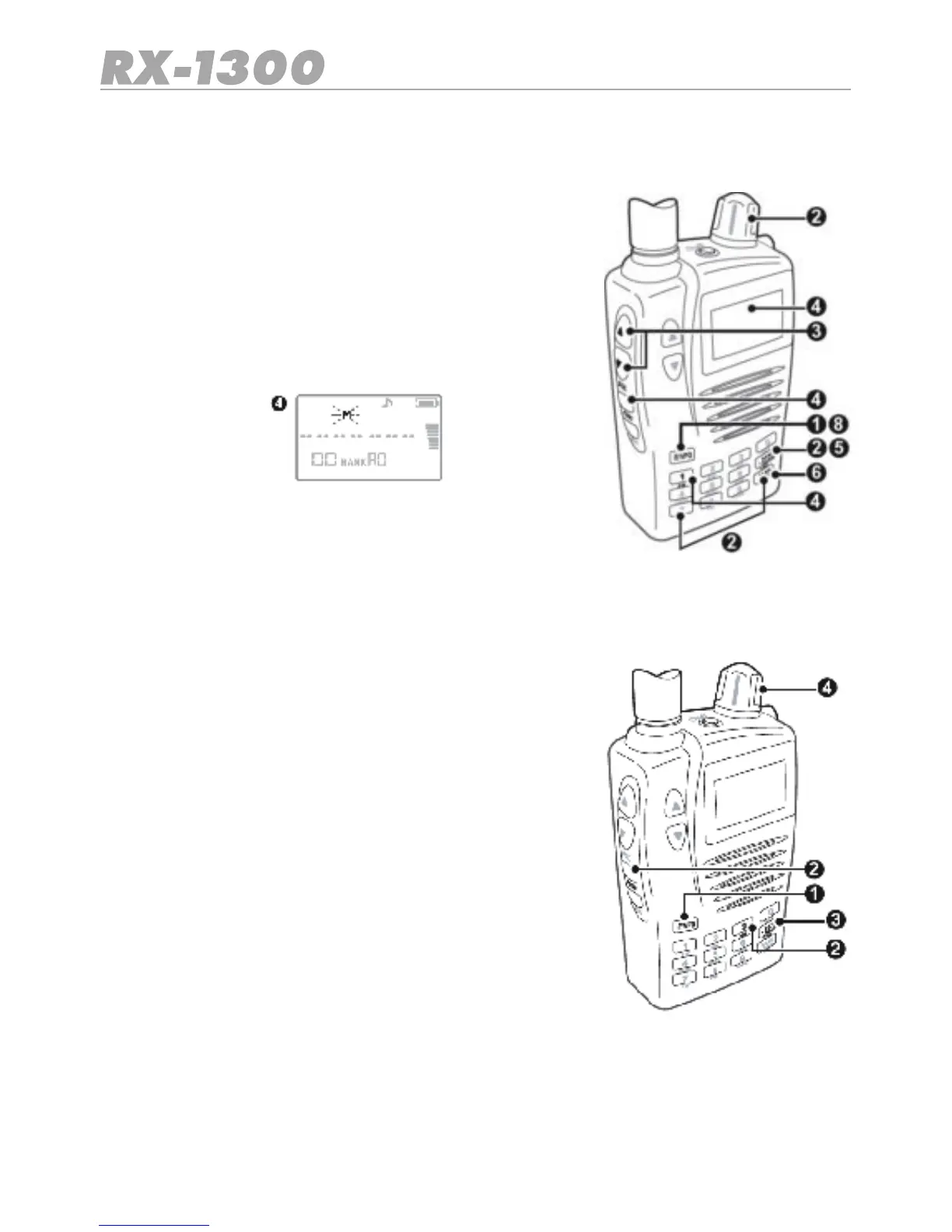
The Automatic Memory holds frequencies that are stored automatically while doing a Band
Search
To store frequencies into the Automatic Memories:
1. Press the E/VFO key to select VFO Mode.
2. Select the band and frequency that you wish to begin
searching from.
3. Set the squelch level to a point where the receiver is just
quiet.
4. Press Func AW to selec t the Automatic Write mode.
5. Press the Bank key to select the required memory bank
(A0 or A1).
6. Press the SCAN/SRC key to begin scanning.
7. As active frequencies are found they are automatically stored in the select memory bank.
When all 100 channels are fully stored the receiver will Beep.
8. To exit from the Automatic memory mode, press the E/VFO key.
To recall a frequencies from the Automatic Memories:
1. Press the E/VFO key to select VFO Mode.
2. Press Func MR. The receiver will enter the Memory Read
mode.
3. Press the BANK key repeatedly to step through the me-
mory banks until A0 or A1 are selected.
4. Select the required channel using the control knob.


 To Next Page