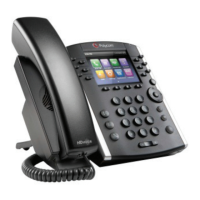
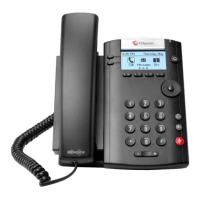
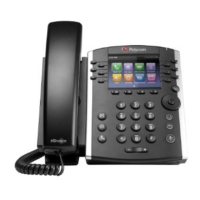
Poly® VVX® 500 and Poly® VVX® 600 Business Media Phones User Guide
2
Secures the handset in the cradle when your phone stand is positioned at a high
angle. To secure the handset, remove the tab, reverse it so the protrusion
points up, and
re-insert it. Then, position the handset so the protrusion on the tab fits into the
slot on the handset.
Provides ringer and hands-free (speakerphone) audio output.
Enables you to enter numbers, letters, and special characters. You can also use
the dialpad keys to select menu items that have index numbers.
The connector on the left side of your phone that enables you to attach a laptop
cable lock to your phone so you can secure it to a desktop. For more
information on locking your phone to the desktop, see Security Slots on Poly
Phones
(Technical Bulletin 64654).
Enable you to:
Attach a USB flash drive so you can record calls, update the background
picture on your phone, set up a screen saver, or use your phone as a
digital picture frame.
Attach a USB headset.
Message Waiting Indicator
Flashes red to indicate new messages.
Press from any screen to display Home view. From Home view, press
to display other phone views. If your phone is idle, press to display
Lines view.
The screen is touch-sensitive. Tap to select and highlight screen items. To scroll,
touch the screen, and swipe your finger up, down, right, or left.
Enables you to place and receive calls through a headset. The key glows green
when an analog headset is activated, and blue when a USB or Bluetooth
headset is activated.
Enables you to place and receive calls using the speakerphone. The key glows
green when activated.
Mutes local audio during calls and conferences. The key glows red when
activated.
Adjust the volume of the handset, headset, speaker, and phone’s ringer.
Transmits sound to other phones.



 To Next Page