Chapter 2: Using Basic Features
23
User Tip: Navigating Back to Calls View
If you navigate away from your call(s), tap (shown next) to see Active Call or Calls view.
Placing Calls
You can place a call using the handset, speakerphone, or headset. You can dial the number first, and
then choose the method—by picking up the handset, pressing , or pressing —or choose the
method first, and then dial the number.
You can place calls in these ways:
Manually, from the Dialer
Automatically, by tapping a favorite in Home or Lines view
Automatically, from your Favorites list, Recent Calls list, or Contact Directory.
Note: Calling from a Locked Phone
If your phone is locked, see Calling and Answering from a Locked Phone for information on placing
calls when your phone is locked.
Calling from the Dialer
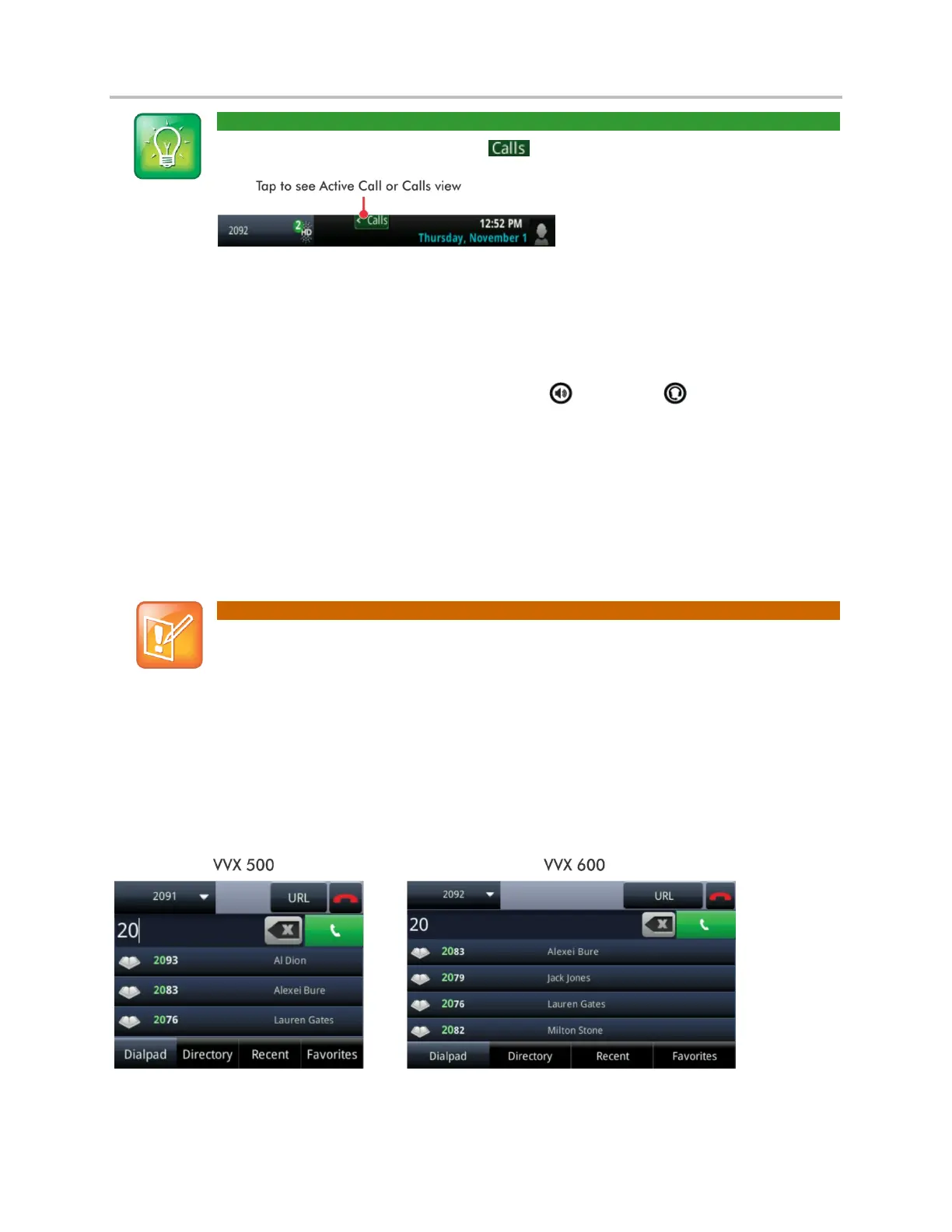
The Dialer displays a list of previously-placed calls. Tap one of the entries to automatically enter it. Or,
start entering a number. As you enter numbers, the Dialer displays a list of similar numbers, as shown
next. Tap a match to automatically enter it.
To display the Dialer, do one of the following:



 To Next Page