Chapter 1: Getting Started
11
Using the Onscreen Keyboard
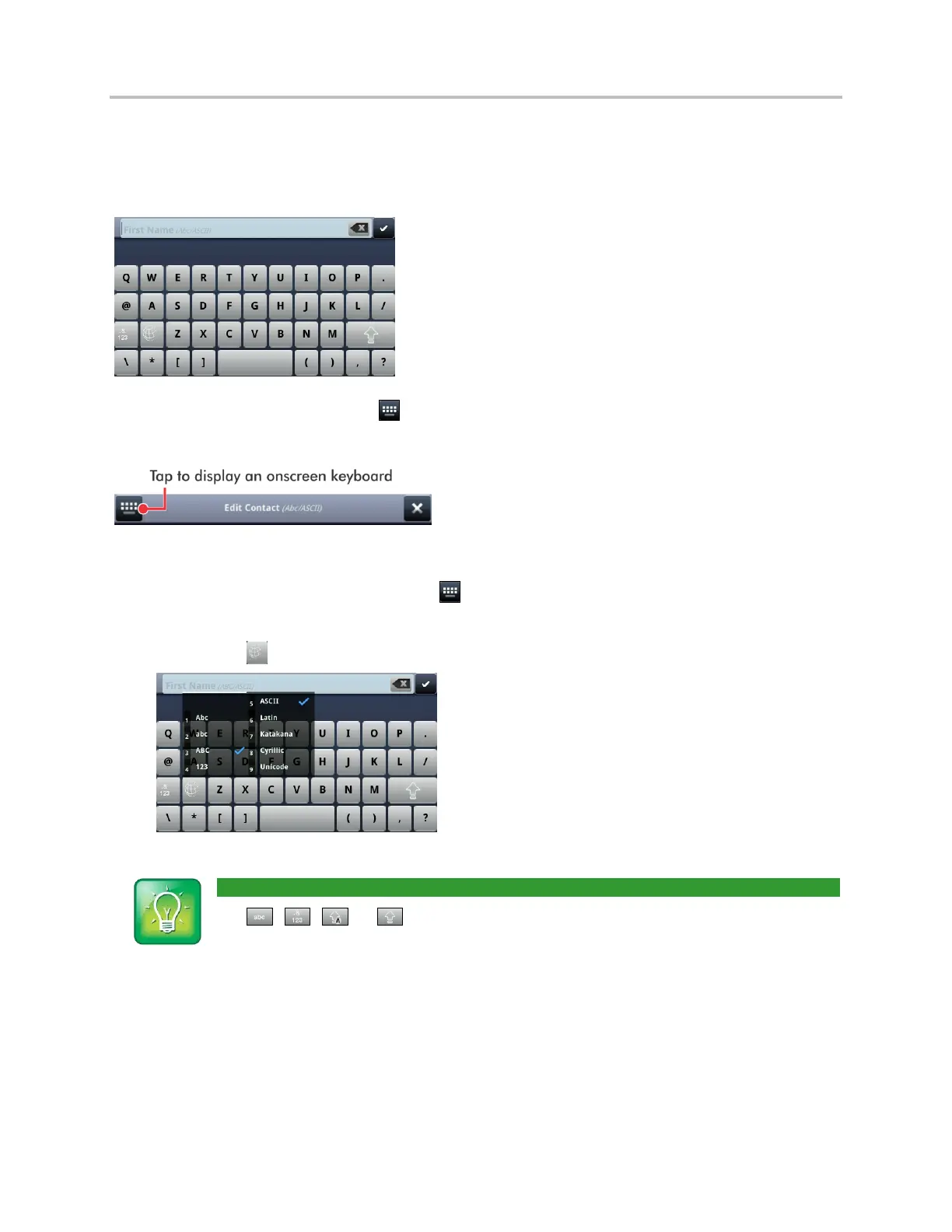
Use the onscreen keyboard (shown next) to quickly update field information. If a data entry field only
requires numbers, the onscreen keyboard will just show numbers.
To access the onscreen keyboard, tap in the phone’s status bar, as shown next. The icon displays in
the status bar whenever you can enter information in a field.
To use the onscreen keyboard:
1 Open the onscreen keyboard by tapping in the phone’s status bar.
2 To enter information in a specific way—for example, in uppercase only and using the ASCII
format—tap and select the options you want, as shown next.
User Tip: Another Way to Select How You Want to Enter Information
Tap , , , or to select alphabetic, numerical, uppercase, or lowercase mode. For
more information on these keys, see the table below.



 To Next Page