Chapter 3: Using Advanced Features
83
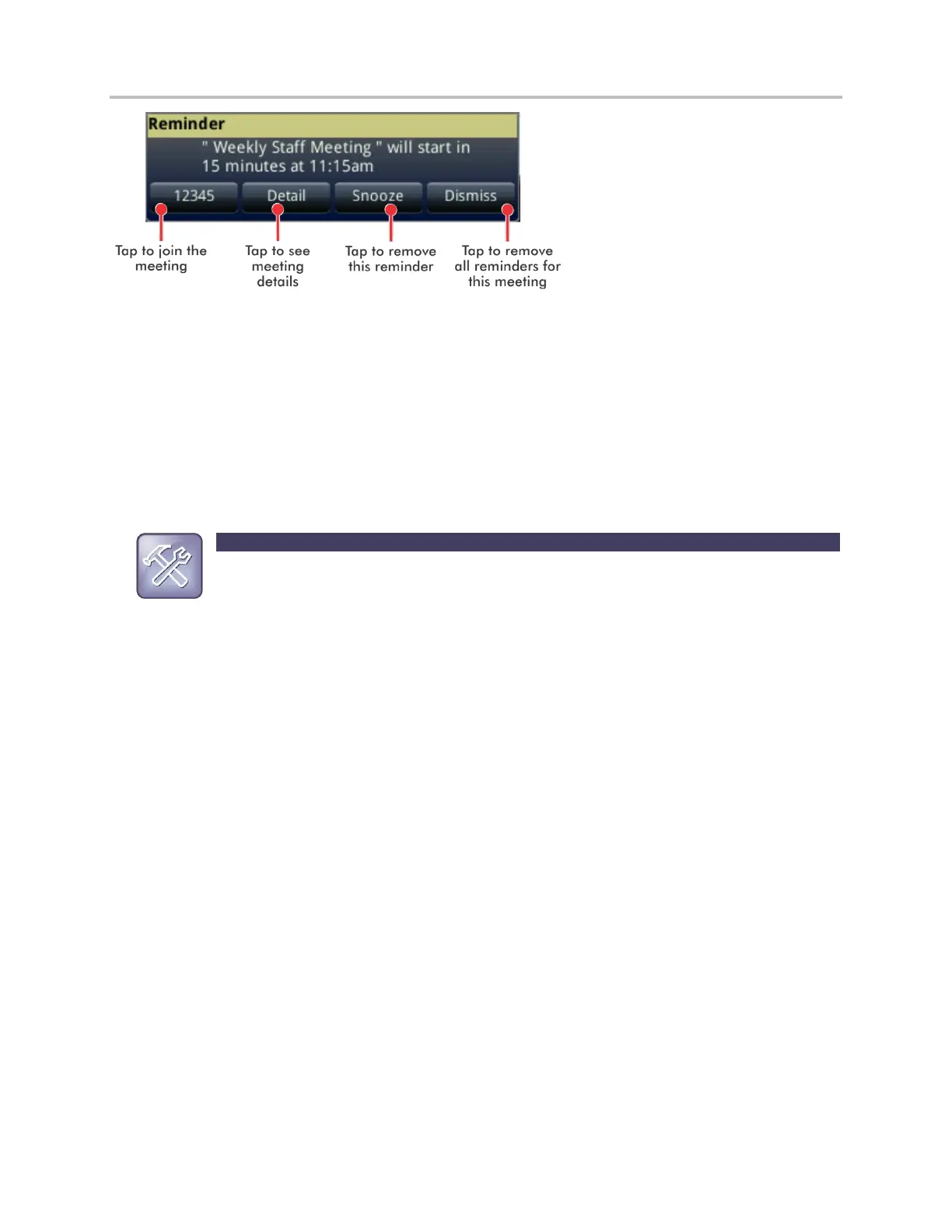
To enable or disable meeting reminders:
1 Tap Settings from Home view, and tap Basic > Preferences > Calendar Settings.
2 From the Calendar Settings screen, tap Reminder, and enable or disable the setting.
The default setting is Enabled. When enabled, your phone will display reminders for all meetings.
When disabled, the phone won’t display reminders for any meeting.
Troubleshooting: Why Don’t My Meeting Reminders Display?
If you’ve enabled meeting reminders, but your phone isn’t displaying them, make sure that your
Login Credentials are correct (see Accessing Features with Your Login Credentials).
Joining Meetings from the Calendar
You can join meetings from the Calendar in two ways:
From a meeting reminder.
From Meeting view.



 To Next Page