Poly® VVX® 500 and Poly® VVX® 600 Business Media Phones User Guide
48
To view contact information:
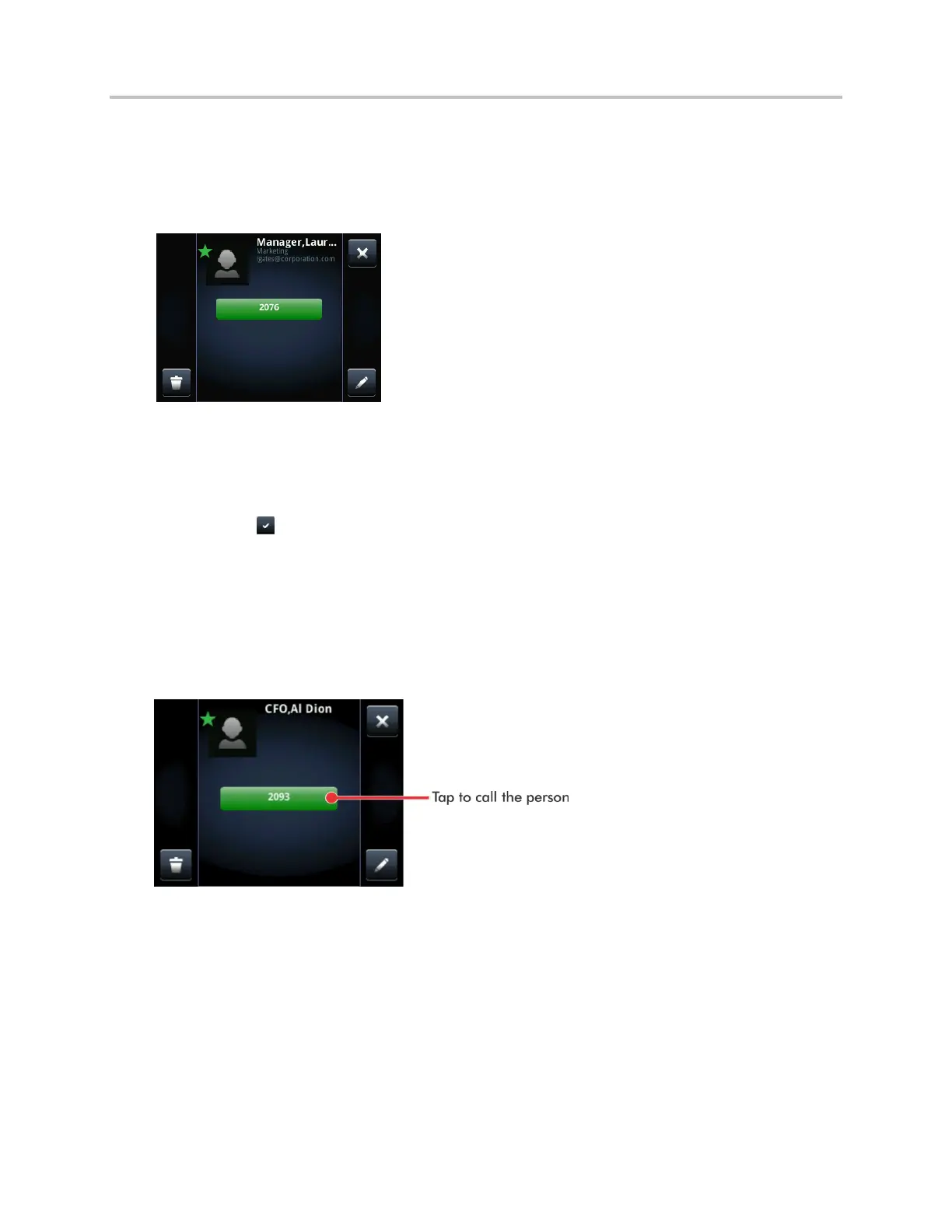
From your Contact Directory, tap the contact. The contact’s information screen, including the
contact’s name and phone number, displays (as shown next). Additional information—such as a job
title, label, or email address—may also display.
To search for a contact:
1 From your Contact Directory, tap Search.
2 From the Search screen, enter search criteria and tap Search. If you’re using the onscreen
keyboard, tap before you tap Search.
A list of search results is displayed. Tap Return to display your Contact Directory again.
To dial a contact:
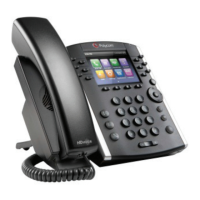
1 From your Contact Directory, tap the contact you want to call.
2 From the contact’s information screen (shown next), tap the contact’s phone number.



 To Next Page