Troubleshooting
RUBY-9715VG2AR User’s Manual 5-6
After done with the installation of SATA hardware, please enter system BIOS to
enable Serial ATA function. Otherwise, Serial hardware won’t be recognized. To
enable SATA function, please see as following:
System BIOS
Integrated Peripherals
On Chip IDE Device …………………. [Press enter]
On-Chip Serial ATA……..… [Auto]
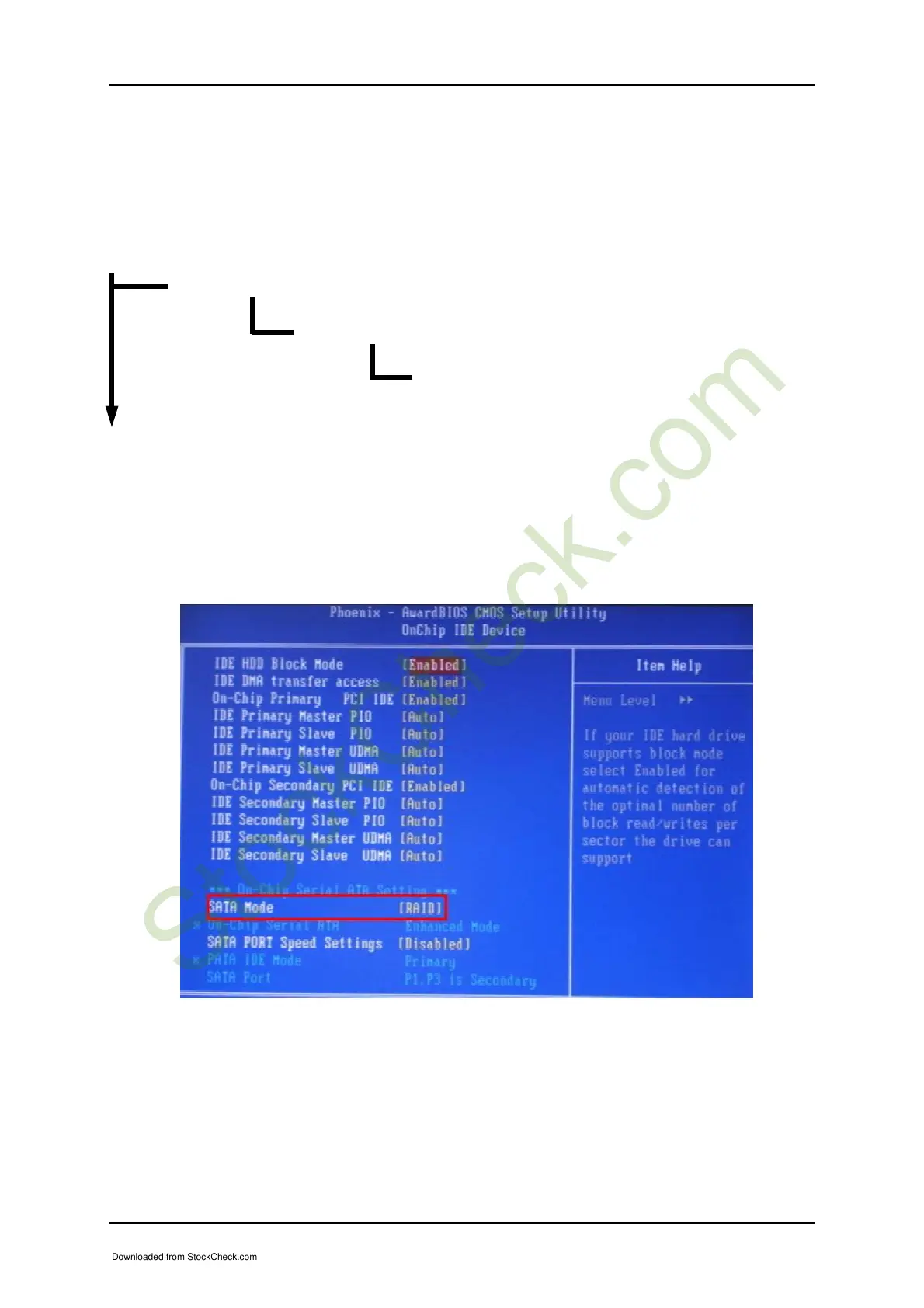
Besides, RUBY-9715VG2A also supports RAID 0, 1, and 5 functions. To enable SATA
RAID function, On-Chip Serial ATA must be set to “Enhanced Mode”. After that,
SATA Mode option will be unmasked automatically. Please set SATA Mode from
“IDE” to “RAID”, and then save reboot system after saving the new setting. Please
refer to the following picture.
After rebooting system, you will see the RAID Configuration Utility appear during
the post stage. However, to enter RAID Configuration Utility, please press
“<CTRL+I>”
Downloaded from StockCheck.com














 To Next Page