Page 22 of 80 Instruction Manual for AURORA CDD BCG.00613_AA
Part 3 Mounting and Configuration
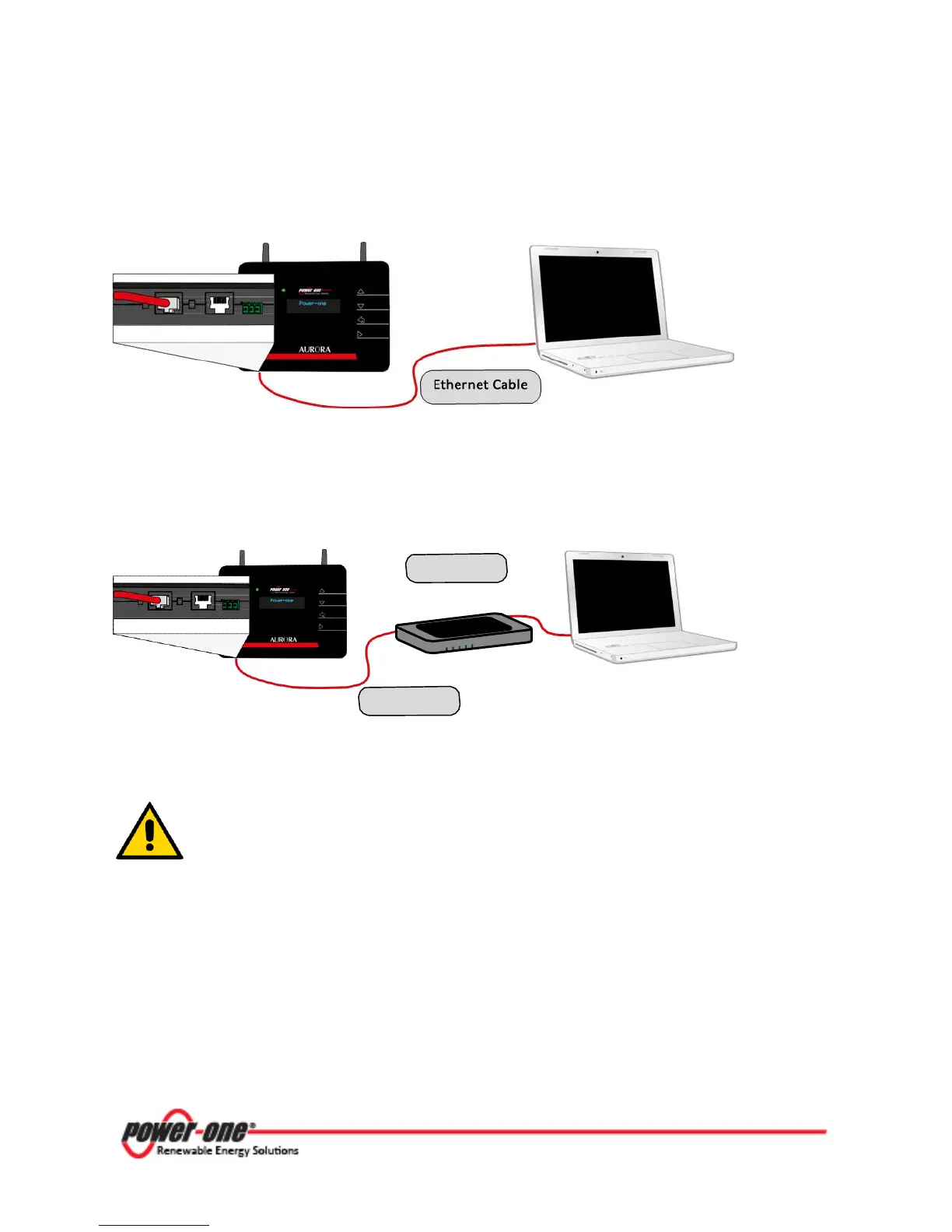
1 Direct to the computer using a cross Ethernet cable
2 Through a router using a patch Ethernet cable
Figure 3-2: Cabled connection of CDD to computer
The Ethernet port is located on the lower side of the CDD.
In both solutions be careful not to put the Ethernet cable in the RJ45 connector
for RS485 serial communication.
When the computer is directly connected to the CDD without any router, and if the computer is set
on automatic IP address, you may receive an error message similar to the one below.









 To Next Page