Page 28 of 80 Instruction Manual for AURORA CDD BCG.00613_AA
Part 3 Mounting and Configuration
• Open networks with a MAC address filter
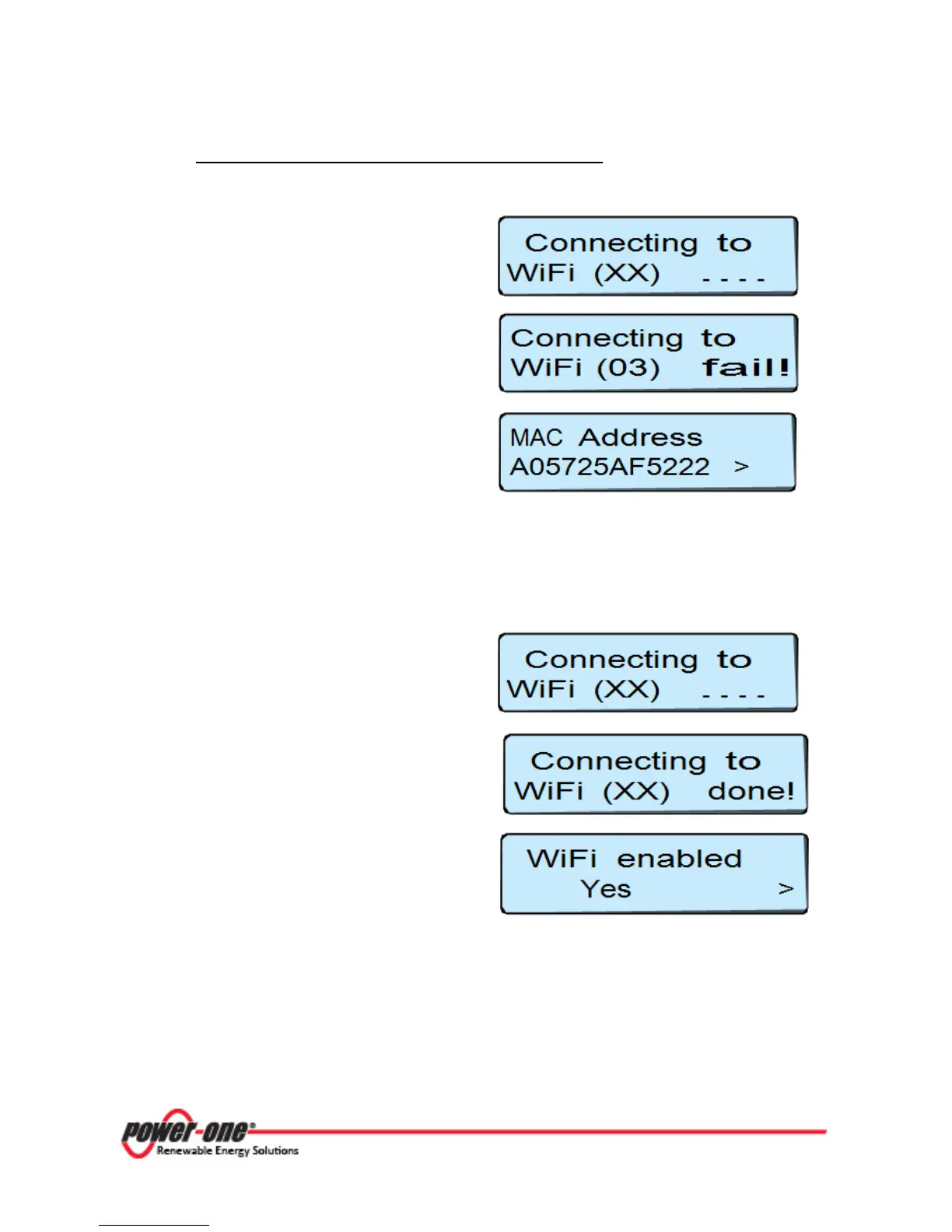
If the signal received is sufficiently strong, the
CDD starts the connection to the WiFi network
in a few seconds.
If there is a MAC address filter present on the
router, the connection is refused and an error
message appears on the display.
Subsequently the WiFi MAC address of the CDD
is displayed.
If you are using a router, the MAC address will
be needed when setting up the configuration
menu of the router.*
*(The router is not supplied by Power-One. Refer to documentation from the manufacturer of your
router for configuration instructions.)
Once the router is configured, reset the CDD by restarting (power down), to restart the
configuration procedure (see section 3.4.1).
If the signal received is sufficiently strong, the
CDD starts the connection to the WiFi network
in a few seconds.
On the display a completion message appears
At the end of the procedure the message
appears “WiFi Enabled”.
Press
ESC
to exit from the configuration menu.









 To Next Page