Page 63 of 80 Instruction Manual for AURORA CDD BCG.00613_AA
Part 4 Operations Guide
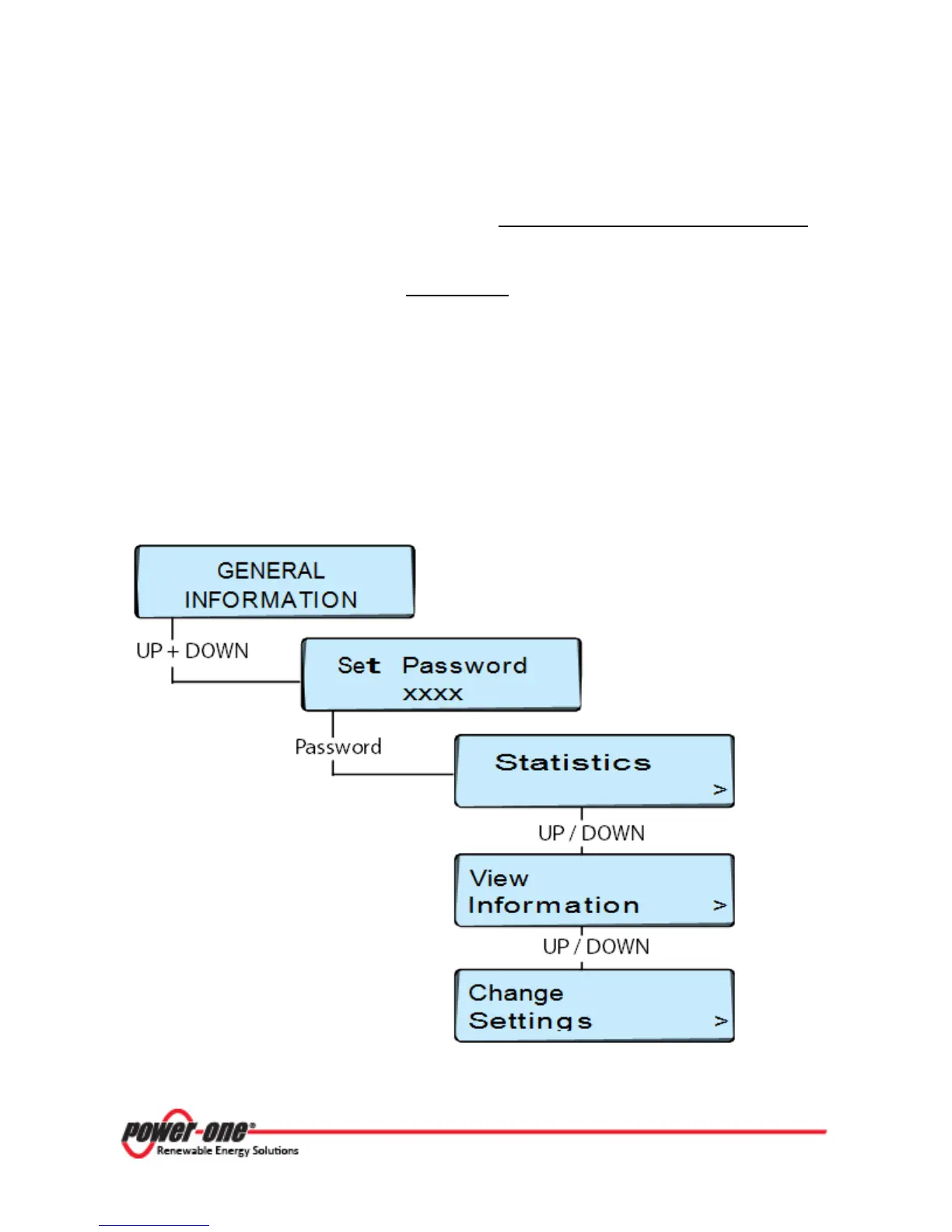
From the General Information display, it is possible to select one of the three main submenus:
STATISTICS, VIEW INFORMATION, or CHANGE SETTINGS.
Press the UP and DOWN buttons on the CDD display at the same time and hold for 3 seconds.
This will bring up the Set Password message where it is required to enter the default password.
In order to enter the password of 9999, press and hold the UP or DOWN button to scroll through
the list of characters. UP begins scrolling the characters first, and then symbols and numbers, with
the alphabet last. DOWN begins scrolling in the other direction with lower-case letters, then upper-
case letters, through the remaining characters.
Press ENTER to confirm each character selected. (In order to cancel the last character input, press
ESC.)
This will open the Statistics menu. Use the DOWN button to move to the next menu, View
Information. Press DOWN again to move to the Change Settings menu. Use the UP and DOWN
buttons to move through the three options. Press the ENTER button to select one of the menus.









 To Next Page